






5822
Of your peers have already downloaded this article
4:23 Minutes
The most insightful time you'll spend today!
Google Migration and BigQuery Brings PedidosYa Closer towards its Goal of Becoming Data-driven

7225
Of your peers have already read this article.
2:00 Minutes
The most insightful time you'll spend today!
Editor’s note: PedidosYa is the market leader for online food ordering in Latin America, serving 15 markets and over 400 cities. It’s also one of the largest brands within the German multinational company Delivery Hero SE. With over 20 million app downloads, PedidosYa provides the best online delivery experience through 71,000+ online partners, including restaurants, shops, drugstores, and specialized markets.
Having constant access to fresh customer data is a key requirement for PedidosYa to improve and innovate our customer’s experience. Our internal stakeholders also require faster insights to drive agile business decisions. Back in early 2020, PedidosYa’s leadership tasked the data team to make the impossible possible. Our team’s mission was to democratize data by providing universal and secure access while creating a comprehensive information ecosystem across PedidosYa. We also had to achieve this goal while keeping costs under control— even during the migration stage and removing operational bottlenecks.
Challenges with legacy cloud infrastructure
PedidosYa first built its data platform on top of AWS. Our data warehouse ran on Redshift, and our data lake was in S3. We used Presto and Hue as the user interfaces for our data analysts. However, maintaining this infrastructure was a daunting task. Our legacy platform couldn’t keep up with the increasing analytics demands. For example, the data stored on S3 complemented by Presto/Hue required high operational overhead. This was because Presto and our IAM (identity access management) didn’t integrate well in our legacy ecosystem. Managing individual users and mapping IAM roles with groups and Kerberos was operationally time-consuming and costly. Further, sharding access on the S3 files was far too complicated to enable seamless ACLs (access control lists).
There were also challenges with workload management. Our data warehouse had batch data loaded overnight. If one analyst scheduled a query to run during the overnight ETL (extract, transform, load) workload, it would disrupt the current ETL task. This could stop the entire data pipeline. We’d have to wait until data engineers intervened with a manual fix.
It was also difficult to understand whether a query error was due to performance issues or platform resource exhaustion. This lack of clarity affected our data analysts’ ability to autonomously improve querying efficiency. Data team members needed to manually inspect personal queries looking for performance issues. Also, the current architecture was prone to a ‘tragedy of the commons’ situation; it was seen as an unlimited and free resource. As a result, it was impossible to disentangle the infrastructure from different stakeholder teams, as all had very different needs.
The decision to modernize our data warehouse
Given the growing challenges from our legacy platform, our tech team decided to transform our analytics environment with a modern data warehouse. They required the following key criteria from their next data platform:
- Scalability – The ability to grow with elastic infrastructure.
- Cost control – Cost management and transparency. These factors promote efficiency and ownership—both key aspects of data democratization.
- Metadata management – Intuitive data platform focusing on users’ previous SQL knowledge. Plus, being able to enrich the informational ecosystem with metadata, to diminish data gatekeepers.
- Ease of management – The team needed to reduce operational costs with a serverless solution. Data engineers wanted to focus on their key roles rather than acting as database administrators and infrastructure engineers. The team also wanted much higher availability, and to reduce the impact of maintenance windows and vacuum/analysis.
- Data governance and access rights – With a growing employee base with varying data access requirements, the team needed a simple yet comprehensive solution to understand and track user access to data.
Migrating to Google Cloud
After exploring other alternatives, we concluded Google Cloud had an answer to each of our decision drivers. Google Cloud’s serverless, managed, and integrated data platform, coupled with its seamless integration across open-source solutions, was the perfect answer for our organization. In particular, the natural integration with Airflow as a job orchestrator and Kubernetes for flexible on-demand infrastructure was key.
We used Dataflow together with Pub/Sub and Cloud Functions for our data ingestion requirements, which has made our deployment process with Terraform seamless. Because we set up everything in our environment programmatically, operation time has diminished. Google Cloud reduced the deployment process from about 16 hours in our legacy platform to 4 hours. This is partly due to the friendliness of automating the deployment (such as schema check, load test, table creation, build.) process with Terraform, Cloud Functions, Pub/Sub, Dataflow, and BigQuery on GCP. Input messages processed with Dataflow allow us to abstract and plan the schema changes according to the needs of the functional team. For example, schema changes raise an alarm, and then we can modify the raw layer table schema. By doing this, we ensure that backend modifications that we don’t control do not affect upper layers.
A key reason why we picked Google Cloud was because of its advanced cost and workload management coupled with its transparent log analytics. This information gives us a complete view into any query performance issues to make improvements on the fly. Further, we achieved a significant amount of cost savings by consolidating multiple tools to BigQuery.With BigQuery, we’ve been able to reduce our total cost per query by 5x.
This was due to a number of reasons:
- Automating pipeline deployment made it much simpler to maintain the data processing processes.
- Analysts are conscious about what queries they’re running, resulting in running better, more optimized queries.
- Analysts use a Data Studio dashboard to see their queries and all the associated costs. As a result, there’s a lot more transparency for each persona.
With these changes, we can easily manage and assign costs associated with each workload with their own cost centers using specific Google Cloud projects.
Change management is always challenging. However, BigQuery is intuitive and doesn’t have a steep learning curve from Hue/Hive on SQL basics. BigQuery also allowed the team to expand its capabilities and enabled them to properly work with nested structures, avoiding unnecessary joins and improving query efficiency. Additionally, we now use Data Catalog as our unique point of truth for metadata management. This allows our team to break the data access barriers and enable federation of data across the organization. By using Airflow to orchestrate everything, we keep track of every data stream. With this information, each end user can see their regularly used data entities’ status via the dashboard. This also adds transparency to our everyday data processes.
Finally, with Google Cloud’s IAM rules applied across the different products, data sharing and access is close to a noOps experience. We have programmatically implemented access according to roles and level access within the company. This allows certain pre-validated roles to view more sensitive information. These solutions help drive a more automated data governance experience.
Up next: Google Cloud AI/ML
The new stack based on BigQuery has created significant productivity gains. Freed from the burden of operational management, PedidosYa’s data team can now focus on adding value through data tools and products.
- Our data engineers are better equipped to integrate constantly changing transactional and operational data.
- The dataOps team can automate the infrastructure and provide autonomy to the end user.
- Our data quality team can focus on bringing added value to data stakeholders.
- Data scientists and data analytics can spend more time analyzing data and less time asking data gatekeepers for data access.
PedidosYa can now democratize data access with a well-governed architecture. We are still at the beginning of our journey, but we are closer to achieving our vision of building a data-driven organization. Up next: expanding our artificial intelligence and machine learning capabilities.
Tune in to Google Cloud’s Applied ML Summit on June 10th, 2021, or listen on-demand later, to learn how to apply groundbreaking machine learning technology in your projects.

3390
Of your peers have already listened to this podcast
30:54 Minutes
The most insightful time you'll spend today!
AI-as-a-Service is Here. It’s Really Almost Plug-and-Play
As a customer experience platform, Genesys helps clients nurture great relationships with customers, and creates seamless user journeys across all channels and devices. Its technologies are used by more than 10,000 companies in over 100 countries, making Genesys the top provider of its kind for 25 years in a row.
To improve data efficiency and communication across the company, Genesys turned to Analytics Pros, a digital analytics agency. Together, they used the power of Google Data Studio to transform the way teams across Genesys accessed and used data.
Communicating With Data
The marketing and product teams at Genesys had always been passionate about using data to optimize their user experience and marketing channels. But the problem was showing the data. The different offices and executives around the world had trouble logging in to view the data—and once they did, the reports were intimidating and confusing.
After learning more about the capabilities of Data Studio, Genesys decided to run a pilot project. Analytics Pros helped the company combine multiple data sets into self-service, fully-customizable dashboards on Data Studio. And it was a huge success. Regional teams were thrilled to have meaningful dashboards, and even executives started using and sharing reports.
Discover Latest Resources on Google Cloud’s Datasets Solution

6315
Of your peers have already read this article.
3:00 Minutes
The most insightful time you'll spend today!
Editor’s note: With Google Cloud’s datasets solution, you can access an ever-expanding resource of the newest datasets to support and empower your analyses and ML models, as well as frequently updated best practices on how to get the most out of any of our datasets. We will be regularly updating this blog with new datasets and announcements, so be sure to bookmark this link and check back often.
August 2021
New dataset: Google Cloud Release Notes
- Looking for a new way to access Google Cloud Release Notes besides the docs, the XML feed, and Cloud Console? Check out the Google Cloud Release Notes dataset. With up-to-date release notes for all generally available Google Cloud products, this dataset allows you to use BigQuery to programmatically analyze release notes across all products, exploring security bulletin updates, fixes, changes, and the latest feature releases.
- Access the dataset

July 2021
Best practice: Use Google Trends data for common business needs
- The Google Trends dataset represents the first time we’re adding Google-owned Search data into Datasets for Google Cloud. The Trends data allows users to measure interest in a particular topic or search term across Google Search, from around the United States, down to the city-level. You can learn more about the dataset here, and check out the Looker dashboard here! These tables are super valuable in their own right, but when you blend them with other actionable data you can unlock whole new areas of opportunity for your team. To learn how to make informed decisions with Google Trends data, keep reading.
- Access the dataset
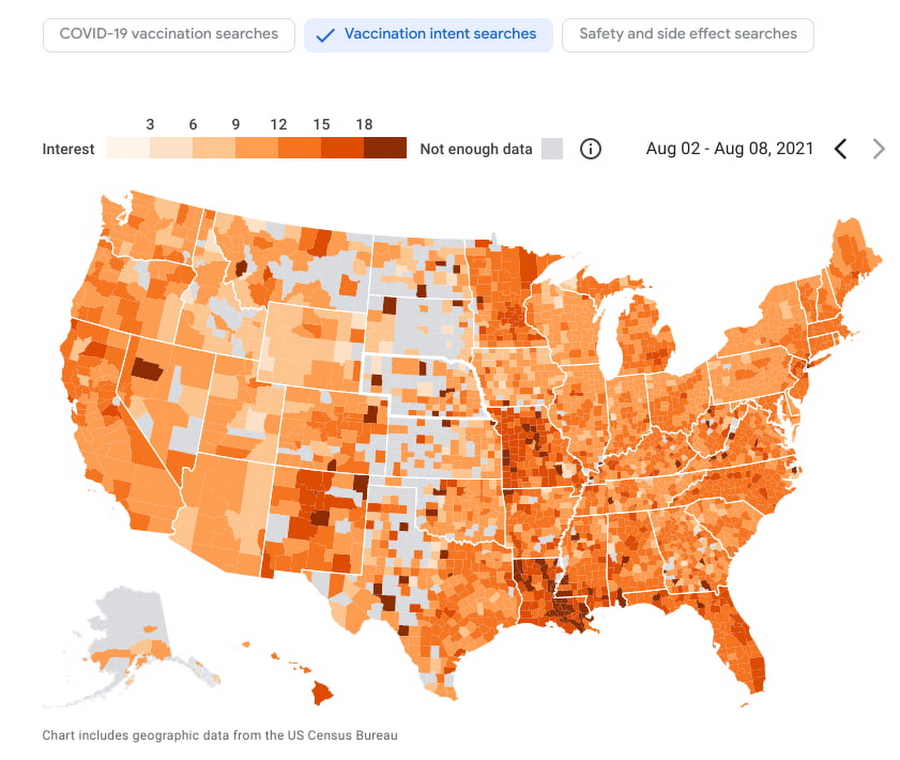
New dataset: COVID-19 Vaccination Search Insights
- With COVID-19 vaccinations being a topic of interest around the United States, this dataset shows aggregated, anonymized trends in searches related to COVID-19 vaccination and is intended to help public health officials design, target, and evaluate public education campaigns. Check out this interactive dashboard to explore searches for COVID-19 vaccination topics by region.
- Access the dataset
June 2021
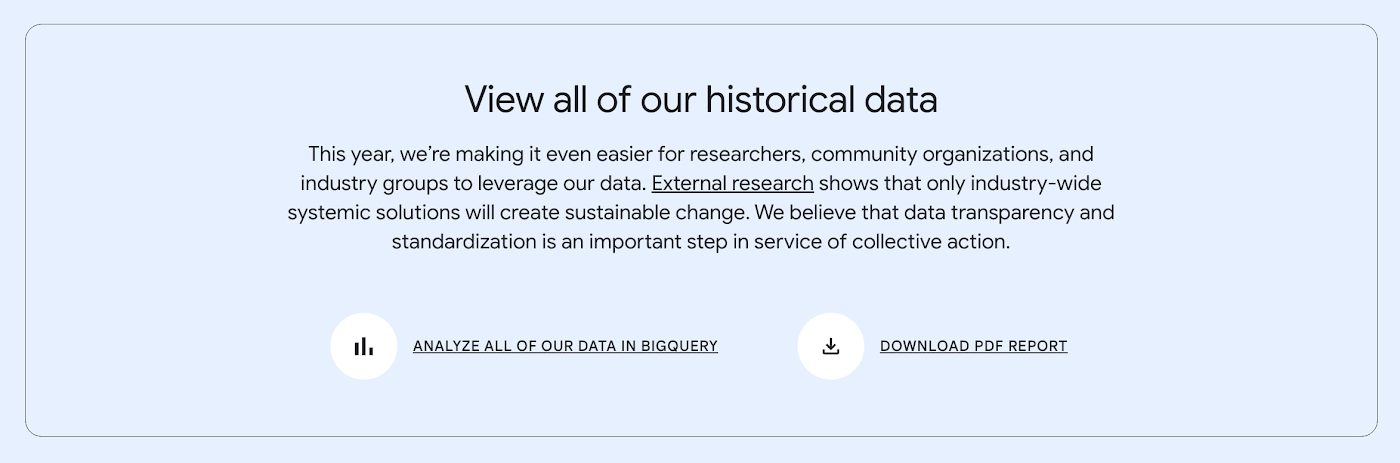
New dataset: Google Diversity Annual Report 2021
- Since 2014, Google has disclosed data on the diversity of its workforce in an effort to bring candid transparency to the challenges technology companies like Google face in recruitment and retention of underrepresented communities. In an effort to make this data more accessible and useful, we’ve loaded it into BigQuery for the first time ever. To view Google’s Diversity Annual Report and learn more, check it out.
- Access the dataset
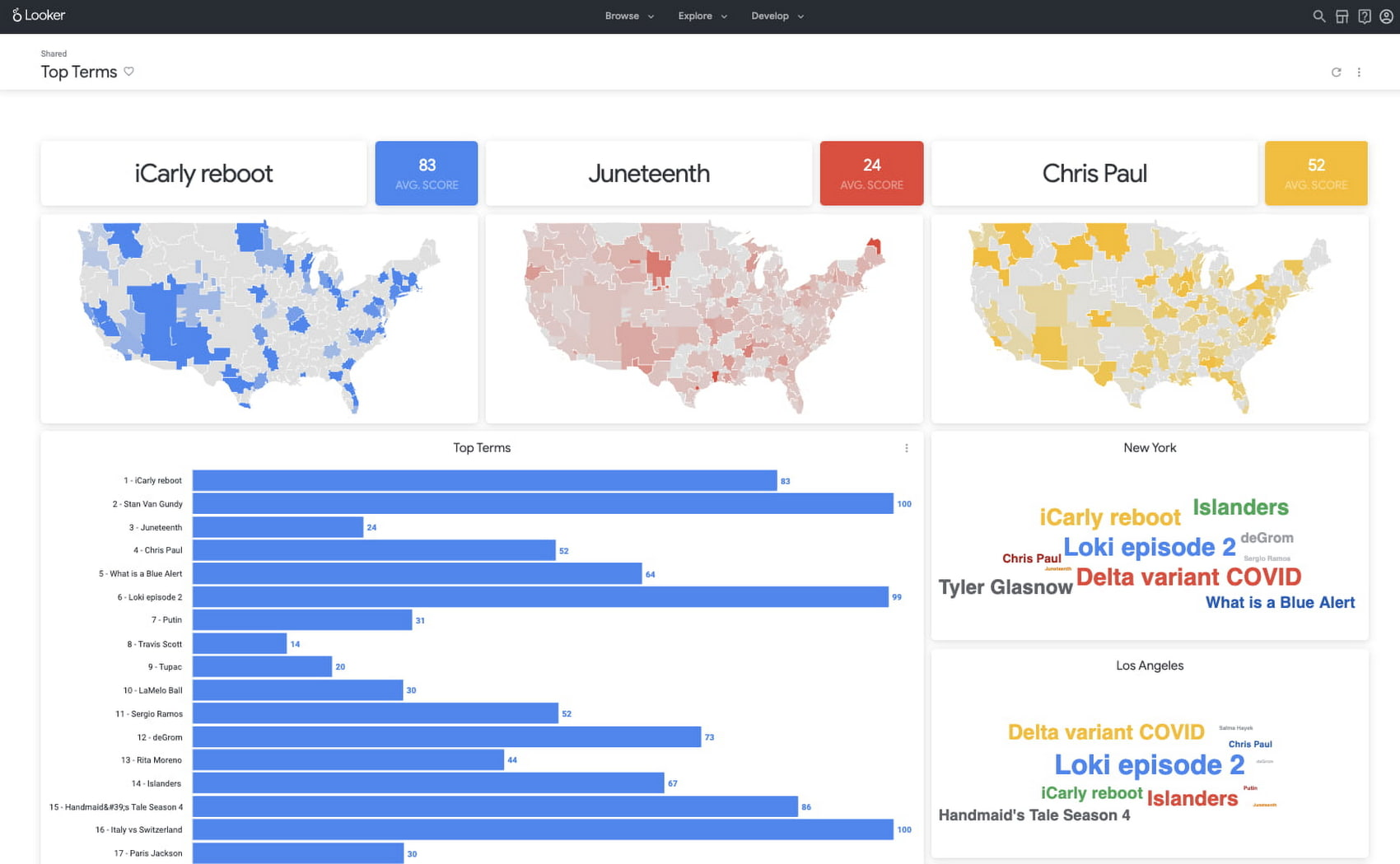
New dataset: Google Trends Top 25 Search terms
- The most popular and surging Google Search terms are now available in BigQuery as a public dataset. View the Top 25 and Top 25 rising queries from Google Trends from the past 30-days, including 5 years of historical data across the 210 Designated Market Areas (DMAs) in the US. Keep reading.
- Access the dataset
New dataset: COVID-19 Vaccination Access
- With metrics quantifying travel times to COVID-19 vaccination sites, this dataset is intended to help Public Health officials, researchers, and Healthcare Providers to identify areas with insufficient access, deploy interventions, and research these issues. Check out how this data is being used in a number of new tools.
- Access the dataset
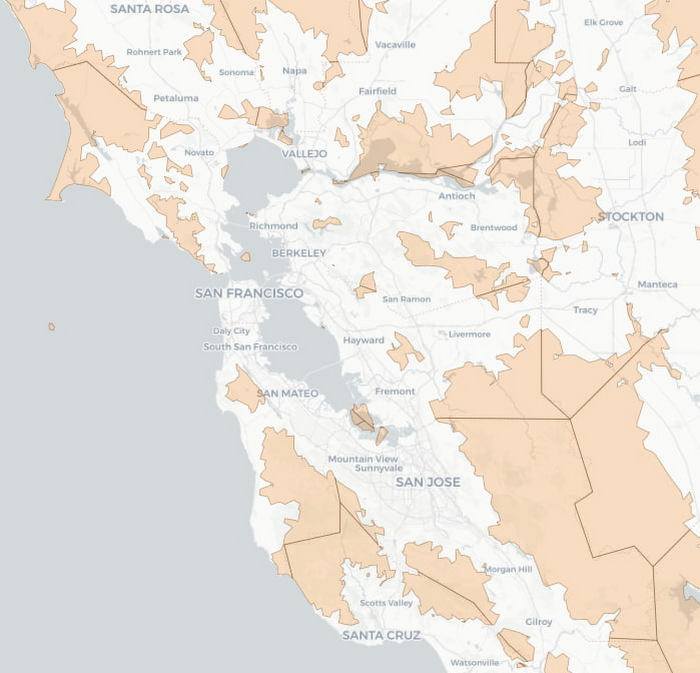

Best practice: Leveraging BigQuery Public Boundaries datasets for geospatial analytics
- Geospatial data is a critical component for a comprehensive analytics strategy. Whether you are trying to visualize data using geospatial parameters or do deeper analysis or modeling on customer distribution or proximity, most organizations have some type of geospatial data they would like to use – whether it be customer zipcodes, store locations, or shipping addresses. However, converting geographic data into the correct format for analysis and aggregation at different levels can be difficult. In this post, we’ll walk through some examples of how you can leverage the Google Cloud platform alongside Google Cloud Public Datasets to perform robust analytics on geographic data. Keep reading.
- Access the dataset

Get the metadata and try BigQuery sandbox
When you’ve learned about many of our datasets and pre-built solutions from across Google, you may be ready to start querying them. Check out the full dataset directory and read all the metadata at g.co/cloud/marketplace-datasets, then dig into the data with our free-to-use BigQuery sandbox account, or $300 in credits with our Google Cloud free trial.
6060
Of your peers have already watched this video.
1:30 Minutes
The most insightful time you'll spend today!
Explore the Innovations and Architecture Powering Spanner and BigQuery
Previously, databases had architectures with tightly coupled storage and compute. This resulted in higher latency, and with faster networks these constraints no longer surface. With Google Cloud’s BigQuery and CloudSpanner, the storage and compute architecture have been separated, allowing for better scalability and availability to address businesses’ high throughput data needs.
Watch the video to understand how these database and analysis products leverage Google’s distributed storage system, in-house custom network hardware and software, internal cluster management system and more!
Guide to Create and Manage Datasets with Vertex AI

3044
Of your peers have already read this article.
2:00 Minutes
The most insightful time you'll spend today!
At Google I/O this year, we introduced Vertex AI to bring together all our ML offerings into a single environment that lets you build and manage the lifecycle of ML projects. In a previous post, we gave you an overview of Vertex AI, sharing how it supports your entire ML workflow—from data management all the way to predictions. Today, we’ll talk a little about how to manage ML datasets with Vertex AI.
Many enterprises want to use data to make meaningful predictions that can bolster their business or help them venture into new markets. This often requires using custom machine learning models—something not every business knows how to create or use. This is where Vertex AI can help. Vertex AI provides tools for every step of the machine learning workflow—from managing data sets to different ways of training the model, evaluating, deploying, and making predictions. It also supports varying levels of ML expertise, so you don’t need to be an ML expert to use Vertex AI.https://www.youtube.com/embed/CN2X6oIlnmI?enablejsapi=1&
Types of data you can use in Vertex AI
Datasets are the first step of the machine learning lifecycle—to get started you need data, and lots of it. Vertex AI currently supports managed datasets for four data types—image, tabular, text, and videos.
Image
Image datasets let you do:
- Image classification—Identifying items within an image.
- Object detection—Identifying the location of an item in an image
- Image segmentation—Assigning labels to pixel level regions in an image.
To ensure your model performs well in production, use training images similar to what your users will send. For example, if users are likely to send low quality images, be sure to have blurry and low resolution images in your data set. Don’t forget to include different angles, backgrounds, and resolutions. We recommend you include at least 1,000 images per label (item you want to identify), but you can always get started with 10 per label. The more examples you provide, the better your model will be.
Tabular
Tabular datasets enable you to do:
- Regression—Predicting a numerical value.
- Classification—Predicting a category associated with a particular example.
- Forecasting—Predicting the likelihood of sudden events or demands.
Tabular data sets support hundreds of columns and millions of rows.
Text
With text datasets, you can do:
- Classification—Assigning one or more labels to an entire document.
- Entity extraction—Identifying custom text entities within a document, like “too expensive” or “great value”.
- Sentiment analysis—Identifying the overall sentiment expressed in a block of text, for example, if a customer was happy or upset or frustrated.
Video
Video datasets enable:
- Classification—Labeling entire videos, shots, or frames.
- Action recognition—Identifying clips video clips where specific actions occur.
- Object tracking—Tracking specific objects in a video.
Creating and managing datasets in Vertex AI
Now that we’ve covered the different types of data you can use, let’s shift to creating and managing those datasets. In the Cloud Console, go to Vertex AI dashboard page and click Datasets, then click Create Project.
Say you want to classify items within a set of photos. Create an image dataset and select image classification. You can import files directly from your computer, which will be stored in Cloud Storage. Then, you’ll need to add the corresponding labels (items you want to identify) for your images. If you already have labels, you can use the Import File option to import a CSV with your image URLs and their labels. If your data is not labeled and you would like human help to label it, you can use the Vertex AI data labeling service. Once the files are uploaded, you can create labels and assign them to the images. You can also analyze the images in the data set, the number of images per label, and a few other properties.
Depending on the type of data you use, your options might vary slightly. For example, if you want to use tabular data, you could upload a CSV file from your computer, use one from Cloud Storage, or select a table from BigQuery directly. Once you select the table, the data is available for analysis.
More to come
This concludes our overview of creating and managing datasets in Vertex AI. In a future installment, we’ll go over the next phase of the machine learning workflow: building and training ML models.
If you enjoyed this post, keep an eye out for more AI Simplified episodes on YouTube. In the meantime, here’s where you can learn more about Vertex AI.
More Relevant Stories for Your Company


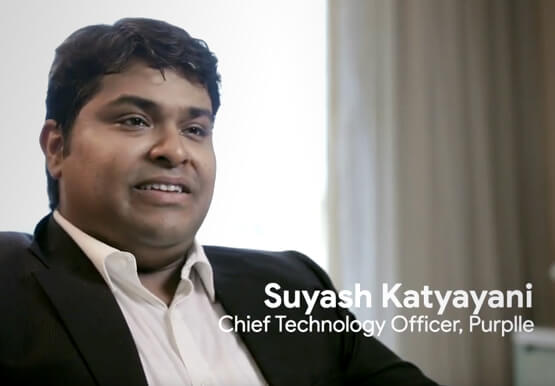

An Indian Example of How to Really Up Your Customer Experience Game and Increase Conversion Rates With AI
How about selfie analysis of users to recommend them the right lipstick color? That’s just one of the many ideas folks at Purplle.com came up with to improve the buying experience of Indian consumers. And without the power of Google Cloud, it would probably have remained just that…an idea. But

Innovate Faster & More Flexibly: How Our Commitment to Open Source Unlocks AI and ML Innovation
At Google, we believe anyone should be able to quickly and easily turn their artificial intelligence (AI) idea into reality. Open source software (OSS) has become increasingly important to this goal, heavily influencing the pace of innovation in AI and machine learning (ML) ecosystems. Over the last two decades, ML

Google Cloud Next ’22 to Commence in October: Block Your Calendar!
We’re excited to announce that Google Cloud Next returns on October 11–13, 2022. Join us for keynotes from industry luminaries and engage live with Google developers. Explore dynamic content across various learning levels, and dive deep into technologies and solutions spanning the Google Cloud and Google Workspace portfolios. Participate in breakout sessions,

World’s Largest Online-only Grocery Retailer Uses AI to Figure Which Customers Need Most Attention
In the United Kingdom, the popularity of online grocery shopping is expected to surge from about 6% of the market today to 9% by 2021, according to market research firm Mintel. One of the pioneers of online-only grocery retailing is Ocado, based in Hatfield, Hertfordshire in the U.K. Since starting commercial deliveries
