





YoungCapital Scales Up with Ease With Chrome Enterprise and G Suite

4282
Of your peers have already read this article.
2:45 Minutes
The most insightful time you'll spend today!
When your business is rapidly adding new employees, expanding to new countries, and always focused on staying ahead of the competition, you have to take a hard look at the tools that are slowing you down—and swap them out for better ones that can keep pace with the company.
We’re expanding YoungCapital in Germany, which means more offices, more people, and more technology to make the business run smoothly.
As we scale, Google Cloud tools like Chromebooks and G Suite help us grow our business efficiently. They free us up from sluggish, time-intensive technology that’s hard to maintain and repair, and give us the freedom to work together in faster, smarter ways.
Free from hours of device setup. Some months, there are as many as 40 new employees starting at YoungCapital—and as we continue to expand that number will continue to rise, especially now that we’ve opened three new offices in Germany.
With our old Windows desktops, setting up new computers could take up to an hour per employee (which can add up to about 40 hours a month for IT). Today, using Chrome Enterprise tools, it takes about five minutes to get an Acer Spin or Pixelbook ready to hand off to a new hire—saving us more than three months per year of device setup time.
Free from VPNs. Our previous Windows machines required a complicated virtual private network (VPN) for accessing corporate files outside of the office.
Using a VPN was complicated for our employees because the software wasn’t intuitive; if an employee had trouble signing into the VPN while at home or traveling, they could not log in and work as quickly as they needed to. With Chromebooks, all you need is an online connection to sign into G Suite to access files and work from anywhere.
From our perspective, Chromebooks are resistant to threats like ransomware and phishing attacks, giving us confidence that our data can stay secure.
With Chrome Enterprise Upgrade, our IT admins can strengthen security even further: for example, by enabling advanced security features that help block vulnerabilities, locking down lost or stolen devices right away, and setting device security policies in the cloud so devices everywhere are safer.
Free from infrastructure. We used to have to invest in servers, and then add more time and money to keep them running. Now we don’t have to run the business on infrastructure or hire people to maintain it—we can just use Google’s cloud.
NextNovate is helping us make the most of Google Cloud Platform, like integrating some of our proprietary applications with G Suite and building our own add-ons. For example, we created a button for Gmail that connects to our job candidate database; when candidates email us, we can click on the button and see their profiles and work experience.
Free from multiple passwords and logins. Chrome Browser and G Suite with single sign-provider SAML are the portal to all the productivity apps our employees need. Once people log in to G Suite, they don’t have to remember a bunch of other user names and passwords. The IT team loves it too, because we don’t have to spend hours zeroing out passwords and creating new ones.
Free to manage cross-country devices easily in the cloud. Our four-person IT support team, which keeps our systems humming, hasn’t grown, even though we’ve doubled the number of employees.
When we were on Windows devices, we fielded roughly 1,800 IT support requests every month. Now we get about 1,300 requests a month, from a much bigger employee base. This translates to nearly 30% fewer requests for our lean support team, which reduces their workload significantly even though we have roughly 20% more employees—all made possible with Chrome Enterprise.
Being free of slow, high-maintenance technology doesn’t just make the IT department happy—people are actually changing how they work. They no longer send files to each other by email or struggle to keep track of versions; they store everything in Google Drive and work together in Google Docs on a single document at the same time.
And instead of traveling to other offices, connecting with each other in video conferences on Hangouts Meet has become a completely natural way to do business.
With Chromebooks and G Suite, we’re ready for anything: more new markets, more employees, and more-flexible ways to work together and shake up the staffing industry.
Discovery’s Massive Workspace Migration Fuels Innovation and Collaboration

3825
Of your peers have already read this article.
1:30 Minutes
The most insightful time you'll spend today!
In the past two decades, Discovery has moved from a purely cable business based in the U.S. to a global media and entertainment powerhouse. Like many other businesses in the industry, we’ve had to adjust to the unique shifts in people’s behaviors and preferences, almost all of which result from the rise in streaming.
We have always been consumer-obsessed at Discovery, with a corporate culture built on the desire to entertain and inspire people of all ages and backgrounds with exceptional content. As we’ve grown, we have also learned just how important it is to be staff-obsessed, giving our employees the best possible experiences so they can continue to innovate and deliver the world-class content our customers expect.
In 2019, we decided one way to fuel innovation and collaboration among employees was to bring in Google Workspace. Selected for its intuitive, easy-to-use, and constantly evolving tools, Google Workspace enables teams to seamlessly create, connect, and collaborate anywhere, anytime.
Given the scope of our ambitions, and recognizing the challenges of migrating 16,500 global employees to a new collaboration solution, we worked with Google Cloud premier partner SADA to get the job done.
Change management amid a massive migration
We began the move to Google Workspace by migrating our document storage system from a legacy cloud provider to Google Drive. This included 86 million items amounting to about two petabytes of data migrated with minimal disruptions. A few months later we completed our move to Google Workspace by migrating 1.2 million calendar invites and 20,800 mail accounts, including thousands of collaborative inboxes and delegated accounts.
In addition to the technical support and Google Workspace expertise that SADA provided, they also partnered with our project team on the change management strategy. Despite challenges presented by the COVID-19 pandemic, our training team and SADA were able to offer outstanding educational opportunities to assist our workforce in the transition and to get the most out of Google Workspace. This included collaborating on over 240 global webinars in seven languages.
Discovering the power of transformative tools
Discovery has many types of end users, from finance professionals and marketing teams to producers and content developers. The fact that Google Workspace has been well-received across the company is a testament to the power of the solution.
Many of our teams have taken advantage of collaborative Gmail accounts and shared drives, providing them with a centralized location to seamlessly communicate and work together on team-focused projects. Our internal communications team is especially happy with the real-time collaborative editing experience within Docs as they work on company-wide emails, announcements, and other projects.
These collaboration tools have allowed us to stay agile amid global lockdowns and will continue to do so as we adapt to a more flexible working environment.
The value of partnership
While we were comfortable with our legacy collaboration suite, one of the biggest benefits of switching to Google Workspace has been Google Cloud’s and SADA’s partnership. They provide us with regular updates on product roadmaps, upcoming features, and more.
This is just the beginning as we plan to grow, deliver new content, and lead the media and entertainment industry with the help of these two great partners and their solutions.
To learn more about Discovery’s journey with Google Workspace, read the full case study.
5319
Of your peers have already watched this video.
1:34 Minutes
The most insightful time you'll spend today!
How You Can Collaborate in Real Time to Build Pitch Proposals Overnight
It’s no secret that marketing and sales teams have a love-hate relationship. But there’s one thing that binds them like no other: The pressure of creating pitch decks overnight.
The struggle is real.
Be it for a new marketing campaign or a sales idea, pitch decks need multiple teams in different parts of the world to collaborate towards a single goal—and race with the clock.
That’s why, more often than not, marketing and sales teams watch deadlines fly past and risk losing potential customers, fail to beat the competition, and adversely impact revenue.
But with G Suite, marketing teams can now collaborate in real time, tweak proposals, add missing data, and write and edit the same file—all together. In fact, 74 percent of all time spent in Docs, Sheets, and Slides is on collaborative work—that is, multiple people creating and editing content together. That means they can create pitch decks overnight.
With AI and machine learning powering, and protecting, the G Suite, today’s marketing and sales teams have a smarter, quicker and more secure platform to ensure their ideas get to market faster and also remain within the organization.
That’s probably why companies like Whirlpool, Nielsen, BBVA, and Broadcom are among the many who chose G Suite to move faster, better connect their teams, and advance their competitive edge.
5017
Of your peers have already watched this video.
2:08 Minutes
The most insightful time you'll spend today!
Tech Helps This In-Home Healthcare Service Focus on Making Lives Better and Save Costs by 23%
Buurtzorg is an in-home healthcare organization based in the Netherlands, with more than 15,000 nurses working in small community teams across Europe.
Working in small teams of empowered, highly qualified professionals, Buurtzorg provides nurse-led community care across the Netherlands. But as the number of clients grew, it was getting difficult for nurses to keep up with bureaucratic work and take care of patients at the same time. Buurtzorg’s rapid success lies in its nurses’ abilities to act quickly and effectively without unnecessary bureaucracy.
“I said why are we doing it this way? We called our company Buurtzorg, and Buurt means neighborhood. That’s why we moved to G Suite: to reduce unnecessary administrative tasks and focus on patient care,” says Jos De Blok, CEO, Buurtzorg.
Watch this 2-minute video to find out how Buurtzorg serves the community and reduces costs by 23% at the same time.
Now on Mobile: Manage Your Google Cloud Support Cases Anywhere, Anytime
938
Of your peers have already read this article.
2:30 Minutes
The most insightful time you'll spend today!
We’re excited to announce that Google Cloud Support is now available as Public Preview* in the Google Cloud mobile app.
View and manage Google Cloud Support cases
We understand how important it is to be able to access and collaborate on Cloud Support cases. As such, we’ve made it easy for you to manage your cases via the mobile app. There is no need to log in to the mobile browser, search for a proper website, and navigate to the place where you need to be. Your Cloud Support cases are now available at your fingertips.
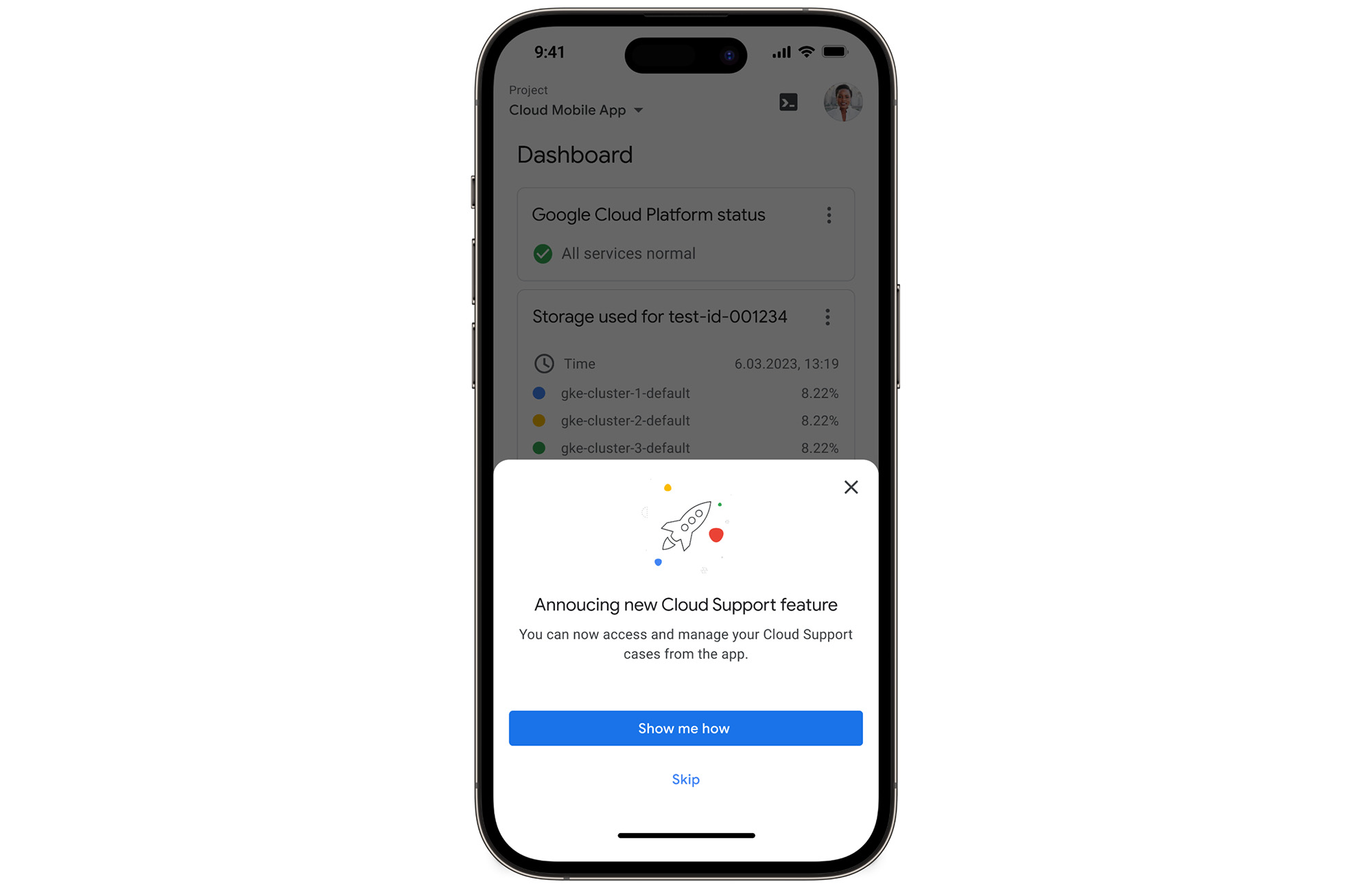
In the Google Cloud mobile app, simply navigate to “Cloud Support (preview)” from any screen by touching your profile picture.
With just one touch you can see the list of all your support cases and easily dive into their important details.
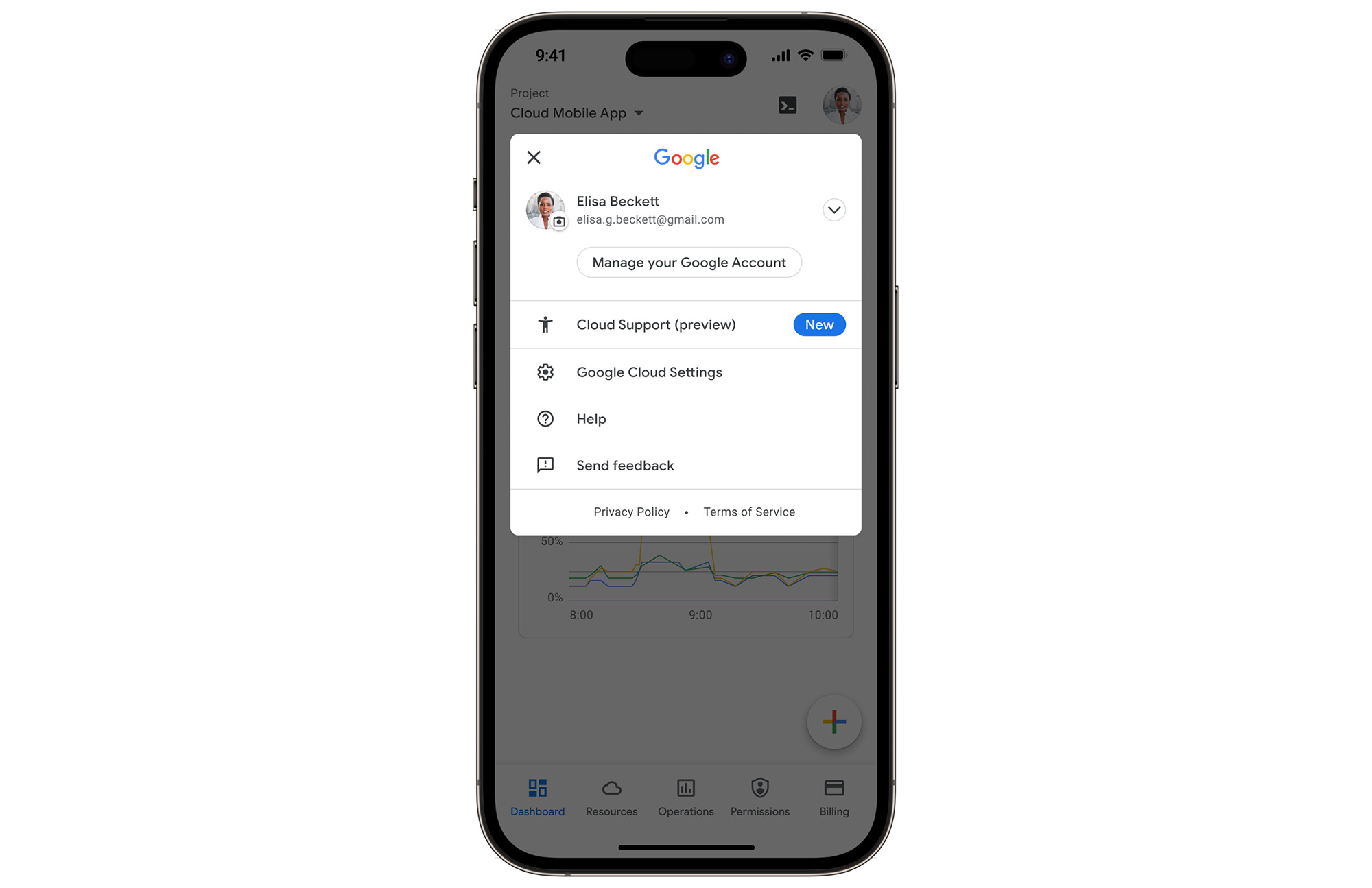
Create Google Cloud Support cases and take action
Not only can you easily view and manage your existing Cloud Support cases, you can also create new ones on the fly with the Google Cloud mobile app.
Seamlessly browse case comments to see the full history of the support case, and respond to the case with new comments.
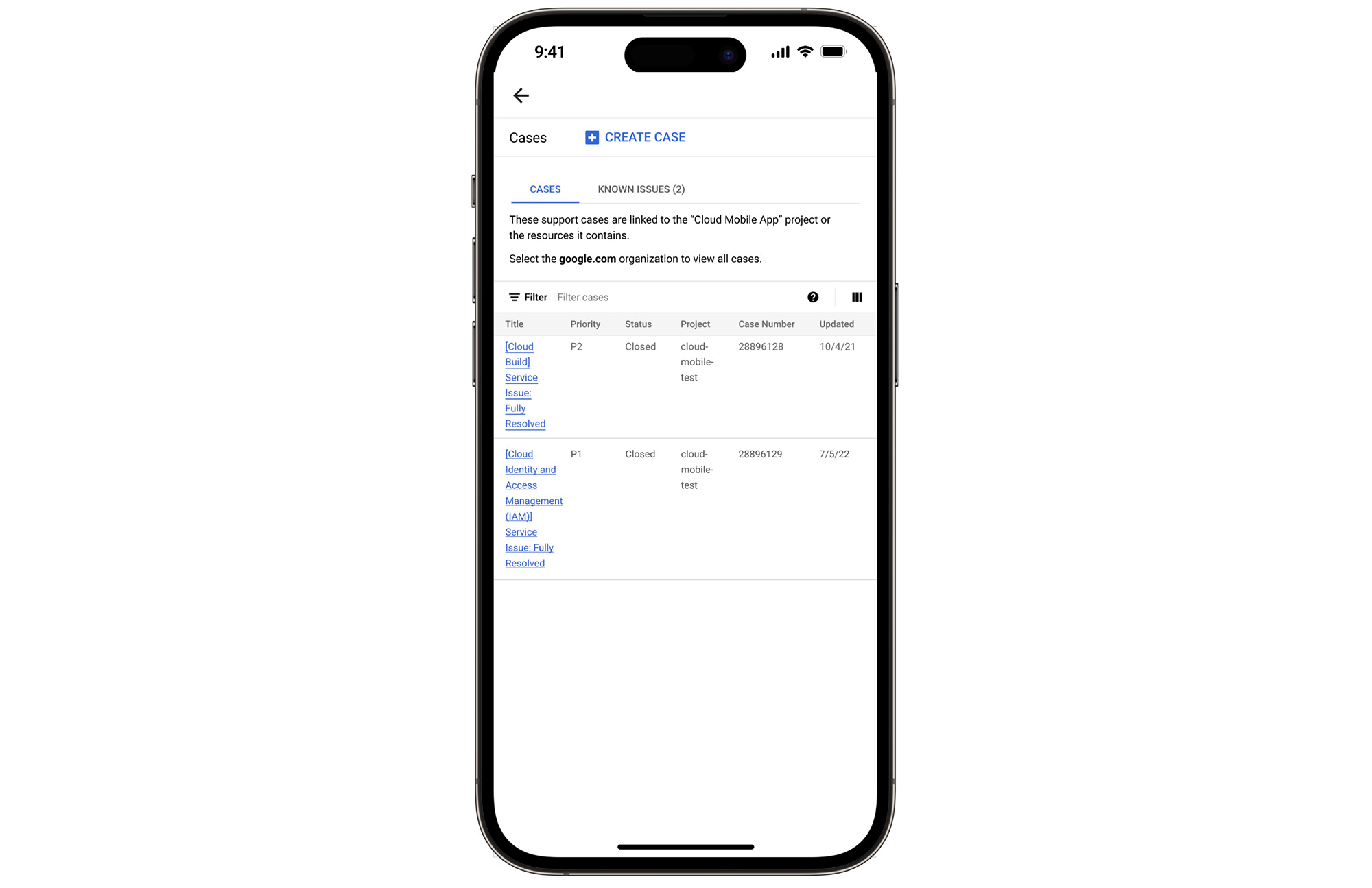
Download the Google Cloud app today
The Google Cloud app is a powerful tool for managing your Google Cloud environment on the go, and it just got better. To summarize, we’ve added Cloud Support cases to our mobile app, which lets you:
- Read existing conversations with the Google Cloud Support Team
- Respond to Google Cloud Support cases
- Create new Google Cloud Support cases
These new features are available for you to use today in Public Preview. Download the Google Cloud mobile app from Google Play or the Apple App Store to try it out. Check out the Google Cloud app documentation to learn more about what you can do on-the-go. If you have any feedback, we would love to hear from you — simply click on the “send feedback” button in the app to share your experience.
*Preview – This product or feature is covered by the Pre-GA Offerings Terms of the Google Cloud Terms of Service. Pre-GA products and features might have limited support, and changes to pre-GA products and features might not be compatible with other pre-GA versions. For more information, see the launch stage descriptions.
6586
Of your peers have already watched this video.
8:00 Minutes
The most insightful time you'll spend today!
Hospitals Can Offer Interconnected Patient Experiences Using Google’s Natural Language Services
Machine Learning (ML) in healthcare helps extract data from conversations, medical records, forms, research reports, insurance claims and other documents across the care value-chain to help care providers have a holistic view of their patients to draw insights for diagnoses and treatments. With Natural Language Processing(NLP), healthcare organizations can program computers and systems to process and analyse large volumes of human communication in form of spoken texts, written documentation and utterances. Watch the video to learn how the healthcare community can leverage Google’s NLP services to process structured and unstructured data to offer interconnected experiences for patients.
More Relevant Stories for Your Company

ShareChat Builds its Diverse, Hyperlocal Social Network. Thanks to Google Cloud
Editor’s note: Today’s guest post comes from Indian social media platform ShareChat. Here’s the story of how they improved performance, app development, and analytics for serving regional content to millions of users using Google Cloud. How do you create a social network when your country has 22 major official languages and



Trusted Collaboration for Hybrid Workplace with Google Workspace
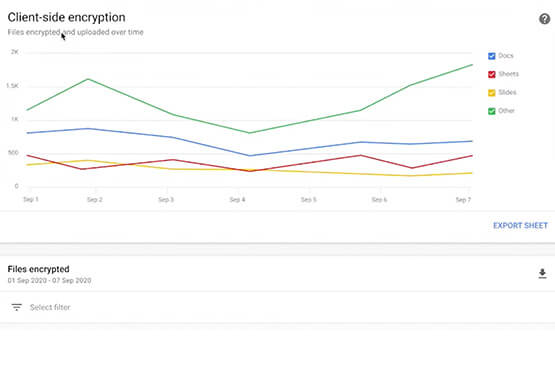
Hybrid workspace need high levels of security, data privacy, and trust for seamless collaboration across workforce. As we navigate to the new normal, your enterprise can learn about the security and privacy specific innovations Google Workspace utilizes to help customers realize powerful, trusted, cloud-native collaboration.

Usha Martin Consolidates and Modernizes with Google
Usha Martin operates several wire and rope manufacturing plants in India, Thailand, the United Arab Emirates, and the United Kingdom. In 1974, Usha Martin established an integrated alloy steel plant in Jamshedpur, India. The business operates a range of joint ventures internationally, including a partnership with Joh Pengg AG of
Building API-enabled Partnerships Fosters Growth and Innovation
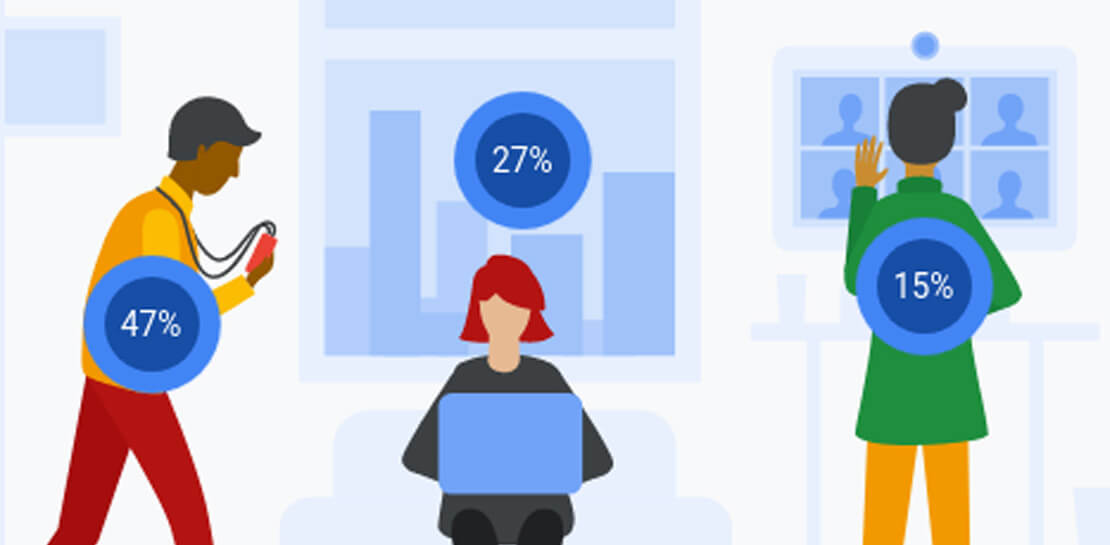
Oxford Economics and Google Cloud surveyed 1,000 CIOs across seven industries around the world to understand their approaches to developing strong business partnerships that support innovation and drive business results—and to find out what the most successful companies are doing differently. Download to read more.
