





The Inspiring Story Behind How Bhutan is Using the Cloud to Enable Sustainable Development and Social Well-being

4310
Of your peers have already read this article.
3:30 Minutes
The most insightful time you'll spend today!
For many nations, gross domestic product is the primary measure of a society’s success. The Himalayan kingdom of Bhutan gauges achievement by a different standard: gross national happiness (GNH).
The Royal Government of Bhutan’s GNH index measures a “holistic and sustainable approach to development,” prioritizing factors such as community, education, mental health, cultural heritage, and ecology. It’s a model that was endorsed by the U.N. General Assembly in 2011. Focus on GNH has enabled Bhutan to become a carbon-negative nation; nurture habitats for Bengal tigers, clouded leopards, and red pandas; and provide free healthcare to all of its 735,553 citizens.
One of the pillars of GNH in Bhutan, ranked South Asia’s least-corrupt country, is good governance. Yet as one of Asia’s least-developed nations, Bhutan needed to draw every last bit of value from public funds, while maximizing the potential of its civil servants. Turning to G Suite, it discovered powerful tools enabling communication, accountability, and cost-savings that have been vital to the mission of promoting a well-balanced society.
“G Suite collaboration tools are providing a framework that allows us to foster citizens’ happiness,” says Lobzang Jamtsho, Head of Application Division, Ministry of Information & Communication. “It’s the three C’s: collaboration, coordination, and communication. This has improved significantly with G Suite adoption.”
Freeing up resources for positive change
“When we started using Sites, we found a powerful yet simple tool that’s really a one-stop shop for sharing. You don’t have to know the development side; you just drag, drop, and build.”
—Kuenga Zam, Dy. Chief ICT Officer, Royal Civil Service Commission
From wildlife conservation, to keeping hospitals well-supplied, to the development of human resources, ensuring a correct balance between well-being and development demanded smooth coordination in the civil service. Meanwhile, everything from the cost of printing meeting agendas to investing in email servers and staff to maintain them drained resources from vital tasks such as sourcing medication.
G Suite marked a fundamental shift in the way the Royal Government of Bhutan pursued its mission, as tools such as Docs, Sheets, and Sites came together to provide a unified platform where team contributions could be seamlessly integrated in the cloud. It sparked a surge of cooperative vigor.
“In writing, for example, we collaborate in terms of drafting a proposal. And we collaborate with other parties,” says Lobzang. “It’s really helped us in terms of analyzing the decision-making process and promoting accountability, ownership, and transparency.”
G Suite is used today by 9,500 civil servants across all 67 government agencies. The benefits have been dramatic. In a survey of more than 800 civil servants, roughly 78% of respondents reported G Suite boosted productivity by more than 50%. About 80% said collaboration with colleagues increased more than 50%. And 85% of respondents agreed or strongly agreed with the statement, “my organization is more innovative.”
“G Suite has empowered both education and hospitals. We have our entire education system on the platform, all teachers and students. And processes have improved in hospitals, translating directly into an increase of happiness among citizens.”
—Lobzang Jamtsho, Head of Application Division, Ministry of Information & Communication
The Royal Civil Service Commission of the Royal Government of Bhutan organizes scholarships for civil servants to pursue long-term studies as a part of human resource development. It’s vital to the nation’s pursuit of sustainable development while preserving a unique cultural heritage.
G Suite inspired the Royal Civil Service Commission to build its own internal platform using Sites to manage scholarships, streamline processes, and boost overall HR Development Management.
“When we started using Sites, we found a powerful yet simple tool that’s really a one-stop shop for sharing,” says Kuenga Zam, Dy. Chief ICT Officer, Royal Civil Service Commission. “You don’t have to know the development side; you just drag, drop, and build. And since it’s an internal site, it helps us share from one division to another what scholarships are available for renewal.”
Human connectivity for enhancing quality of life
For the Royal Government of Bhutan, G Suite is a tool that doesn’t just facilitate better communication, it enables the whole of government to work better together. “G Suite has empowered both education and hospitals. We have our entire education system on the platform, all teachers and students,” says Lobzang. “And processes have improved in hospitals, translating directly into an increase in happiness among citizens.”
“When services are delivered better, people are happier,” adds Kuenga. “So it aligns in that way with GNH.”
Motivating team members to build a better future
Today, the Royal Government of Bhutan is writing the next chapter of its journey with G Suite, motivating civil servants to tap the platform’s creative possibilities through training programs that demonstrate why you don’t need to be an IT expert to be a digital innovator.
“We did a demo at a conference to show how we are using Sites. Our users then went forward and took that idea and built their own site,” says Kuenga. “After we show the possibilities, they have the motivation to go forward and explore.”
The next step for the Royal Government of Bhutan is to begin experimenting with Apps Script to create applications for automating workflow processes: “There’s so much potential that we haven’t explored,” says Kuenga.
5342
Of your peers have already watched this video.
26:00 Minutes
The most insightful time you'll spend today!
On-Demand Webinar: 3 Ways Collaboration Transforms How Your Company Works
A majority of your employees and teams spend 38% of their time unsuccessfully searching and recreating content, according to IDC.
They also spend 20% of their time looking for information, according to McKinsey. That’s 58% of time lost in unproductive tasks that could have been spent coming up with the next big innovative idea that actually impacts business.
Now you know why there are no new ideas, no new innovations, no room for business to grow. Savvy organizations like Nielsen, Whirlpool, and Colgate-Palmolive have had enough of that and are embracing the cloud to collaborate in real-time and transform how their companies work.
The only way to achieve business growth and beat competition is to invest less time in unproductive tasks—like looking for information—and more time innovating with intelligent systems that provide your teams with information they need without even having to look for it: The ability to search smart, find fast, collaborate in real-time, and build new ideas quickly. Embracing Artificial Intelligence enabled-cloud collaboration platforms is one way to get there.
In this webinar, Allen Yang, Product Manager, Google Cloud, talks about how big corporations are turning to the power of the cloud to enable real-time collaboration, faster decision making, smarter and more productive employees and teams, and embracing a new way of working.
Jeni’s Splendid Ice Creams

3984
Of your peers have already read this article.
2:30 Minutes
The most insightful time you'll spend today!
At Jeni’s Splendid Ice Creams, Jeni and her staff are all passionate about ice cream and sharing that passion with the world by creating ice creams that you can fall madly in love with. To do this every day, requires incredible teamwork and collaboration, and Google Workspace is helping support the cause from tracking inventory to managing quality control.
Jeni’s Splendid Ice Creams began small but had big dreams. Jeni Britton Bauer opened her first ice cream shop in Grandview Heights, Ohio in 2002, and turned to Google Workspace to help her manage everything from ingredients to employee scheduling. Today, Jeni has grown the business to 10 stores throughout Ohio and Tennessee and has a booming online shipping business, and she depends on Google Workspace to help her manage it all.
Google Docs helps Jeni’s Splendid Ice Creams employees share information from the kitchen with the planning teams on the ground at each location. And it gives her access to real-time information to ensure they have the ice cream, packaging, and manpower to handle spikes in online orders. Stores are also able to give feedback about each home-made batch of ice cream through a Google Docs form. So if there aren’t enough pecans in the Whiskey Pecan Ice Cream, Jeni’s team can add more in the next batch. Jeni even wrote her best-selling cookbook using Google Docs.
*Google Workspace was formerly known as G Suite
Google Cloud Partnership Helps Lowe’s SRE Team Achieve 20X More Releases Per Month

5529
Of your peers have already read this article.
2:00 Minutes
The most insightful time you'll spend today!
Editor’s note: Today we hear from the Lowe’s SRE team. They share about how they have been able to increase the number of releases they can support by adopting Google’s Site Reliability Engineering (SRE) framework and leveraging their partnership with Google Cloud.
At Lowe’s, we’ve made significant progress in our multiyear technology transformation. To modernize our systems and build new capabilities for our customers and associates, we leverage Google’s SRE framework and Google Cloud, which helps us meet their needs faster and more effectively. With these efforts, we’ve been able to go from one release every two weeks to 20+ releases daily—about 20X more releases per month.
Our SRE transformation didn’t happen overnight, though. Every step along the way brought some challenges. But looking back, we are excited to see how much we have accomplished for our customers as a result.
Back in 2018, before adopting SRE practices, we were more reactive than proactive, following an “eyes on glass” approach. On-call structures and incident management efficiency were not at optimal levels with too many repetitive and manual tasks, resulting in operational toil. Production concerns were not surfaced into the product roadmap, which resulted in delays in making fixes.
Bootstrapping SRE at Lowe’s
As we moved from on-prem to Google Cloud, we decided to move from a monolithic- to microservices-based architecture. And to better manage this new architecture, we embarked on an SRE journey.
Then as COVID-19 hit, we really had to accelerate this journey as customers increasingly moved to online ordering and delivery to meet their Total Home Improvement needs. To do so, we followed four key principles that allowed us to meet changing customer needs quickly and release fast and reliably.
- Automate away toil
As we moved from traditional Ops to an SRE ecosystem, our biggest opportunity was reducing toil, so that engineers can spend time on activities that drive business impact and customer outcomes. We think of toil as work that is manual, repetitive, tactical, devoid of enduring value—but automatable. So, to tackle toil, we focused on automating away the need for manual intervention. As an example, we made sure engineers were not the first point of contact for any alert. Any triage or resolution that an engineer can perform, a machine can be trained to do the same. We used supervised and unsupervised learning techniques to automate our toil. With a long-term goal of “no toil,” our SREs work on identifying and reducing toil to a manageable level across the organization. - Engineer alignment through roadmaps
Our goal is to maximize the engineering velocity of developer teams while keeping products reliable. We want an engagement model where product, SRE and development teams are closely aligned. A key way we’ve been able to create this alignment is by having our SREs embedded into domain and product teams. Each domain has an SRE, who is involved at the beginning stages of product development to ensure that the domain stakeholders are in alignment with the SRE initiatives. As such, SREs are able to improve the reliability, performance, scalability and launch velocity of the services throughout all phases of the service lifecycle. - Adopt one-touch releases
Our path to production used to contain many manual steps and validations, slowing the rate at which we released features. Additionally, we used to bulk all our releases together to deploy at once, which increased the risk of failure and created a longer feedback loop from production. To tackle this with an SRE mindset, we created a one-touch release process in which SREs review the product team’s pull requests. When approved, this triggers a DevSecOps pipeline that deploys the approved changes to production securely. This process created a safe, reliable and sustainable continuous delivery pipeline with quick feedback loops. Striking the right balance between speed, innovation and stability, we were able to increase our releases exponentially for the year, taking less than 30 minutes per release to deliver quality code, including various automated quality checks and processes, all in just one click. - Embrace capacity planning
To ensure our services have enough spare capacity to handle any surge in traffic patterns, our SREs emphasize capacity planning, making recommended capacity changes in the continuous delivery (CD) pipeline. They constantly monitor performance to make sure the service is robust, stable and available. And when there’s a sudden surge beyond the forecasted volume, SREs change the capacity on demand and document changes for the performance and domain teams.
Capacity planning is especially important for us during peak holiday times such as Black Friday and Cyber Monday (BFCM). We lay out our SRE stability plan three months in advance and surface into the domain team’s product roadmap. This way development teams are able to allocate sufficient engineering time to reliability. We do performance testing to ensure the environment is able to sustain increased load over long periods of time and also handle sudden surges in traffic. We also do region failover testing at a global scale to validate the automatic failover duration of service level agreements (SLAs), SRE and domain readiness. Additionally, we conduct Black Friday and Cyber Monday-specific destructive testing to validate customer experience, reliability and more.
Google Cloud’s Black Friday and Cyber Monday white-glove service played a key role in ensuring our success in both BFCM 2019 and BFCM 2020. This service included on-site visits from Google’s Customer Reliability Engineering (CRE) team who reviewed Lowe’s web architecture, capacity planning, operations practices for event risks, and presented workshops on topics such as incident response best practices.
Looking ahead
There is always room for improvement, and at Lowe’s we aim to continuously improve our SRE practices. One thing that has worked well for us, which we plan to continue, has been our road shows, where senior SRE leads present to other SREs and application domain teams on the latest SRE principles and best practices, and to get input in real-time from them.
Google’s tools and methodology have played an instrumental role in helping reshape our SRE practices and better serve our customers. We look forward to building on the momentum and partnership as we continue our SRE journey at Lowe’s.
If you want to learn more about how to adopt SRE best practices on Google Cloud, check out our documentation. If you want to learn more about Google SRE, visit our website. Stay tuned for the next blogs with Lowe’s discussing how they trained their engineering talent to adopt SRE practices and tooling, and how they improved MTTR using SRE principles.
Workspace’s Collaboration Equity Integral for Delivering the ‘Promise of Hybrid Workplace’

3815
Of your peers have already read this article.
3:00 Minutes
The most insightful time you'll spend today!
Like many businesses around the world, Google is trying to combine on-site and off-site work into an efficient hybrid model. And like most businesses, we’re also figuring out how to get it right. As we grow our vision for the best possible hybrid workplace, one theme consistently emerges: the need for collaboration equity.
Collaboration equity is when all workers have the ability to contribute and communicate equally, regardless of location, role, experience level, language, and device preference. A lack of collaboration equity can stem from hierarchies in video calls or language barriers on international calls. It can mean junior employees don’t feel empowered to speak up in meetings, off-site employees struggle to access their on-site managers, or frontline workers lack the communication tools their office colleagues enjoy.
When these disparities add up, they can damage an individual’s wellbeing, career potential, and effectiveness. When they permeate an organization, team performance suffers, innovation wanes, and talent leaves. In our recently commissioned global survey with Economist Impact, 62% of respondents agreed with the notion that “limited networking opportunities with senior employees and co-workers has a negative impact on career growth.” Proximity bias is just one of many new challenges we face in hybrid work environments.
We believe the location from which you participate shouldn’t influence your outcome. And while it’s easier to have everyone on-site or everyone off-site, hybrid models demand deeper thinking about social, organizational, and technological challenges. These ideas should be addressed at the C-Suite level with solutions that garner buy-in from every part of the organization.
So, how do we deliver on the promise of a hybrid workplace where flexibility, wellbeing, and meaningful impact coexist?
At Google, we’re bridging the gap between the in-person and the “somewhere else” by pushing technology, culture, and physical spaces to be more inclusive and maximize participation. We’re also innovating new Google Workspace features to power collaboration equity for our billions of users worldwide.
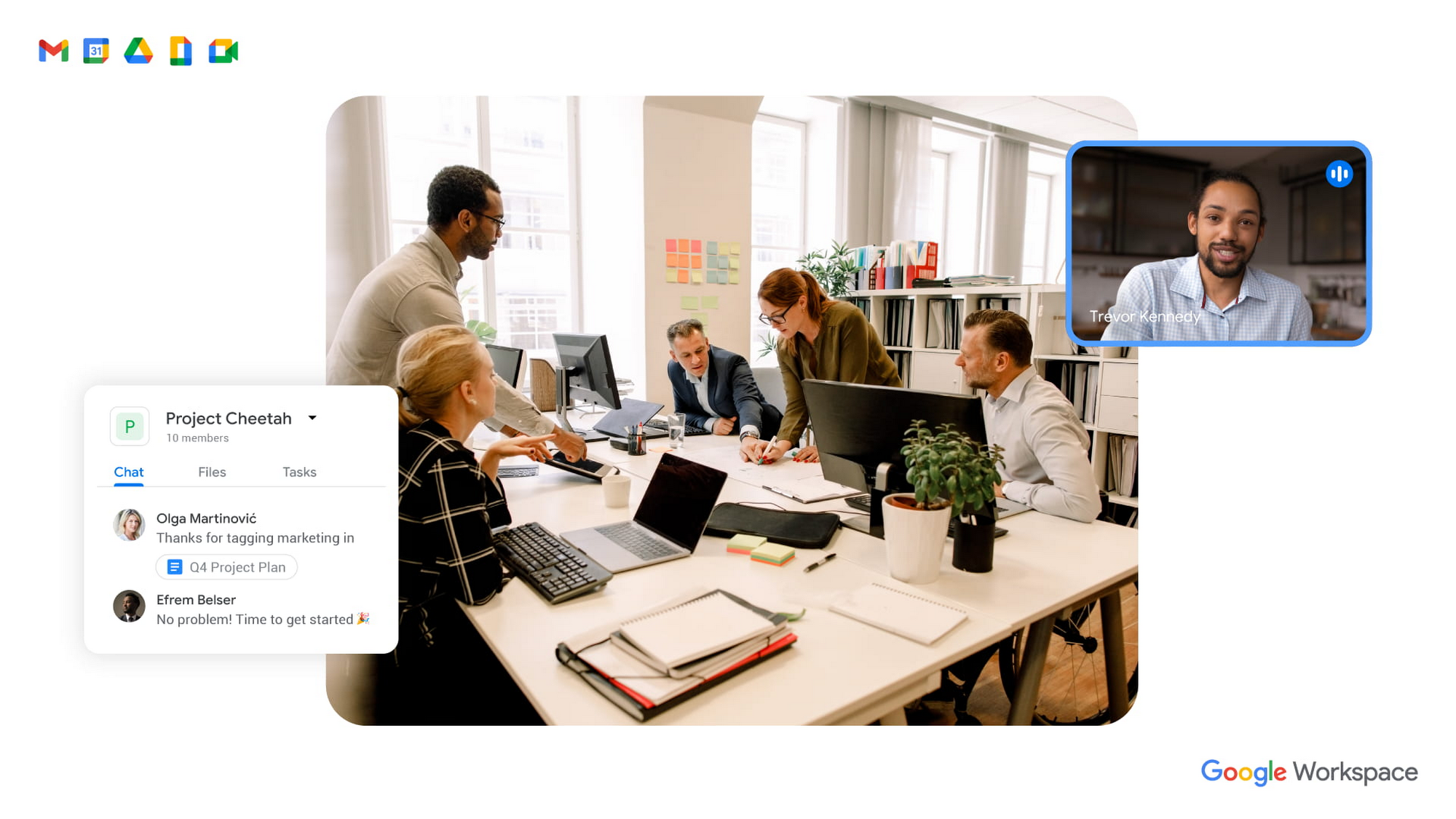
To guide our work, we’ve identified three pillars of collaboration equity: representation, participation, and information.
Representation equity
Achieving representation equity means that all employees can be seen, heard, and portrayed equally, whether working off-site or on-site. When the pandemic hit, we were all scrambling to make sure people could simply connect safely with one another. Google’s existing technology for distributed teams was pressure tested, and I’m proud of how well it performed. But we’re now faced with the disconnect that happens when you merge off-site work with on-site work.
When we were all participating in meetings remotely, everyone shared equal-sized tiles on videos. There was no one sitting in a corner office, no hierarchy—everyone was represented equally. In a hybrid environment, it’s distorted. The people participating remotely appear giant on a conference room monitor, while the people in the conference room appear tiny on screens at home. It can be difficult to decipher who’s even in the room. This is certainly not equal representation.
Some of these issues can be solved with technology. For example, we’ve been working on features like AI-driven video adjustments in Google Meet to compensate for low-light environments and auto-zoom to keep all participants in focus, and both will improve representation equity for hybrid workplaces. Additionally, we can now limit data usage on slow mobile networks so no one has to turn off video during a call. All of these technological innovations improve representation equity for hybrid workplaces, but we also need to adopt new workplace norms as well. For example, some organizations have implemented policies where if one person joins a meeting from off-site, then everyone joins via device so they are all represented equally.
Participation equity
We think of participation equity as the ability to host, present, and participate equally, regardless of location. At Google, we were already accustomed to joining meetings virtually from different offices. With the new tools we’ve developed in the last 18 months, everyone’s ability to participate equally has grown. Wider adoption of meeting tools like hand raise, polls, Q&A, and breakout rooms gives us an ordered, structured way of talking in distributed groups.
But how will we interact when many of us are back in the office? How do we ensure that off-site workers can still engage as meaningfully as others? Companion mode, a tool we’ve developed for Google Meet, gives both in-person and off-site attendees the same meeting experience. Each individual can host, present, and participate in meetings in the same way, with the same tools, regardless of their location.
Teams can also promote participation equity by using meeting moderators who encourage the use of hand-raising features so no one dominates the conversation or interrupts—a challenge that often arises when multiple people are in the same location. While it may feel forced and prevent natural back-and-forths, it does help everyone’s voices be heard. We’ve also learned that many people find it distracting to see their own image, so we’ve enabled users to hide their own video feed. I’ve seen firsthand how these tools and practices are improving participation equity.
Information equity
Information equity means that regardless of whether people work on- or off-site, they have equal access to information. Ensuring free flow of information is key to better long-term thinking, creativity, and cooperation among teams. As individuals exercise their autonomy for where and how they work best, their preferences affect recruiting and retention. If we’re going to accommodate a range of preferences, how do we best equalize access to information?
First, we should actively prioritize keeping each other informed. We can support this proactive mindset through technology by ensuring that meetings have agendas, are recorded or transcribed, and have shareable, accessible information. Our tools, including Spaces and Drive, can be used as information hubs where teammates can reliably access crucial files, conversations, and updates. And coworkers can leverage smart suggestions to @-mention others linked to the project, so no one is left out.
We must commit to solving the information equity problem together or risk ending up in a mushy middle ground where no one is satisfied. Because while most people enjoy working from home, they won’t sacrifice career progression to keep it. If the center of gravity tilts too far toward on-site work, the hybrid model will collapse. We’re not advocating a “choose your own adventure” mentality, nor a one-size-fits-all model. We’re empowering teams to meet the preferences of individual members in a deliberate fashion that supports the larger organization.
During this pivotal time, we are enthusiastic about how we’re seeing work change and advance around the globe. Delivering on the hybrid-work promise of “the best of both worlds” feels more within our reach than ever before. But if we’re going to succeed, we must strive for collaboration equity. Our experience tells us that when you give people freedom and opportunity, they will amaze you.
How to build collaboration equity in your hybrid workplace:
✅ Start with representation. Can every employee be seen and heard? Do they have the tools, technology, and devices to be adequately represented?
✅ Enable participation. Is everyone encouraged to provide their input and voice their opinions? What tools and forums exist to provide this input? How is the input acknowledged and acted upon?
✅ Share information. Do people have access to all the information they need to do their jobs? Does information flow freely or is it hoarded?
✅ Let teams and departments design their own hybrid schedules. Hybrid will not work if every individual is “choosing their own adventure.” Consider using on-site days for collaborative, creative, and brainstorming projects and reserving off-site days for deep focus work.
✅ Reward outcomes, not activities. An employee’s individual preference for how and where to work should not matter as long as they are getting things done. This means flexibility in location and work schedule to maximize impact.
✅ Highlight our shared responsibility to each other. Every manager should ask:
- What does the team need to know about how you work best?
- What are you personally doing to ensure the entire team is successful?
Follow other trends and insights on our Future of Work site.
Ways to Manage Extensions on Windows and Mac If You Haven’t Moved to Chrome Browser Cloud Management

3871
Of your peers have already read this article.
2:00 Minutes
The most insightful time you'll spend today!
Many enterprises are looking to better manage extensions on their corporate devices. Extensions themselves are a great tool for productivity and customization of Chrome. However, some extensions can have the potential for far reaching rights to sites your users visit and devices they browse from, giving IT the desire to closely manage which extensions are in their environment and how they behave.
In an earlier post in this series, we’ve detailed how Chrome Browser Cloud Management is the easiest way to audit installed extensions and manage them. However, some enterprises may need to still use Group Policy on Windows or plists on Mac to manage extensions. So lets touch on management through those methods, for organizations that haven’t quite made the move to Chrome Browser Cloud Management yet.
For starters, here are some of the most used options for managing extensions (some also apply to apps) via Windows Group Policy or via Plists on Macs:
Installing or allowing extensions
- Extension Install Allow List: These are the extensions that you have approved to be installed within your environment.
- Extension Install Force List: This will install the extension in the managed instance of Chrome. This setting overrides the extension block list policy, and the extension can’t be disabled on uninstalled.
- Extension Allowed Types: Here you can create a list of what types of extensions and apps you will allow to be installed. Extensions, themes, user scripts, hosted applications, legacy packaged applications and platform applications are the values that are supported. Note that whatever you want to allow must be included in the list. Anything left off the list will not be installed. For more information on the different types, here is a link on Extensions and Apps in the Chrome web store.
- Extension Install Sources: This policy allows you to get that older install functionality for specific URLs that you specify in this policy. Here is a link on the URL match patterns that can be used in this policy.
Blocking extensions
- Extension Install Block List: These are the extensions that you will not allow to be installed. If they are installed already, they will be disabled. If a user tries to install them, it will be blocked. In the Chrome web store, the Add to Chrome button will be red and advise the user that the extension can’t be installed.
- Block External Extensions: This setting will block extensions from external sources being installed. An example of this is if an installed application is adding an extension to Chrome via the registry, this setting will block that extension from loading.
Advanced management options
- Extensions Settings: This policy provides a varied amount of functionality and requires a JSON script to be created and formatted in a single line string. This setting can be complex. We recommend using Chrome Browser Cloud Management as almost all of the functionality is included without needing to write JSON as well as the ability to audit installed extensions. If you do want to use this policy, it is covered in detail in the Managing Extensions in your Enterprise technical document. Some of the functionality that you can use within this policy are:
- Install types: (Allowed, Blocked, Force Installed, Normal Installed)
- You can also display a custom message when the extension is blocked via the blocked installed message function.
- Prevent extensions from altering websites: You can prevent all or specific extensions from running on specific websites.
- Managing by permissions: You can allow or block extensions by the specific rights or “permissions” that they require to run.
- This provides a baseline of functionality that you will or will not allow extensions to run on your users machines.
- If an extension is updated, bought, sold and updates the permissions that it requires, this will dynamically protect your users from permissions that you will not allow.
- Install types: (Allowed, Blocked, Force Installed, Normal Installed)
Even if you decide that on-premises policy management is how you want to manage extensions long term, you can still use Chrome Browser Cloud Management to get much needed visibility into extensions that may exist in your environment. The newly improved apps and extension list is a great way to get a view of your current extension landscape, giving you more data to make better decisions around extension management.
You can enroll browsers to see this information, but still set policy through your existing tools if that’s your preference.
Well, that’s it for this edition of Chrome Insider. Here’s where you can find more posts in the series, or you can learn more about Chrome Browser Cloud Management.
A note on Google’s commitment to inclusive naming conventions. The following policies have been deprecated, however will still continue to work until Chrome 95 to give administrators time to migrate to the new policies.– ExtensionInstallWhitelist replaced with ExtensionInstallAllowlist
– ExtensionInstallBlacklist replaced with ExtensionInstallBlocklist
More Relevant Stories for Your Company

Tips to Get Most of Google Workspace and Make Hybrid Work Efficient and Effective!
In response to the pandemic, an overwhelming 92% of the U.S. workforce is now interested in working in a hybrid or fully remote capacity1. All employers, including government leaders, are now critically focused on finding the right tools and techniques to foster engagement, improve productivity, and strengthen relationships – in-person


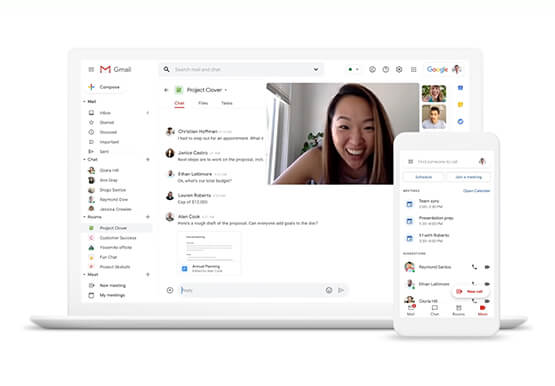

Helpful and human: G Suite’s vision for your future workspace
With an accelerated shift to remote working brought on by COVID-19, it's clearer than ever that an organization's success relies on its people and how they work. No matter where they're working from, who they're working with, or what projects they're working on, organizations need to enable their employees to

Canva: Democratizing design and collaborating closely with Google Workspace
Launched in 2013, Canva is a free online design platform with a mission to empower everyone in the world to design. Featuring a simple drag-and-drop user interface and a vast range of templates ranging from presentations, social media graphics, posters, apparel to videos, plus a huge library of fonts, stock

Chrome OS Helped Ocwen Achieve Remote Workplace in Just 2 Weeks during the 2020 Pandemic
Editor’s note: Today’s post is by Parveen Chander Aery, CIO, and Rishi Gupta, Head of Global IT Infrastructure, of Ocwen, a provider of residential and commercial mortgage loan services. The U.S.-based company adopted Chrome OS devices to help global contact center teams work productively together. We’re used to deployments of new
