





Google Workspace Now Available to Over 3 Billion Users!

3808
Of your peers have already read this article.
3:00 Minutes
The most insightful time you'll spend today!
Over the past year, Google Workspace rapidly evolved to meet the needs of users as we collectively grappled with remote and hybrid work. First, we launched Google Workspace to commercial customers, which brought together the powerful individual apps people know and love into a single, integrated solution. Then we made Google Workspace available to nonprofits, governments, and schools. And in June, we brought the power of Google Workspace to everyone, enabling more than 3 billion users to transform the way they connect, create, and collaborate. To extend these experiences further, we’ve seen a stunning 4.8 billion apps installed in Google Workspace to date. We’re excited to see so many users personalize their experience by adding third-party apps or by building their own to create a more powerful engine for productivity and collaboration.
As we celebrate the more than 5,300 public apps in the Google Workspace Marketplace that provide users with the opportunity to extend their experience, we’re increasing our investment in the underlying platform. Developers have been able to build applications that integrate with Gmail, Drive, and Docs for years. And today, we’re announcing significant enhancements to the Google Workspace platform by making it just as easy for developers to build applications and integrate with Google Meet, Chat and Spaces.
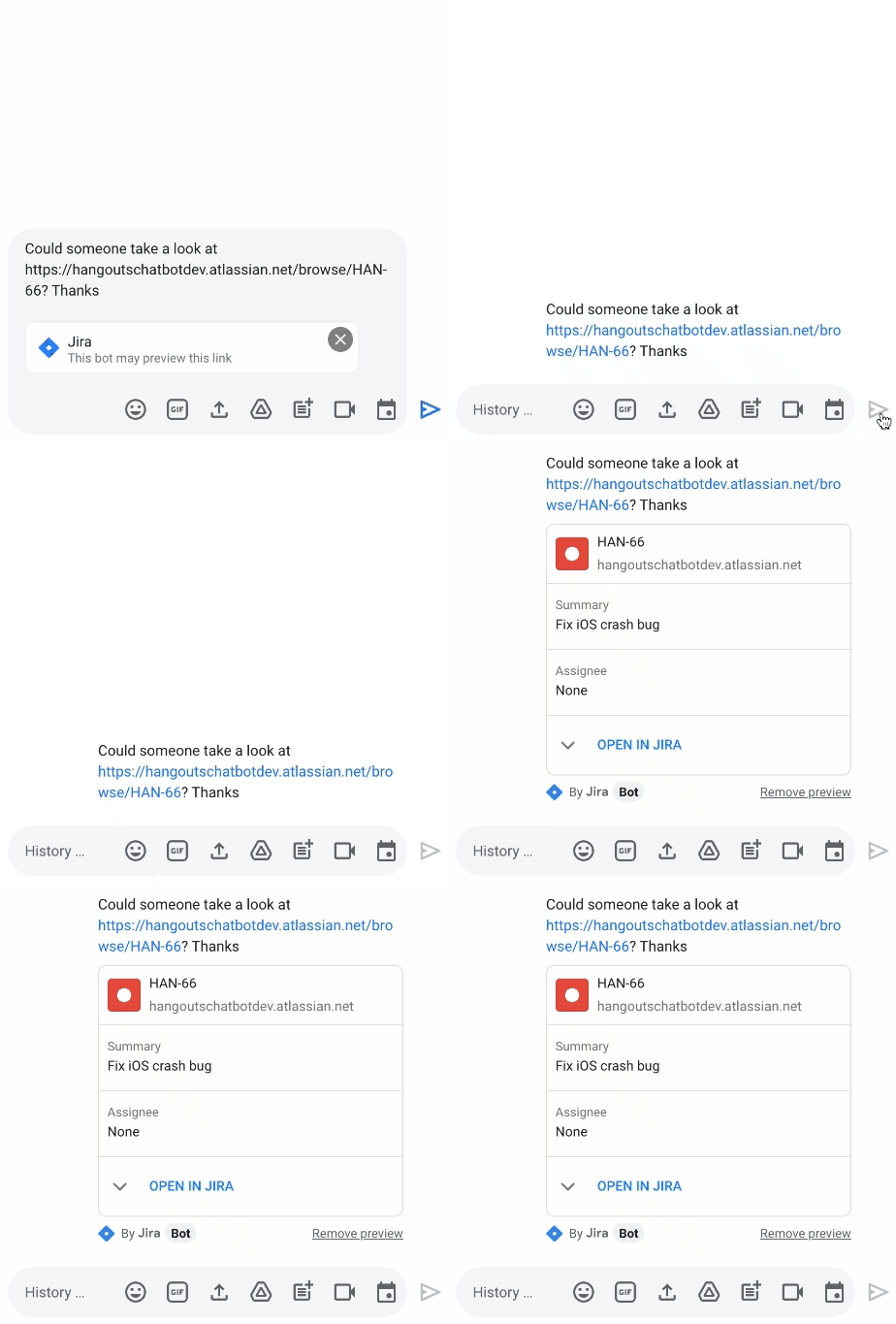
We’re releasing a new Jira integration for Google Chat and Spaces. This integration enables users to create new tickets quickly, see actionable previews, and monitor issues as they come into the space they’re already using for collaboration.
“Modern work requires people to switch contexts and tools faster than ever before. We believe an open ecosystem and tight integrations among the tools that users rely on every day is vital to their success. Since 2017, our Trello integration with Gmail has been installed by more than 7 million people. Today, we are excited to build on the partnership between Atlassian and Google to propel work collaboration further with the integration of Jira with Google Chat and Spaces,” said Joff Redfern, Chief Product Officer, Atlassian.
As work continues to evolve, we’re especially committed to the concept of collaboration equity: the ability for everyone to participate and drive impact no matter their location, technical ability, language preference, or device. Carrefour Property – Carmila is evolving how they innovate by connecting frontline workers to those in the office with our no-code development platform AppSheet. For example, after discovering a problem, onsite managers previously had to send an email, enter data into a spreadsheet, and sometimes attend a meeting to explain the issue. Now, with AppSheet, they can simply input the data on their phone in a single step, and the team back at headquarters can see and act on the issue while also tracking all the other issues being reported from other locations.
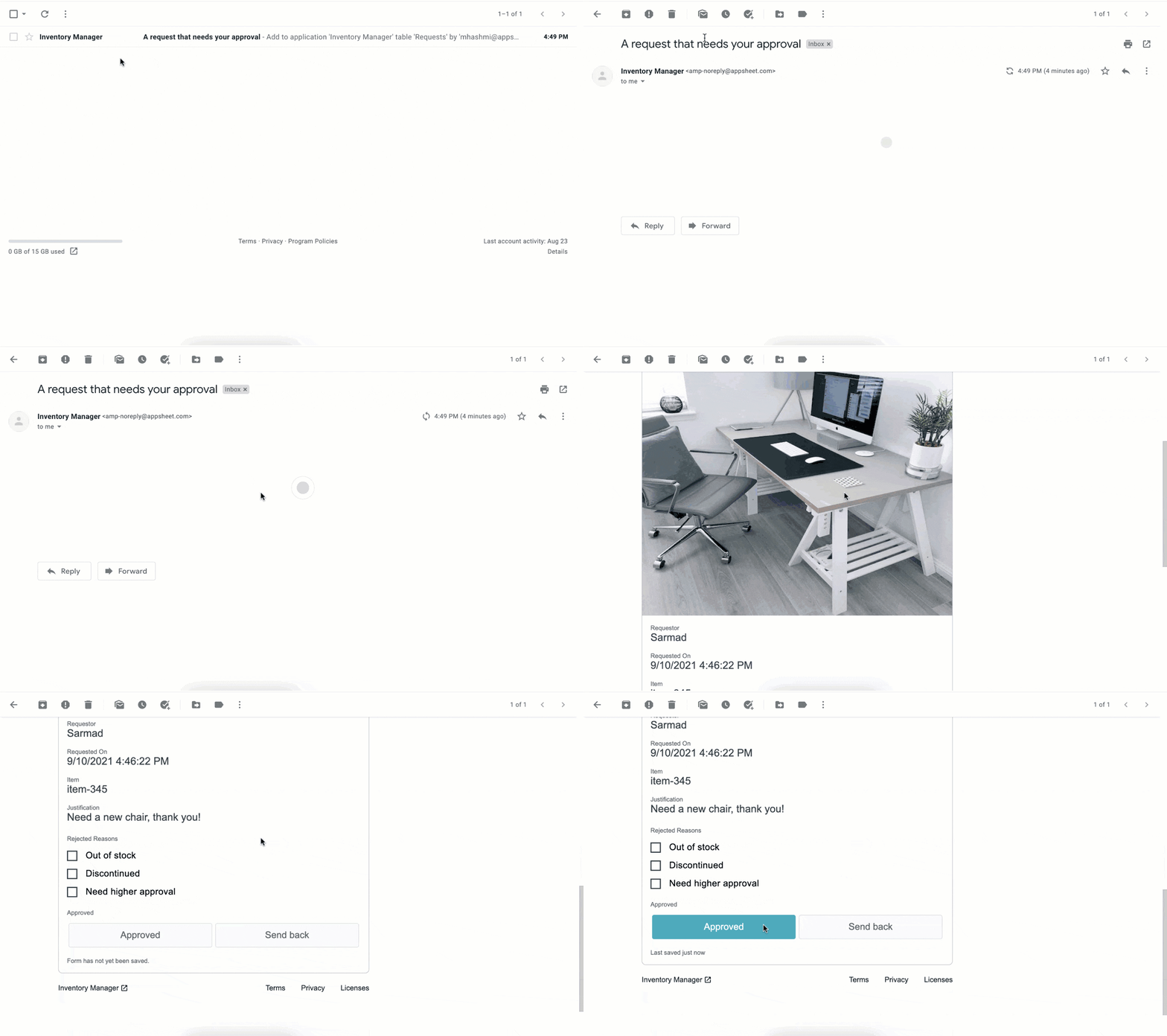
We continue to empower frontline workers and IT teams alike, bringing more flexibility into Google Workspace by integrating AppSheet into Gmail. This new integration allows anyone—regardless of their coding experience—to reclaim time with custom, no-code apps and automations. Budgets and vacation requests can be approved, inventories and asset management systems can be updated, and much more—all with AppSheet and directly from your inbox.
New investments in security
As we continue to deliver delightful new experiences for users, we are keeping security at the forefront; it’s infused in every layer of our product design so that customers have the flexibility and trust needed to operate in a secure environment. To build on this commitment, we’re announcing Google’s new Work Safer offering to help organizations, their employees, and partners collaborate and communicate securely and privately in today’s hybrid work environment. Work Safer will provide companies with access to best-in-class security for email, meetings, and messages, documents, and more. It uniquely brings together the cloud-native, zero-trust solutions of Google Workspace with industry-leading solutions from across Google and its cybersecurity partners, CrowdStrike and Palo Alto Networks.
To further strengthen security and privacy across the Google Workspace platform, we’re also announcing four key new capabilities:
- In June, we announced that Client-side encryption (CSE) was available in beta for Drive, Docs, Sheets, and Slides. Now we’re bringing CSE to Google Meet, giving customers complete control over encryption keys while helping them meet data sovereignty and compliance requirements. We’re also pleased to announce the beta of our Key Access Service Public APIs, which enables customers to directly manage their encryption keys without the need for a third-party partner.
- Data Loss Prevention (DLP) for Chat is now in beta. This is a continuation of our ongoing commitment to help organizations protect their sensitive data and information from getting into the wrong hands, without impacting the end-user experience. With DLP for Chat, you can enable the power of spontaneous conversation between individuals and teams, while preventing sensitive and confidential information from leaving your organization. Interested customers can sign up for the Client-side encryption and DLP for Chat betas today.
- Drive labels are now generally available. Organizations are now able to classify files stored in Drive based on their sensitivity level. Labels integrate with Google Workspace Data Loss Prevention, making it easier to manage external sharing, downloading, and printing of sensitive files.
- We’re rolling out additional protections to safeguard against abusive content and behavior. If a user opens a file that we think is suspicious or dangerous, we’ll display a warning to the user to help protect them and their organization from malware, phishing, and ransomware. This functionality is now available in Google Docs and will be rolling out soon for Google Sheets and Slides.
Fueling the future of work and collaboration
Our mission is to empower everyone with an innovative and seamless experience that gives people—no matter their location or technical ability—the opportunity to drive real impact. At its core, the vision of the Google Workspace platform is to help you build your own innovation momentum, while providing a foundation of security and privacy. I hope you’ll join me at the Google Cloud Next ’21 event where you can learn more about the Google Workspace vision, and even better, see these new experiences in action.
Taking Maps Further: New Website Experience for Product Discovery, Budgeting and Access to Dev Documentation
6654
Of your peers have already read this article.
1:30 Minutes
The most insightful time you'll spend today!
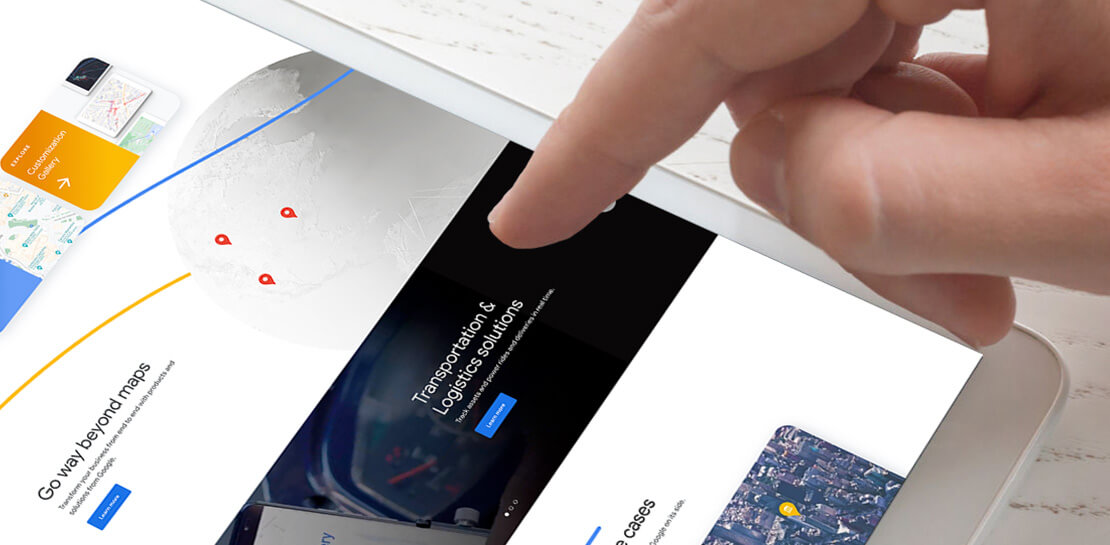
For more than 15 years, developers have used Google Maps Platform to deliver location-based experiences to their end users and used location intelligence to optimize their businesses. Along this journey, we’ve made a variety of changes to better support our community as needs have changed and new industries and technologies have emerged. We started rolling out a new website experience, at https://mapsplatform.google.com, to help you better understand the products and solutions best suited to address your objectives. Plus, now you can directly connect to the developer documentation for each product to get started quickly, and you can visualize usage and associated costs to have a better idea of what to expect before getting started.
Getting to your solution faster
Maps, Routes, Places are building blocks that let you develop implementations for any use case. Building for specific use cases, however, typically requires using a combination of APIs and SDKs. To help you quickly understand what’s possible and what you need to build for your use case, you can now visit the solutions tab to select from a list of popular use cases or industries. Once you’ve selected a use case or industry, you’re taken to a page where you can explore relevant products, read helpful blog posts, see how other customers have deployed for similar use cases, and more.

Direct access to developer documentation
Did you know there are more than a thousand pages of developer documentation created to help you get started, unblock you when you’re stuck, and share best practices? Now when you explore a product or solution from the Google Maps Platform website, you can easily navigate back and forth between our website and documentation. Just tap on JS, iOS, Android or API under the product name to get to the documentation you need.

Budgeting for your project
To help you calculate pricing for your project, we’ve introduced a new pricing calculator. Once you find the product and API or SDK you plan to use, pull the slider to reflect your estimated number of monthly requests. This will automatically update the “monthly cost” column for each product and API or SDK you plan to use. If your estimated monthly requests exceed the slider limit, contact our sales team to learn about volume discounts that start at 20% off.

We hope our new website makes it easier to discover our products and solutions, estimate your budget, and start building with our documentation so you can deliver helpful experiences to your users and optimize your business.
For more information on Google Maps Platform, visit https://mapsplatform.google.com.
Chrome OS’s Hybrid Work Model Powers Google’s Return to Work Strategy

7503
Of your peers have already read this article.
1:30 Minutes
The most insightful time you'll spend today!
The pandemic continues to deeply affect our lives around the globe. In some places, new cases are surging and returning to work is the last thing on people’s minds. In other areas, conditions are improving and companies are starting to think about transitioning their workforce back to the office.
Exactly when and how to do this remains complex and varies by country, industry, and company. What’s certain is that hybrid work will become an essential part of the business world moving forward. And finding solutions that bridge the gap between “in-person” and “somewhere else” are crucial.
At Google, we’ve been focused on what the hybrid transformation means for us. To prepare for hybrid work, using modern solutions is a key enabler.
Chrome OS: Supporting Google’s return to office strategy
At Google, we’ll move to a hybrid work week where most Googlers spend approximately three days in the office and two days wherever they work best. It’s no surprise that as the modern, secure, cloud-first platform, Chrome OS is playing a key role in our transition to a hybrid work model. Because Chrome OS devices can easily be shared, more flexible working models and spaces are now possible. And with user profiles stored in the cloud and collaboration solutions like Google Workspace, employees can log in to any Chrome OS device, access what they need and pick up where they left off.
Here are just a few ways we are using Chrome OS and its tools to support the return to the office:
- In select office locations, Googlers can reserve desks through an internal booking tool set up with a high-performance Chromebox, keyboard, mouse, and monitor. Employees can log in to the Chromebox which syncs their cloud profile, and start working with the same environment they have on all their Chrome OS devices.
- We’re announcing new docking stations that are designed for Chrome OS devices and allow employees to bring in their Chromebook from home, connect to the dock with one USB-C cable, and use a monitor, keyboard, and mouse for a full desktop experience.
- Every Chrome OS device enables a zero-trust security working model with BeyondCorp Enterprise providing our workforce with simple and secure access to applications while providing additional security controls for IT.
- We’ve deployed the new Chrome OS Readiness Tool to our extended workforce to identify employees that are able to switch to Chrome OS. This allows us to expand the latest security, deployment, and manageability benefits to more of the workforce.
Additional ways Chrome OS is helping organizations with return to office
We aren’t the only ones supporting our return to office and hybrid work strategy with Chrome OS. We’ve heard more ways our customers are using Chrome OS to make the transition as smooth as possible. These include:
- Streamlining deployment and management of Chrome OS devices using zero-touch enrollment which allows devices to automatically enroll into a corporate domain without IT configuration.
Grab & Go Chromebooks being used for frontline and hybrid information workers, allowing employees to grab a Chromebook from a cart and get to work right away. - Parallels Desktop for Chrome OS being deployed to allow employees to access Windows or legacy apps locally on their Chrome OS devices.
- Existing Windows and Mac devices being modernized and repurposed to run a Chrome OS experience using CloudReady. (Google is currently offering a CloudReady promotion. Learn more here.)
While the Chrome OS team has been working towards making remote working as seamless as possible for IT, we’ve also made advancements in supporting traditional technology that’s required in the office.
- In October, we announced Chrome Enterprise Recommended: a collection of identity, printing, productivity, communications, and virtualization solutions that are verified to run great on Chrome OS.
- With the increased usage of video conferencing on Chrome OS devices, we’ve made improvements to Google Meet and Zoom performance including camera and video improvements to reduce any unnecessary processing and features that intelligently adapt to your device, your network, and what you are working on.
- For improved access to Windows and legacy apps, VMware Horizon introduced multi-monitor support and USB redirection and Citrix Workspace released a tech preview with webcam enhancements and Microsoft Teams optimizations.
- We integrated with the Okta Workflows platform, so IT administrators can include Chrome OS in it’s access logic and deploy quickly without code. Recently, we’ve added the ability to require users to reauthenticate on their Chrome OS device once Okta has detected that the user has changed their password. Try out this new capability by signing up for our Trusted Tester program.
- We’ve increased our support for direct IP printing with additional printer models since the beginning of 2020. In addition, we have made improvements to management features, including support for multiple print servers and launched policy APIs to provide a better IT admin experience.
Join us for a digital event with Modern Computing Alliance and its newest member HP
Last year we announced the launch of the Modern Computing Alliance—a collaboration of industry leaders including Box, Chrome Enterprise, Citrix, Dell, Google Workspace, Imprivata, Intel, Okta, RingCentral, Slack, VMware, and Zoom aim to create the pioneering solutions that businesses need. We are thrilled to introduce HP, who brings their innovative hardware and enterprise hardware expertise to the Modern Computing Alliance and has been working closely with the alliance to ensure true silicon-to-cloud innovation.
As an alliance, we’ve been deeply engaged in the hybrid work shift. We invite you to join us for a digital event where we discuss questions about returning to work. Like how product design can encourage participation and collaboration regardless of where employees are, important security issues to keep in mind, and what factors businesses should consider to support a safe, working environment.
Home. Heading back. Hybrid.
Hear from the experts on hybrid work and return to office.
Date: May 20th, 2021
Register here.
If you are ready to try Chrome OS today, it’s easy to get started. You can contact us to get connected to a partner, sign up for a free 30-day trial of Chrome Enterprise Upgrade to start managing Chrome OS devices, or deploy the Chrome OS Readiness Tool to identify employees that are ready to switch to Chrome OS.POSTED IN:
4092
Of your peers have already watched this video.
1:00 Minutes
The most insightful time you'll spend today!
Say Hello to Google Workspace
Make way for Google Workspace to connect, create, and collaborate with your team and organization. Watch the video to explore how you can achieve more with Google Workspace and how it can transform the future of workplace!
4477
Of your peers have already watched this video.
9:49 Minutes
The most insightful time you'll spend today!
Quick Tips: How to Set Up a Business Without Investing Too Much
Running a business is everybody’s dream but only a few get to realize it. Among the many hurdles that entrepreneurs face, setting up the business with everyday tools like business emails, calendars, and finding cost-effective ways to collaborate are imperatives.
But it isn’t a struggle in the age of the cloud. Cloud computing takes care of infrastructure costs, breaks geographical boundaries, and makes collaboration across continents a walk in the park.
Google’s G Suite—a cloud-based collaboration and productivity platform—helps organizations achieve exactly that. G Suite is an affordable option to keeping your business organized. It’s the one stop shop for collaborating, creating consistency, and developing the professionalism your business needs.
What does that essentially mean?
Your marketing teams can create pitch presentations on Slides by collaborating in real time. All of them can work on the same version of the presentation all at once, ensuring everybody is on the same page.
Your finance teams can move over complex spreadsheet formulas and analyse costs just by asking—in words—Google Sheets to throw up answers to questions like: “What was our average spend last month?”
Your executive boards can meet on Hangouts from wherever they are, leading to faster decision-making.
Amber Hurdle, author of The Bombshell Business Woman, expands on the Tech Tools chapter of her book, by walking through how she uses G Suite to streamline her business.
How Buffalo Tours CEO Found a Way to Increase Bookings by Over 1 Percent

4410
Of your peers have already read this article.
2:30 Minutes
The most insightful time you'll spend today!
Buffalo Tours serves tons of passengers each month, helping them with various aspects of their travel. These involve tour booking requests from passengers, request processing and information checking. Prior to the Google implementation, Buffalo Tour’s email exchange was supported by another email server. Employees lamented the frequent loss of emails and the ineffective spam filtering system, which resulted in legitimate emails from customers being treated as junk mail. Prior to adopting Gmail, the trend of lost emails or failed delivery accounted for 5% of the business. This means that five out of every 100 incoming requests to Buffalo Tours were lost.
“We are in the business of servicing customers and when missing emails become a regularity, it damages our company’s credibility and image, not to mention a loss of company revenue. Internal communication with the various representative offices is mostly conducted online, and lost emails inhibits workplace collaboration,” said Bui Anh Tuan, IT manager of Buffalo Tours.
Managing the email server was also a challenge as the server was hosted by a network operator but located on-premise. Due to the logistical challenges, each time the server failed, it took some time before the server could be rebooted. The complex system configuration also meant it was not easy to get new employees on board.
Gmail emerged as a viable option to replace Buffalo Tour’s existing email server as it was cloud-based and user-friendly. At the start, Buffalo Tours made use of the free Gmail service for business. Happy with the results, Buffalo Tours decided to switch to G Suite on a permanent basis.
“G Suite has enabled us to manage our emails in a more professional manner. This means improved work efficiency and better customer service. Furthermore, it also offers many other essential services that benefit the work that we do,” said Tuan.
Many employees at Buffalo Tours have been utilizing Gmail as their main communication tool. Buffalo Tours is looking at ways to further utilize the other products within G Suite such as Google Sites, Google Docs, and Google Drive.
Since making the switch to Gmail, the company does not have to bear the cost of buying and maintaining a physical server, resulting in cost savings of around 17% annually. The rate of lost emails is now down to almost zero, which is the icing on the cake for Buffalo Tours.
One of the distinct advantages of Gmail is its impressive spam filter capabilities. For the premium version, this service is enhanced with Blacklist and Whitelist features, making the spam filter even more effective. With the enhanced control features, business and junk mail are easily categorised.
“Our staff can easily input the IDs of the entire office and regular customers to the Whitelist. With a click of a mouse, important business emails are never missed. There is a 10-15% increase in employee productivity now that the issue of lost emails is resolved,” Tuan commented. Gmail has also brought about increased convenience to Buffalo Tours. G Suite is easy to configure for any new employee. All employees need is their username, password and an Internet connection to check emails. What used to take a lot of time and resources is now a simple administration process.
With the current blooming mobility trend, Gmail provides Buffalo Tours with the flexibility to empower employees to work more efficiently. Employees can now access their work emails on their personal smartphones, tablets or other mobile devices. “Since we switched to G Suite, there have been zero customer complaints around the inability to contact the sales division. Meanwhile, our business continues to prosper and our yearly bookings increased by 1.5%. Together with Google, we are confident of our continued growth,” concluded Tuan.
More Relevant Stories for Your Company

Work beyond borders: How to use G Suite with Microsoft and your favorite third-party applications
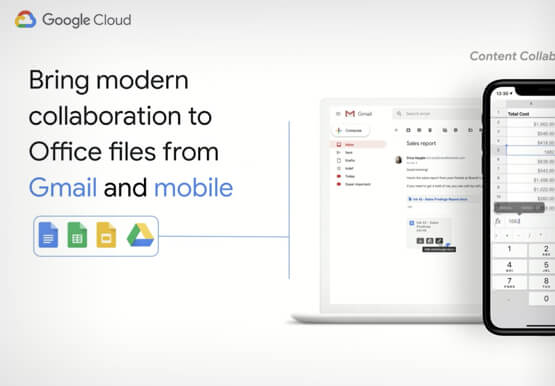
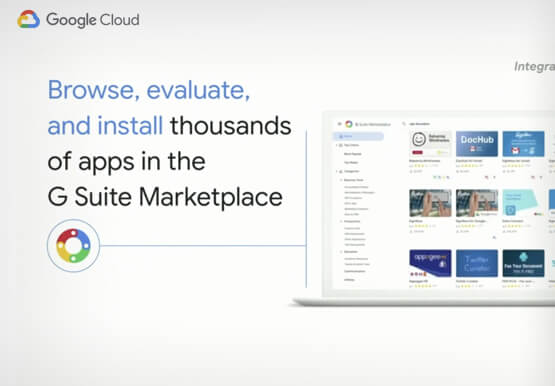
The average enterprise uses 129 different applications on a day to day basis. These applications enable critical workflows that drive businesses forward. But when these apps don't work well together that leads to lost time, frustration, and missed opportunities. Professionals have access to dozens of applications in their organization. Apps

Why I Moved to the G Suite: Rentokil CIO
Whether it's getting rid of pests, cleaning up a crime scene or tending to office plants, Rentokil Initial is a service business whose primary aim is to offer customers the best possible standard. This can only be achieved if teams work closely together, sharing expertise and ideas and communicating constantly.


Lessons for the Indian Government: How the State of Arizona Innovates with Emerging Tech
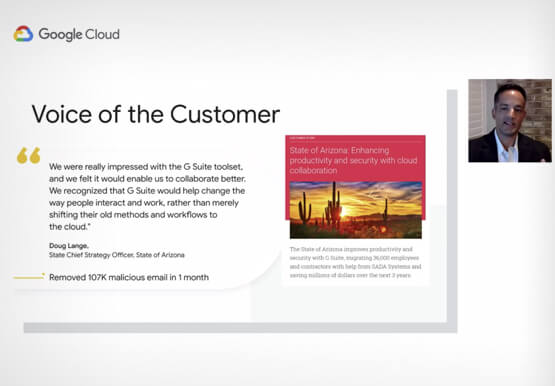
Government agencies of every size and jurisdiction are being called upon to provide accurate and real-time information and deliver essential services across the globe in a world infested by COVID-19. Doug Lange, Chief Strategy Officer, state of Arizona, is primarily responsible for two things. One is Arizona's statewide IT Strategic



The future of meetings in G Suite: Vision and roadmap
A study from MIT Sloan school in early April showed that 47% of US workers were already working from home. Compare that to just 13% before the pandemic. And these numbers are likely to be even greater today. Video meetings help us connect in a human way, whether it's for
