





Rapido: Finding the Quickest Route to Success with Google Maps Platform

3883
Of your peers have already read this article.
3:30 Minutes
The most insightful time you'll spend today!
Founded in 2015, Rapido operates a mobile app-based two-wheeler taxi service across more than 40 cities in India. More than 100,000 drivers provide Rapido two-wheeler taxi services, while more than 400,000 current or prospective drivers have downloaded the company’s app. Consumers have downloaded the app more than 5 million times, and the business receives about 5 million orders per month for taxi services.
“If a consumer wants to travel from point A to point B, they simply open up the app on their smartphone, select pickup and dropoff locations, and tap ‘request,'” explains Rishikesh SR, Co-Founder, Rapido. “We can track that request to the nearest available two-wheeler taxi and allocate the job to the right driver.”
Google a compelling opportunity
The business started operations on a cloud service. However, Google presented a compelling opportunity to Rapido to improve its location-based intelligence through a wide range of cloud-based map APIs, infrastructure, and mobile app development services. “Google Maps Platform was particularly interesting to our business and we saw enormous potential to use it to improve our service and gain a competitive edge,” says Rishikesh.
Rapido elected to use Geocoding API to enable its app to convert addresses to geographic coordinates, and the reverse, allowing consumers to identify point A and point B on their journey. The company also uses Directions API to identify the fastest route between pickup and dropoff locations, which enables Rapido to provide users with approximate prices for trips. Distance Matrix API is used to calculate the travel times and distances between locations, and Maps SDKs for Android and iOS to add interactive maps to the app.
Google Cloud Results
- Enables the business to optimize use of Maps Platform APIs
- Takes 5 million orders per month
- Establishes a robust platform for expansion
“Google Maps Platform is particularly useful for us as it identifies optimum routes for two-wheel services,” says Rishikesh. “This saves us time and money, while helping us deliver a better consumer experience.”
In addition, Rapido uses the Snap to Roads service to deliver best-fit geometry for sets of GPS coordinates within the Roads API, which identifies and provides metadata about the roads on which drivers travel. “Snap to Roads in Roads API allows us to optimize the path drivers take and helps ensure the fare charged is accurate,” says Rishikesh.
Improving user experiences
As Rapido matured, Rishikesh considered how to improve the user experience of the app while reducing the business’ costs. In 2017, Rapido asked Google Cloud Premier Partner and Google Maps Platform Partner Searce to help meet these objectives. Searce provided the technical and business advice that prompted Rapido to take advantage of the unlimited API calls, 24-hours-a-day, 7-days-a-week support, and strict SLAs available through the Google Maps APIs Premium Plan for Asset Tracking.
Searce also helped Rapido optimize its API calls and integrate directions and distance calls with the Roads API to smooth out variations in GPS readings received from the handsets of two-wheeler taxi owners. Finally, Searce helped Rapido deploy the Firebase mobile and web development platform to automate the mode configuration of the API keys, rather than maintain a time-consuming manual process. This move also minimized the likelihood of any issues arising if Rapido decided to start multiple projects or add more licenses, or combine Google Maps APIs Premium Plan for Asset Tracking with an external license.
Technical skill and experience
Searce finalized its initial engagement with Rapido last year and provides ongoing support and advice. “Searce’s technical skill with Google Maps Platform put us on the right path to provide a better, more relevant user experience,” says Rishikesh.
Rapido also now uses a range of Firebase services for app development, testing, and modification. The business employs Google Analytics for Firebase to measure customer use of and engagement with its app, enabling the business to make informed decisions about where to direct its resources. In addition, the business is using the Firebase Test Lab app-testing infrastructure to test its Android and iOS apps across a range of device configurations, view the outcomes, and make changes as needed.
Rapido uses Firebase Remote Config to change the app’s behavior and appearance on the fly in response to the results of A/B testing across sections of its user base. Furthermore, Rapido uses Firebase Crashlytics to provide app crash reports to its Firebase console.
Firebase Dynamic Links allows Rapido to direct users to linked content in the iOS or Android version of the app, while Firebase Cloud Messaging enables Rapido to deliver notifications and other messages to users. Cloud Firestore provides a NoSQL cloud database to store and sync data for the Rapido app.
Rapido has also started using the Firebase Realtime Database to store and sync information about customers that can be used to provide a more informed, personalized service.
At the same time, Rapido uses a BigQuery data warehouse to process about 10TB of data every month for analysis and reporting that supports decision-making across the business. The organization is also using application containerization through Google Kubernetes Engine on Google Cloud Platform.
“We are moving our apps from dedicated virtual machines to a scalable containerized environment that consumes fewer resources,” says Rishikesh. “It makes sense to work with Google – the business that designed the Kubernetes container-orchestration system.”
Rapido has also started using the Cloud Functions event-driven serverless compute platform to process smaller jobs. “This is ideal for small use cases in particular as we do not have to spin up virtual machine instances,” says Rishikesh.
Finally, Rapido is using image classification through the Vision AI service to analyze riders’ documentation, such as driving licenses. This allows the business to verify details such as names, addresses, and expiry dates with more than 90 percent accuracy – a high rate in a country where each state has its own license template.
Expanding rapidly to new cities
The Rapido app enables drivers to pick up customers quickly – in most cases, between 2 and 5 minutes.
Overall, the high-quality experience for consumers and drivers delivered by Google Maps Platform, combined with Firebase, has helped power Rapido to robust growth. The business now takes more than 5 million orders per month.
“With Google, we are delivering the right experience to users through Google Maps Platform, Firebase, and Google Cloud Platform services,” concludes Rishikesh. “We have realized our vision faster and now have a robust platform to grow in the future.”
The Evolving Landscape of Multicloud: A Journey, Not a Destination

2711
Of your peers have already read this article.
2:30 Minutes
The most insightful time you'll spend today!
Editor’s note: This post is part of an ongoing series on IT predictions from Google Cloud experts. Check out the full list of our predictions on how IT will change in the coming years.
Prediction: Over half of all organizations using public cloud will freely switch their primary cloud provider as a result of available multicloud capabilities
In the years ahead, companies will use a multicloud strategy not just as a way to hedge their bets, but as a way to switch from their first cloud to their next one. Research shows that the majority of companies are already multicloud, meaning they use more than one hyperscale cloud provider.
More and more, we’re talking to companies that describe using multicloud technologies as a way to do switch not just workloads — but mindshare — to a different cloud. In other words, for many people, multicloud is a phase, not a permanent state.
You may start using one cloud but still need to be able to incorporate existing investments you’ve already made in other clouds without having to move anything. Here at Google Cloud, we’ve made unique investments to make sure we can meet our customers wherever, and in whatever cloud, they are.
For instance, Anthos, our multicloud management plane, ensures consistency when working with your compute and data on other clouds. You can view workloads, deploy services, and apply common security policies across multiple clouds. BigQuery Omni allows you to query data in other cloud storage accounts in Amazon S3 or Azure Storage without having to move the data itself, helping to bring analytics to data wherever it resides.
Building new skills and getting comfortable in other clouds is not where multicloud stops. Many organizations are taking it a step further — upgrading technology, moving core data, and continuing to grow cloud adoption with a secondary provider.
What starts out as wanting the best capabilities to achieve IT goals will often lead organizations to swap from their first cloud to their next cloud — and by 2025, we believe that most organizations will be doing just that.
How the Telegraph is Reimagining Media with Google Cloud

10195
Of your peers have already read this article.
3:30 Minutes
The most insightful time you'll spend today!
Whether they’re reading the newspaper on the way to work, or catching up on the latest headlines on their smartphones, readers expect up-to-the-minute news wherever and whenever makes the most sense for them. As a result, media companies are increasingly looking for ways to improve, expand, and simplify their offerings, and they’re increasingly looking to the cloud to do it.
For more than 160 years The Telegraph has been counted on by readers across the United Kingdom and globally for award-winning news and journalism. An early adopter of cloud technology, it’s been a G Suite customer since 2008 and has already been using Google Cloud Platform to analyze digital behaviors to improve engagement and advertising performance since 2016.
Recently, The Telegraph announced it’s migrating fully to Google Cloud. By migrating all their production and pre-production services, they aim to deliver content faster, provide compelling experiences to readers, and reduce environmental impact.
“We are delighted to announce our newest collaboration with Google Cloud,” said Chris Taylor, Chief Information Officer, The Telegraph. “We have always worked closely with Google as they help us to provide our readers with great experiences on our digital products, collaboration software and internet scale through search. Their continued leadership in projects such as Kubernetes are enabling us to build flexible development environments that truly support DevOps.”
Powering the Digital Publishing Ecosystem
The Telegraph produces large volumes of digital content every day. It was imperative for them to find a cloud provider they could trust to support this ecosystem. By working with Google Cloud they have changed the way they see and engage with data: they can collect new information about their products every second and use that to continually hone their strategy. The Telegraph are placing more confidence and trust in the data captured about their content and now have one of the best available pieces of technology for capturing and analyzing the stories they publish in real-time.
Leveraging AI to support journalists
Time is critical when journalists are on a story, and The Telegraph wants to put important data in the hands of its journalists right when they need it. To do this, it will be using AutoML to classify content for journalists and make it more discoverable. For example, a reporter will be able to bring up relevant assets that link to their stories. It will also apply AutoML to classify Telegraph stock photos to help journalists attach compelling visual content to their stories faster.
Building compelling reader experiences with the help of APIs
Readers have an ever-increasing expectation of personalization. To meet this need, The Telegraph launched My Telegraph, currently live in beta, to offer registered readers personalized news experiences based on their interests or the particular journalists they want to follow. My Telegraph was developed on an API management platform provided by Google Cloud’s Apigee. You can learn more about how it’s applying API management to My Telegraph, in this blog post.
Working for environmental good
The Telegraph is the biggest selling quality newspaper in the UK, an accolade which requires it to print and distribute hundreds of thousands of copies each day. Optimal management of print production is important, and by using a combination of the cloud and machine learning, The Telegraph is better able to predict demand for physical newspapers, maximizing sales and minimizing waste. This makes great business sense for The Telegraph but also has great environmental benefit.
Best Practices for Cost Optimization in the Cloud

5432
Of your peers have already read this article.
3:30 Minutes
The most insightful time you'll spend today!
When customers migrate to Google Cloud Platform (GCP), their first step is often to adopt Compute Engine, which makes it easy to procure and set up virtual machines (VMs) in the cloud that provide large amounts of computing power. Launched in 2012, Compute Engine offers multiple machine types, many innovative features, and is available in 20 regions and 61 zones!
Compute Engine’s predefined and custom machine types make it easy to choose VMs closest to your on-premises infrastructure, accelerating the workload migration process cost effectively. Cloud allows you the pricing advantage of ‘pay as you go’ and also provides significant savings as you use more compute with Sustained Use Discounts.
As Technical Account Managers, we work with large enterprise customers to analyze their monthly spend and recommend optimization opportunities. In this blog, we will share the top recommendations that we’ve developed based on our collective experience working with GCP customers.
Getting ready to save
Before you get started, be sure to familiarize yourself with the VM instance pricing page—required reading for anyone who needs to understand the Compute Engine billing model and resource-based pricing. In addition to those topics, you’ll also find information about the various Compute Engine machine types, committed use discounts and how to view your usage, among other things.
Another important step to gain visibility into your Compute Engine cost is using Billing reports in the Google Cloud Console and customizing your views based on filtering and grouping by projects, labels and more. From there you can export Compute Engine usage details to BigQuery for more granular analysis. This allows you to query the datastore to understand your project’s vCPU usage trends and how many vCPUs can be reclaimed. If you have defined thresholds for the number of cores per project, usage trends can help you spot anomalies and take proactive actions. These actions could be rightsizing the VMs or reclaiming idle VMs.
Now, with these things under your belt, let’s go over the five ways you can optimize your Compute Engine resources that we believe will give you the most immediate benefit.
1. Apply Compute Engine rightsizing recommendations
Compute Engine’s rightsizing recommendations feature provides machine type recommendations that are generated automatically based on system metrics gathered by Stackdriver Monitoring over the past eight days. Use these recommendations to resize your instance’s machine type to more efficiently use the instance’s resources. It also recommends custom machine types when appropropriate. Compute Engine makes viewing, resizing and other actions easier right from the Cloud Console as shown below.
Recently, we expanded Compute Engine rightsizing capabilities from just individual instances to managed instance groups as well. Check out the documentation for more details.

For more precise recommendations, you can install the Stackdriver Monitoring agent which collects additional disk, CPU, network, and process metrics from your VM instances to better estimate your resource requirements. You can also leverage the Recommender API for managing recommendations at scale.
2. Purchase Commitments
Our customers have diverse workloads running on Google Cloud with differing availability requirements. Many customers follow a 70/30 rule when it comes to managing their VM fleet—they have constant year-round usage of ~70%, and a seasonal burst of ~30% during holidays or special events.
If this sounds like you, you are probably provisioning resources for peak capacity. However, after migrating to Google Cloud, you can baseline your usage and take advantage of deeper discounts for Compute workloads. Committed Use Discounts are ideal if you have a predictable steady-state workload as you can purchase a one or three year commitment in exchange for a substantial discount on your VM usage.
We recently released a Committed Use Discount analysis report in the Cloud Console that helps you understand and analyze the effectiveness of the commitments you’ve purchased. In addition to this, large enterprise customers can work with their Technical Account Managers who can help manage their commitment purchases and work proactively with them to increase Committed Use Discount coverage and utilization to maximize their savings.
3. Automate cost optimizations
The best way to make sure that your team is always following cost-optimization best practices is to automate them, reducing manual intervention.
Automation is greatly simplified using a label—a key-value pair applied to various Google Cloud services. For example, you could label instances that only developers use during business hours with “env: development.” You could then use Cloud Scheduler to schedule a serverless Cloud Function to shut them down over the weekend or after business hours and then restart them when needed. Here is an architecture diagram and code samples that you can use to do this yourself.
Using Cloud Functions to automate the cleanup of other Compute Engine resources can also save you a lot of time and money. For example, customers often forget about unattached (orphaned) persistent disk, or unused IP addresses. These accrue costs, even if they are not attached to a virtual machine instance. VMs with the “deletion rule” option set to “keep disk” retain persistent disks even after the VM is deleted. That’s great if you need to save the data on that disk for a later time, but those orphaned persistent disks can add up quickly and are often forgotten! There is a Google Cloud Solutions article that describes the architecture and sample code for using Cloud Functions, Cloud Scheduler, and Stackdriver to automatically look for these orphaned disks, take a snapshot of them, and remove them. This solution can be used as a blueprint for other cost automations such as cleaning up unused IP addresses, or stopping idle VMs.
4. Use preemptible VMs
If you have workloads that are fault tolerant, like HPC, big data, media transcoding, CI/CD pipelines or stateless web applications, using preemptible VMs to batch-process them can provide massive cost savings. In fact, customer Descartes Labs reduced their analysis costs by more than 70% by using preemptible VMs to process satellite imagery and help businesses and governments predict global food supplies.
Preemptible VMs are short lived— they can only run a maximum of 24 hours, and they may be shut down before the 24 hour mark as well. A 30-second preemption notice is sent to the instance when a VM needs to be reclaimed, and you can use a shutdown script to clean up in that 30-second period. Be sure to fully review the full list of stipulations when considering preemptible VMs for your workload. All machine types are available as preemptible VMs, and you can launch one simply by adding “-preemptible” to the gcloud command line or selecting the option from the Cloud Console.
Using preemptible VMs in your architecture is a great way to scale compute at a discounted rate, but you need to be sure that the workload can handle the potential interruptions if the VM needs to be reclaimed. One way to handle this is to ensure your application is checkpointing as it processes data, i.e., that it’s writing to storage outside the VM itself, like Google Cloud Storage or a database. As an example, we have sample code for using a shutdown script to write a checkpoint file into a Cloud Storage bucket. For web applications behind a load balancer, consider using the 30-second preemption notice to drain connections to that VM so the traffic can be shifted to another VM. Some customers also choose to automate the shutdown of preemptible VMs on a rolling basis before the 24-hour period is over, to avoid having multiple VMs shut down at the same time if they were launched together.
5. Try autoscaling
Another great way to save on costs is to run only as much capacity as you need, when you need it. As we mentioned earlier, typically around 70% of capacity is needed for steady-state usage, but when you need extra capacity, it’s critical to have it available. In an on-prem environment, you need to purchase that extra capacity ahead of time. In the cloud, you can leverage autoscaling to automatically flex to increased capacity only when you need it.
Compute Engine managed instance groups are what give you this autoscaling capability in Google Cloud. You can scale up gracefully to handle an increase in traffic, and then automatically scale down again when the need for instances is lowered (downscaling). You can scale based on CPU utilization, HTTP load balancing capacity, or Stackdriver Monitoring metrics. This gives you the flexibility to scale based on what matters most to your application.
High costs do not compute
As we’ve shown above, there are many ways to optimize your Compute Engine costs. Monitoring your environment and understanding your usage patterns is key to understanding the best options to start with, taking the time to model your baseline costs up front. Then, there are a wide variety of strategies to implement depending on your workload and current operating model.
For more on cost management, check out our cost management video playlist. And for more tips and tricks on saving money on other GCP services, check out our blog posts on Cloud Storage, Networking and BigQuery cost optimization strategies. We have additional blog posts coming soon, so stay tuned!
Don’t Just Move to the Cloud, Modernize With Google Cloud

3498
Of your peers have already read this article.
2:00 Minutes
The most insightful time you'll spend today!
Our customers tell us they don’t just want to migrate their applications from point A to point B, they want to modernize their applications with cloud-native technologies and techniques, wherever those applications may be.
Today, we’re excited to tell you about a variety of new customers that are using Anthos to transform their application portfolio, as well as new cloud migration, API management, and application development offerings:
- New customers leveraging Anthos for a variety of on-prem, cloud and edge use cases
- The general availability of Migrate for Anthos
- Apigee hybrid in general availability
- The general availability of Cloud Code
Accelerating app modernization with Anthos
Anthos was the first open app modernization platform to offer a unified control plane and service delivery across diverse cloud environments—managed cloud, on-premises and edge. Since it became generally available in the spring, organizations across a variety of industries and geographies have turned to Anthos to bring the benefits of cloud, containers and microservices to their applications.
According to the findings from Forrester’s Total Economic Impact study, customers adopting Anthos have seen up to 5x return on investment based on the savings from ongoing license and support costs, and the incremental savings from operations and developer productivity. For one customer in the financial services industry, rolling out new features and updates to their core banking application used to take at least a quarter. Now with Anthos, they were able to eliminate months long development and release cycles, and roll out on a weekly basis. That’s a 13x improvement on time to market.
This week, several new European Anthos customers will take the stage at Next UK to talk about how they’re using Anthos to transform their IT operations.
Kaeser Kompressoren SE of Coburg, Germany, is a provider of compressed air products and services. The company needed a consistent platform to deploy and manage existing on-prem SAP workloads, like SAP Data Hub, and also wanted to be able to tap into other services running in Google Cloud to get more value from those environments.
“Application modernization is enabling business innovation for Kaeser,” said Falko Lameter, CIO. “To gain better insights from data, we knew we needed to incorporate advanced machine learning and data analytics in all our applications. We chose Google Cloud’s Anthos because it offered the flexibility to incrementally modernize our legacy application on-premises without business disruption, while allowing us to run other applications on Anthos in Google Cloud and take advantage of its managed data analytics and ML/AI services.”
Then there’s Denizbank. Based in Turkey, Denizbank provides a variety of commercial banking services, and established the first Digital Banking Department in Turkey in 2012. Denizbank turned to Anthos for an open application modernization platform to help it develop its next-generation mobile banking applications.
“We operate in 11 different countries and have to comply with various regulatory requirements like data locality and sovereignty, which mandates some or all applications to reside on premises in certain countries, while the rest of the apps can move to the cloud in other countries,” said Dilek Duman, COO of DenizBank. “We chose Google Cloud’s Anthos for its flexibility to modernize our existing application investments with ease, and to deliver AI/ML powered software faster while improving operational security and governance. Anthos gives us the ability to have a unified management view of our hybrid deployments, giving us a consistent platform to run our banking workloads across environments.”
Anthos is even starting to be deployed to edge locations, where, thanks to its 100% software-based design, it can run on any number of hardware form factors. We’re in advanced discussions with customers in telecommunications, retail, manufacturing and entertainment about using Anthos for edge use cases, as well as with global hardware OEMs.
Move and modernize with Migrate for Anthos
In addition to leveraging cloud technology for their on-premises environments with Anthos, customers also want to simultaneously migrate to the cloud and modernize with containers. That’s why we’re happy to announce the general availability of Migrate for Anthos, which provides a fast, low-friction path to convert physical servers or virtual machines from a variety of sources (on-prem, Amazon AWS, Microsoft Azure, or Google Compute Engine) directly into containers in Anthos GKE.
Migrate for Anthos makes it easy to modernize your applications without a lot of manual effort or specialized training. After upgrading your on-prem systems to containers with Migrate for Anthos, you’ll benefit from a reduction in OS-level management and maintenance, more efficient resource utilization, and easy integration with Google Cloud services for data analytics, AI and ML, and more.
DevFactory aims to offload repetitive tasks in software development so that dev teams can focus on coding and productivity. As advocates for optimization through containers, they found Migrate for Anthos a key way to help deliver on their goals:
“We usually see less than 1% resource utilization in data centers. Migrate for Anthos is a remarkable tool that allows us to migrate data center workloads to the cloud in a few simple steps,” said Rahul Subramaniam, CEO, Devfactory. “By automatically converting servers and virtual machines into containers with Migrate for Anthos, we get better resource utilization and dramatically reduced costs along with managed infrastructure in the end state, which makes this a very exciting and much-needed solution.”
Migrate for Anthos is available at no additional cost, and can be used with or without an Anthos subscription.
API-first, everywhere, with Apigee hybrid
To drive modernization and innovation, enterprises are increasingly adopting API-first approaches to connecting services across hybrid and multi-cloud environments. To address the need for hybrid API management, we’re announcing the general availability of Apigee hybrid, giving you the flexibility to deploy your API runtimes in a hybrid environment, while using cloud-based Apigee capabilities such as developer portals, API monitoring, and analytics. Apigee hybrid can be deployed as a workload on Anthos, giving you the benefits of an integrated Google Cloud stack, with Anthos’ automation and security benefits.
Gap Inc. uses Apigee to publish, secure, and analyze APIs and easily onboard the development teams working with those APIs. Apigee hybrid will help Gap Inc. overcome the traditional tradeoffs between on-premises and cloud, providing the best of both worlds.
“With Apigee hybrid, we can have an easy to manage, localized runtime for scenarios where latency or data sensitivity require it. At the same time, we can continue to enjoy all the benefits of Apigee such as Apigee’s developer portal and its rich API-lifecycle management capabilities,” said Patrick McMichael, Enterprise Architect at Gap Inc.
Simplifying the developer experience
Google Cloud application development tools are designed to help you simplify creating apps for containers and Kubernetes, incorporate security and compliance into your pipelines, and scale up or down depending on demand, so you only pay for what you use.
With these goals in mind, last week, we announced the general availability of Cloud Run and Cloud Run for Anthos. Cloud Run is a managed compute platform on Google Cloud that lets you run serverless containers on on a fully managed environment or on Anthos. With Cloud Run fully managed, you can easily deploy and run stateless containers written in any language, and enjoy serverless benefits such as automatic scale up and scale down and pay-for-use—without having to manage the underlying infrastructure.
Cloud Run for Anthos, meanwhile, brings those same serverless developer experience to Anthos managed clusters, giving developers access to a modern, serverless compute platform while their organization modernizes its on-prem environment with Kubernetes.
Easier Kubernetes development with Cloud Code
Today, we’re excited to announce the general availability of another important member of the Google Cloud application development stack: Cloud Code, which lets developers write, debug and deploy code to Google Cloud or any Kubernetes cluster through extensions to popular Integrated Developer Environments (IDEs) such as Visual Studio Code and IntelliJ.
Developers are most productive while working in their favorite IDE. By embracing developers’ existing workflow and tools, Cloud Code makes working with Kubernetes feel like you are working with a local application, while preserving the investment you’ve made to configure your tools to your own specific needs. Cloud Code dramatically simplifies the creation and maintenance of Kubernetes applications.
In addition, Cloud Code speeds up development against Kubernetes by extending the edit-debug-review “inner loop” to the cloud. You get rapid feedback on your changes, ensuring that they’re of high quality. And when it comes to moving code to the production environment, Cloud Code supports popular continuous integration and delivery (CI/CD) tools like Cloud Build.
Finally, with Cloud Code, diagnosing issues does not require a deep understanding of Kubernetes, thanks to connected debuggers and cluster-wide logging that help you address issues all from the context of your favorite tool.
Toward modern, efficient applications
Application modernization means a lot of things to a lot of people. Depending on your environment, it can mean updating VMs to containers and Kubernetes, it can mean moving them to the cloud, or it can mean distributing them to edge locations and unifying workloads with consistent API and service management. For others, application modernization means using cloud-native tools and concepts like serverless and CI/CD. Whatever your definition, we can help you realize your business and modernization goals, achieving greater agility while improving overall governance.
5198
Of your peers have already watched this video.
25:30 Minutes
The most insightful time you'll spend today!
Modernize Your Security Posture for Cloud-Native Applications with Anthos
Modern security approaches have moved beyond a traditional perimeter-based security model. As many organizations seek to adopt cloud-native architectures and are deploying applications in hybrid and multi-cloud environments they demand a more flexible and extensible approach towards security.
Learn how to address security issues as early in the development and deployment life-cycle as possible—when addressing security issues can be less costly—and do so in a way that is standardized and consistent. Help keep your organization secure and compliant with Anthos.
More Relevant Stories for Your Company


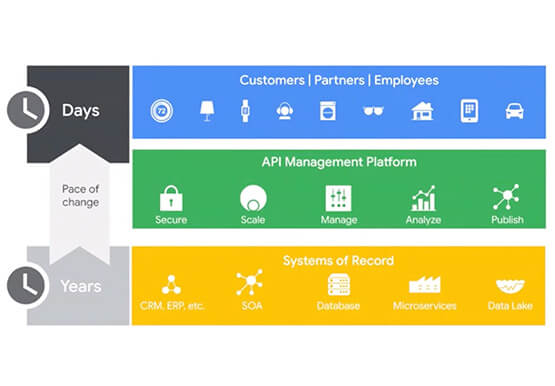

Booking.com’s Apigee Hybrid on Anthos is the Largest Hybrid Deployment Ever
Apigee API Management Platform helps unlock the value of data in legacy systems and applications to accelerate end-user/customer experience by modernizing apps and building multi-cloud environments. With Apigee Hybrid on Anthos, a service mesh technology, Booking.com was able to achieve its goal of providing customers a connected trip experience. Watch

Ten Videos to Help You Get Started with Anthos
Do you need to develop, run and secure applications across your hybrid and multicloud environments? Look no further than Anthos, our managed application platform that extends Google Cloud services and engineering practices to your environments so you can modernize apps faster and establish operational consistency across them. To help you

Enhancing Romi’s Conversations: The Role of BigQuery and LLMs
MIXI, Inc. (MIXI) is a social networking organization that provides a diverse range of services for friends and family to enjoy together, such as the social-media platform mixi, a mobile game called Monster Strike, and a family photo and video sharing service known as FamilyAlbum. One of our current projects

How Recommendation AI Helps Retailers Optimize Click-through and Conversion Rates
Time to go outside again, I guess. I'll need a sun hat. Sunscreen. Maybe some new sandals? What else? With the Recommendations AI service, I might be reminded to grab a reusable water bottle and a swimsuit. Or some after-sun aloe lotion. Good thing, cause I'll need it. Photo by Nawartha
