





3947
Of your peers have already watched this video.
40:00 Minutes
The most insightful time you'll spend today!
Attention CFOs: How to Save Money on the Cloud
Cutting down on wastage, saving cost, and having a better control are some of the key priorities of organizations when it comes to the cloud. According to the 2018 State of the Cloud report by Rightscale, 35% of customer cloud spend is wasted, 58% of users cite cost savings as their top focus, and 76% consider spend control to be a challenge.
No wonder, customers are constantly looking to control costs and get the most capability out of every cloud dollar spent by their organizations.
Google Cloud’s simple, flexible, and fair pricing principles ensure that customers end up saving a lot more when they use Google Cloud and pay only for what they use and nothing more. Automatic discounts, recommendations, and smart tools to monitor and control usage, ensure that customers are treated fairly.
Watch this webinar to find out how you can save even more money on the cloud.
Google’s Research and Data Insights Solutions to Power Drug Development and Clinical Research

3716
Of your peers have already read this article.
1:30 Minutes
The most insightful time you'll spend today!
In order to be successful, research needs to be replicable, so scientists can build on past work and insights. However, an article in Nature warned that as much as 50% of published drug development research could not be reproduced in subsequent trials. As a result, promising drug candidates sometimes led to disappointment, as well as wasted time and money, when key findings could not be replicated.
The shift to cloud computing helps solve this problem because it allows researchers to use open-source tools that work across platforms. As demand for cloud computing rises, our customers have asked us for more ready-made solutions to assure reproducibility of results by their collaborators, regardless of the platform they are using. They asked for secure and effective collaboration tools as well as faster time-to-insight from any type of data.
We listened. Google’s new research and data insights solution includes three sets of functionalities to address these key challenges. Each can be activated on demand and may be eligible for subscription pricing. “HPC in a box” offers abstract complexity to run high performance computing (HPC) workloads by automatically managing your cluster in the most effective manner. It integrates seamlessly with some of the industry’s most-used schedulers like Slurm and PBS. It makes it easier than ever to answer bigger questions faster by accessing Google’s fast, powerful hardware like TPUs and GPUs, all for one predictable flat fee for eligible workloads. Healthcare Innovation Hub provides healthcare-specific functionality to help ingest, aggregate, and de-identify any type of healthcare data in its original format. It unlocks cross-modality analysis and collaboration and empowers researchers with harmonization tools to overcome healthcare interoperability issues. Google Cloud Real-World Insights (formerly FDA MyStudies) accelerates and streamlines drug development and clinical trials to address urgent medical challenges with reproducible results.
The solution enables researchers to ask new questions, get answers more quickly, and work more collaboratively–with no wait times or down times. Institutions can scale to more ambitious projects and generate actionable, real-time insights from any data source–all while staying within budget.
Many top research centers have already found it faster and more cost effective to shift from downloading and storing data on their own servers to storing and analyzing data on Google Cloud. Here are some of the real-world projects already yielding breakthroughs:
- Clemson analyzed 8,500 hours of traffic camera feeds with 2.1M vCPUs in three hours to improve evacuation routes for disaster planning.
- The Colorado Center for Personalized Medicine saved $2.9M by building their Compass data warehouse on Google Cloud rather than on on-prem.
- The Broad Institute slashed costs of genomic sequencing by 90% with Google Cloud.
Our partners, such as Atos, Burwood, Omnibond, Mavenwave, Quantiphi, and Deloitte, can help you first design and develop, then install and implement your own solution, including training. To assess your institution’s needs and develop a customized plan for your next-generation research solution with research and insights, contact our sales team.
How a Mid-Sized Firm is Shrinking Inventory Carryovers 50% with AI

7470
Of your peers have already read this article.
5:30 Minutes
The most insightful time you'll spend today!
For more than 10 years, NMK Textile Mills has manufactured bed linens for major retailers in the United States and Canada. As e-commerce exploded, the company’s co-founder saw an opportunity to grow the business. So, in addition to manufacturing bed linens wholesale for retail customers, NMK Textile Mills reworked its complete supply chain to manufacture products for California Design Den, which became an e-commerce retailer selling its own fashion-forward products directly to consumers online.
With California Design Den’s push into e-commerce, it became apparent the SMB company (with about 250 global employees) faced the same tough supply chain questions as large retail customers, including maintaining enough inventory to meet customer demand in a timely, efficient way.
California Design Den depended upon a myriad of systems to track its complex forecasting and reordering processes. Team members typically planned inventory manually using desktop spreadsheet software, which could lead to excess inventory. Accurately forecasting demand and supply was essential to the company’s financial success—but it was also a challenge.
A couple years ago, California Design Den partnered with Pluto7, a technology solutions provider that offers a software as a service (SaaS) called Planning In A Box. Leveraging Google Cloud Platform machine learning and artificial intelligence, Planning In A Box intelligently helps predict demand and balances it with supply.
But that was just the beginning. “Along the way, we realized that to compete with larger retailers, make quicker decisions, and move faster, we needed to go further,” says Deepak Mehrotra, Co-founder and Chief Adventurer at California Design Den.
With guidance from Pluto7, California Design Den began migrating its database to Google Cloud Platform. Using Google BigQuery, Google Compute Engine, Google Cloud SQL, and Google Cloud Storage, and experimenting with Google Cloud Vision and Google Cloud AutoML, the company is reducing inventory carryovers by more than 50%, improving the accuracy of demand planning quarter over quarter, and gaining granular insights into how individual SKUs are performing.
“We would need an army of data scientists to make faster decisions on pricing and inventory levels. With Google Cloud Platform machine learning and artificial intelligence, we don’t need that. We can make much faster pricing decisions to optimize profitability and move inventory.”
—Deepak Mehrotra, Co-founder and Chief Adventurer, California Design Den
No need for army of data scientists
“Using Google Cloud Platform machine learning and AI was essential for California Design Den if it was to compete successfully with larger retailers,” Deepak says.
For example, tastes and fashions in bed linens can change quickly and consumer prices fluctuate. With more than 2,500 SKUs, it wasn’t possible for California Design Den’s team to continuously monitor product demand and experiment with competitive pricing in real time.
“We would need an army of data scientists to make faster decisions on pricing and inventory levels,” says Deepak. “With Google Cloud Platform machine learning and artificial intelligence, we don’t need that. We can make much faster pricing decisions to optimize profitability and move inventory.”
By integrating all its data onto Google Cloud Platform, California Design Den’s team gains deeper insights into product sales over time, which in turn helps the company improve demand planning by better determining which styles to manufacture and sell in the future.
“When experienced employees leave, their knowledge leaves with them. By having all data in one place, and with machine learning and AI, California Design Den can go back in its history, look at products made or sold years ago, and analyze product performance.”
—Deepak Mehrotra, Co-founder and Chief Adventurer, California Design Den
Merging visuals with data
Before Google Cloud Platform, team members had to dig through spreadsheets and run scenarios to get a sense of how particular products had sold. The next step was to perform keyword searches across the company’s photo library in the cloud to find each product’s image. From there, a team member would insert the product images into a presentation, along with relevant data points, to provide a report for stakeholders on how particular styles performed.
Today, California Design Den, with the help of Pluto7, is integrating its entire product image library with its database on Google Cloud Platform. Experimenting with Google Cloud Vision and Google Cloud AutoML, California Design Den is moving towards a day when team members can run sales scenarios and get deep background data on individual product performance while viewing images of the relevant products.
Merging product visuals with data will help designers and team members better understand sales patterns over time and in context. In the past, making correlations between things like which sheet colors sold well in California, compared to how the same sheet colors performed on the East Coast, was something that California Design Den employees primarily did in their heads.
“When experienced employees leave, their knowledge goes with them,” says Manjunath Devadas, Founder and CEO at Pluto7. “By having all data in one place, and with machine learning and AI, California Design Den can go back in its history, look at products made or sold years ago, and analyze product performance.”
“We are literally growing the complexity of our business on all levels, including designing, manufacturing, selling, reordering, inventory holding—everything.”
—Deepak Mehrotra, Co-founder and Chief Adventurer, California Design Den
Reimagining supply-demand balancing
Pluto7’s mission statement is to democratize supply demand balancing with machine learning and AI. California Design Den is a case in point, as the combination of Planning In A Box and Google Cloud Platform gives the company greater control over its destiny.
“Big retailers used to tell us what to manufacture and how much they would pay for it,” says Deepak. “That was our primary business, and if we didn’t accept the terms, a competitor would.” Today, in addition to continuing to make products for retailers, California Design Den can design, make, and sell a variety of designs for itself, including custom and limited-edition products, thanks to Google Cloud Platform and Pluto7 software offerings. The payoff is not only in having a more diversified business. California Design Den also receives more favorable profit margins by selling its own products.
“We are literally growing the complexity of our business on all levels, including designing, manufacturing, selling, reordering, inventory holding—everything,” Deepak says. “We can make smaller batches. We can connect directly with consumers. We can identify the missing pieces—what should we produce next, when, and how much? We otherwise couldn’t afford the level of talent it would take to do this.”
Cutting through the noise
Google and Pluto7 software helped California Design Den reduce inventory carryovers by more than 50%. Inventory tracking and distribution, along with insights and visibility into product sales, are faster, more efficient, and accurate. Google Cloud Platform flexible pricing, speed, reliability, security, and scalability enable California Design Den to stay relevant and be more competitive.
In addition to benefiting from Google Cloud Platform, California Design Den relies on G Suite—also part of Google Cloud—to enhance collaboration among its global teams. Previously, the company’s email server would sometimes crash, due to the heavy load of sharing product photos and other data. “Gmail and Google Drive handle the everyday demands on the business effortlessly and reliably,” Deepak says.
“Google machine learning and AI enable us to cut through all the noise from raw data, so we can see what’s important. We can focus on analytics to guide us to success today and in the future.”
—Deepak Mehrotra, Co-founder and Chief Adventurer, California Design Den
The company is exploring additional ways to leverage Google Cloud Platform in the near future. For example, one possibility is to import customer reviews from sites where products are sold into Google BigQuery, and to use that data to perform sentiment analysis via Google Cloud Natural Language. It could provide another valuable data source to help California Design Den’s team decide where to focus future designs.
“Google machine learning and AI enable us to cut through all the noise from raw data, so we can see what’s important,” Deepak says. “We can focus on analytics to guide us to success today and in the future.”

3605
Of your peers have already downloaded this article
1:30 Minutes
The most insightful time you'll spend today!
Through customer interviews, a survey, and data aggregation, Forrester concluded that migrating and running SAP on Google Cloud has a number of benefits, including financial benefits.
Download this Forrester infographic to understand the 3-year financial impact it can have on your organization.
Answering the 4 Common FAQs on Compute Engine

3872
Of your peers have already read this article.
1:30 Minutes
The most insightful time you'll spend today!
Compute Engine lets you create and run virtual machines (VMs) on Google’s infrastructure, allowing you to launch large compute clusters with ease. When it comes to getting started with Compute Engine, our customers have lots of questions—but some questions come up more often than others.
We looked at an internal list of the most popular Compute Engine documentation pages over a 30-day period to find out what topics were explored by users again and again. Here are the top four questions users have about Compute Engine, in order.
1. What are the different machine families
Compute Engine lets you select the right machine for your needs. You can choose from a curated set of predefined virtual machine (VM) configurations optimized for specific workloads, ranging from small-level purpose to large-scale use cases or create a machine type customized to your needs with our custom machine type feature.
Compute Engine machines are categorized by machine family, including:
- General-purpose: Best price-performance ratio for a variety of standard and cloud-native workloads
- Compute-optimized: Highest performance per core for compute-intensive workloads, such as ad serving or media transcoding
- Memory-optimized: More compute and memory per core than any other family for memory-intensive workloads, such as SAP HANA or in-memory data analytics
- Accelerator-optimized: Designed for your most demanding workloads, such as machine learning (ML) or high performance computing (HPC)
Read the documentation to learn more about each machine family category.
2. How to connect to VMs using advanced methods
In general, we recommend using the Google Cloud Console and the gcloud command-line tool to connect to Linux VM instances. However, some of our customers want to use third-party tools, or require alternative connection configurations.
In these cases, there are several methods that might fit your needs better than the standard connection options:
- Connecting to instances using third-party tools (e.g. Windows PuTTY, Chrome OS Secure Shell app), or MacOS or Linux local terminal)
- Connecting to instances without external IP addresses
- Connecting to instances as the root user Manually connecting between instances and running commands as a service account
Read the documentation to learn about advanced methods for connecting Linux VMs.
3. How to set up OS Login
OS Login lets you use IAM roles and permissions to manage access and permissions to VMs.
OS Login is the recommended way to manage users across multiple instances or projects. OS Login provides:
- Automatic Linux account lifecycle management
- Fine-grained authorization using Google IAM without having to grant broader privileges
- Automatic permissions updates to prevent unwanted access
- Ability to import existing Linux accounts from Active Directory (AD) and Lightweight Directory Access Protocol (LDAP)
You can also add an extra layer of security by setting up OS Login with two-factor authentication or manage organization access by setting up organization policies.
Read the documentation to learn how to configure OS login and connect to your instances.
4. How to manage SSH keys in metadata
Compute Engine allows you to manually manage SSH keys and local user accounts by editing public SSH key metadata.
You can add public SSH keys to instance and project metadata using:
- The Google Cloud Console The gcloud command-line tool
- API methods from the Google Cloud Client Libraries
Read the documentation to learn how to manually manage SSH keys and local user accounts in metadata.
Don’t see your question here? Check out the Compute Engine documentation for all of our recommended guides, tutorials, and resources.
6362
Of your peers have already watched this video.
2:00 Minutes
The most insightful time you'll spend today!
Google Cloud’s ML-based Image Classification App: A Key to Global Wildlife Conservation
Wildlife provides critical benefits to support nature and people. Unfortunately, wildlife is slowly but surely disappearing from our planet and we lack reliable and up-to-date information to understand and prevent this loss. By harnessing the power of technology and science, we can unite millions of photos from [motion sensored cameras] around the world and reveal how wildlife is faring, in near real-time…and make better decisions
wildlifeinsights.org/about
More Relevant Stories for Your Company

Cloud FinOps Breaks Down Gaps in Finance, Tech and Business Teams, Accelerating Digital Transformation!
Accelerating digital transformation Digital transformation is what propels businesses and industries forward. Organizations of all sizes—from startups to global enterprises—focus on digital transformation not only to make scaled improvements, but also to drive significant change and fully embrace the digital age. The pandemic has jump started and pushed many organizations
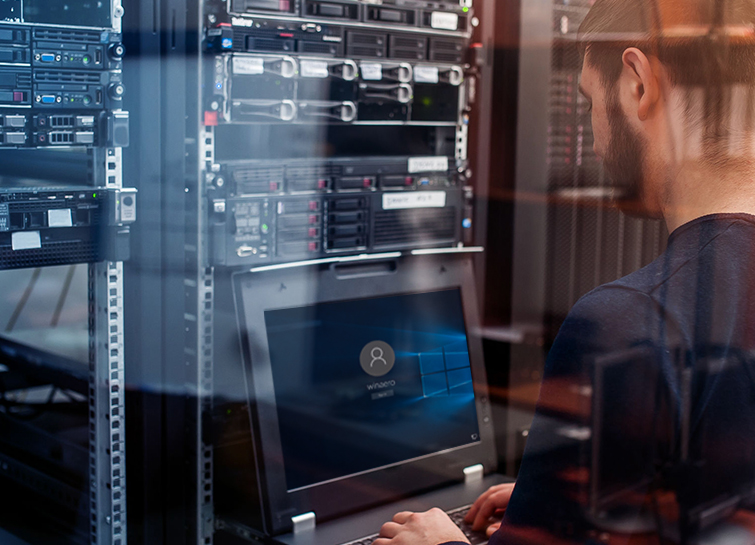
Modernize your Windows Server Workloads using Google Cloud Platform
Application Modernization is an important enabler of Digital Transformations (DX), which fuel competitive advantage through increased productivity and business agility. Public cloud infrastructure proves to be a solid foundation for application modernization by providing Self-Service Provisioning capabilities, cloud-based & cloud-native technologies, and easier access to technology innovations such as AI/ML.

The Journey ahead for Google Cloud and SAP
The partnership between Google Cloud and SAP is entering a new chapter. Over the years, our close partnership with SAP and our mutual dedication to customers has inspired us to do some of our most unique and innovative work—such as building Fast Restart and Memory Poisoning Recovery capabilities for S/4HANA workloads, offering real-time

Tencent Africa Cuts Cost and Improves Stability with Google Cloud
As one of Africa’s leading technology companies, Tencent Africa is responsible for WeChat operations on the continent. WeChat Africa has successfully launched a number of features including the WeChat Wallet, a mobile payment service for smartphones, which enables seamless and secure transactions for friends to send money to one another,
