





Google Cloud’s BeyondCorp Framework Helps Govts Adopt Zero Trust Approach to Security

3082
Of your peers have already read this article.
1:30 Minutes
The most insightful time you'll spend today!
For more than a decade, Google has applied a Zero Trust approach to most aspects of our operations. Zero Trust’s core tenet–that implicit trust in any single component of a complex, interconnected system can create serious security risks–is fundamental to how we operate and build our security architecture.
Early in our security journey, we realized that despite our best efforts user credentials would periodically fall into the hands of malicious actors. This is why we developed the BeyondCorp framework. We needed additional layers of defense against unauthorized access that would not impede user productivity. We also understood that software that interacts with the larger world should not have a perimeter-based trust model. These realizations led to the layered protection in our BeyondProd framework, which extends the Zero Trust paradigm to our production workloads.
Earlier this year, the United States Office of Management and Budget (OMB) released a Federal Strategy to Move the U.S. Government Towards a Zero Trust Architecture. This marks an important step for the U.S. government’s efforts to modernize under Executive Order 14028 on Improving the Nation’s Cybersecurity. In parallel, guidance from the United Kingdom’s National Cyber Security Center (NCSC) has also called for the move to a Zero Trust approach to security and outlined in 2021 its report on Zero Trust architecture design principles.
Adopting a Zero Trust approach can help organizations inside and outside the public sector stay ahead of both regulatory requirements and security threats, but it requires thoughtful planning and execution. Our goal is to bring the best practices for Zero Trust together in one place, leveraging the experiences and knowledge of our existing customers, and Google’s own experience with implementing Zero Trust.
How Google Cloud can help government agencies move toward Zero Trust
Agencies can rely on Google Zero Trust capabilities for remote access, secure collaboration, and boundary security. To better serve the Zero Trust needs of our customers, we introduced BeyondCorp Enterprise in January 2021, a solution that provides Zero Trust secure access to resources and applications in the cloud and on-premises. BeyondCorp Enterprise was built based on years of Google’s own innovation as we implemented Zero Trust globally for ourselves. It leverages the Chrome browser and Google’s global network, and it offers integrated real-time threat and data protection.
Here are five ways BeyondCorp Enterprise can be applied to help organizations adopt the Zero Trust cybersecurity principles set forth in the recent White House memorandum (M-22-09) and other global government guidance for Zero Trust.
- Enable enterprise applications to be used over the public internet: It’s no secret that VPN usage poses daily burdens and long-term challenges for IT and cybersecurity managers, as well as end-users. BeyondCorp Enterprise provides users with seamless and secure access to web applications (including SaaS apps and apps hosted on any cloud), plus central management controls and threat and data protection capabilities, all built-in to the Chrome browser. Through BeyondCorp Enterprise, end-users can access applications simply and still benefit from enterprise-grade security, without sacrificing their productivity or user experience.
- Leverage phishing-resistant MFA to access secure resources: Many cyberattacks start with phishing messages that lead users to infected websites and attempt to steal credentials. The use of phishing-resistant MFA, as recommended by M-22-09, can protect personnel from sophisticated online attacks. BeyondCorp Enterprise supports strong phishing-resistant authentication, by allowing factors such as Titan Security Keys to be used as attributes in access policies that are enforced at the application layer. Organizations can customize how to incorporate phishing-resistant MFA methods into their access policies for individual applications and resources. Phishing protection is also built into the Chrome browser, powered by Google Safe Browsing, and these capabilities block access to malicious content, detect phishing sites, prevent malware transfers, and generate reports of unsafe activity, adding even more protection against bad actors.
- Use context-aware authorization: The U.S. federal strategy states that a Zero Trust architecture should incorporate more granularly and dynamically defined permissions and that every request for access should be evaluated to determine whether it is appropriate. With context-aware authorization, organizations can build and customize access policies to include different contextual signals about a user including their role, their location, and even the time of day. Every interaction between a user and a BeyondCorp-protected resource is evaluated in real-time against the resource’s access policy to ensure users are and remain authorized to access it, with continuous authorization for all interactions at a per request level.
- Incorporate device-level signal into authentication: At Google, we believe that trust must be granted based on what is known about a user’s identity and their device. We are pleased that OMB similarly recommends that authentication incorporate at least one device-level signal alongside identity information. Since BeyondCorp Enterprise supports device-level attributes without requiring users to install agents, this can be done easily by leveraging the Endpoint Verification extension in the Chrome browser, where administrators can gather endpoint security posture information and easily construct and implement granular resource access policies. The ability to collect and utilize this information through an agentless approach is especially helpful for BeyondCorp Enterprise customers who support a workforce with bring-your-own-device policies or unmanaged devices.
- Include the extended workforce in your Zero Trust strategy: A Zero Trust approach aimed to provide secure access to the right users, at the right time, and for the right purposes should be inclusive of all users, not just full-time staff. Government agencies rely on contractors and partners to carry out many important missions. Unfortunately, the extended workforce is often more vulnerable to attacks if they are given too much privileged access or if their security practices are not properly assessed before access is provisioned. At the same time, federal administrators can’t always manage third-party devices or software directly, which can make secure access challenging.
BeyondCorp Enterprise supports a feature called protected profiles, an ideal solution for granting Zero Trust access to the extended workforce. It enables users to securely access resources from unmanaged devices and be protected by the same security capabilities without needing to install agents. Furthermore, administrators can gain visibility into risky activities and view any security events that are generated from within protected profiles.
Applying the NCSC Zero Trust principles on Google Cloud
Last year, the U.K. government’s NCSC launched its Zero Trust architecture design principles to help organizations securely adopt a Zero Trust architecture. To help private and public sector organizations in the U.K., the Google Cybersecurity Action Team (GCAT) released a detailed research paper that outlines how organizations can leverage Google Cloud technologies and services to align with these principles. This is a technical guide aimed at enterprise and security architects charged with developing and executing a Zero Trust strategy under the principles outlined by the NCSC, including:
- Know your architecture, including users, devices, services and data with Google Cloud Professional Services Organization (PSO) who can support discovery, planning and risk mitigation.
- Know your User, Service and Device identities including reference architectures for Cloud Identity.
- Assess your user behavior, device and service health by leveraging built in reporting from Google Cloud and Chronicle.
- Use policies to authorize requests with BeyondCorp Enterprise policy-based authorization.
- Authenticate & Authorize everywhere by reviewing the BeyondCorp and BeyondProd frameworks which combine to deliver ubiquitous authentication and authorization.
- Focus your monitoring on users, devices and services with device management and Cloud native monitoring capabilities.
- Don’t trust any network, including your own. Review details on Google’s Secure by Design infrastructure.
- Choose services designed for Zero Trust. Review how to protect modern and legacy applications with BeyondCorp.
For more detail on how we’re supporting the U.K.’s NCSC, please review our recent research paper for insight into their priorities, and where Google will be discussing Secure by Design principles and how to respond to security incidents.
Zero Trust assessment and planning services for organizations
Organizations that are managing complex environments while undergoing Zero Trust adoption could benefit strongly from experienced support and guidance. The Google Cybersecurity Action Team (GCAT) is committed to helping customers meet Zero Trust security and compliance requirements in the cloud through specialized consulting engagements and workshops for public sector customers. Read more about how growing cybersecurity requirements for U.S. federal government customers via executive orders and White House mandates are being supported through Google Cloud solutions.
GCAT’s multi-week Zero Trust Foundations engagement helps organizations build a strategy to achieve a Zero Trust security model across their operations. Zero Trust Foundations is co-delivered by Google Cloud’s Office of the CISO and our public sector Professional Services Organization. It can help focus and accelerate customers’ Zero Trust efforts by sharing lessons learned from Google’s own BeyondCorp zero-trust journey, and our global implementation of defense-in-depth best practices. Contact us today to learn more.
To learn more about ways Google Cloud can help organizations embarking on a Zero Trust journey, tune into our second annual Google Cloud Security Summit on May 17 and hear directly from customers who are already using our Zero Trust solutions to achieve their organization’s security goals.
About the Authors:
Jeanette Manfra is the former Assistant Director for the Cybersecurity and Infrastructure Security Agency at the Department of Homeland Security. Dan Prieto is the former Director of the Defense Industrial Base Cybersecurity program at the Department of Defense. Both Dan and Jeanette also served in the White House on the staff of the National Security Council’s cybersecurity directorate.
4 Cloud Security Trends to Watch Out for in 2022

3381
Of your peers have already read this article.
1:30 Minutes
The most insightful time you'll spend today!
When it comes to cloud security, 2022 will be the year that the past catches up with the future. Trends that businesses have been ignoring for too long will force organizations large and small to confront and control their security debt.
That’s according to Google Cloud’s own cybersecurity experts, who have identified four security trends that organizations need to watch out for—and get ahead of. We have predictions on what to expect in the coming year from MK Palmore, director of the Office of the CISO; Brian Roddy, vice president of engineering for Cloud Security; Tim Dierks, engineering director for data protection; and Panos Mavrommatis and Vikram Makhija, senior directors of security engineering for Google Cloud.
Supply chain shenanigans
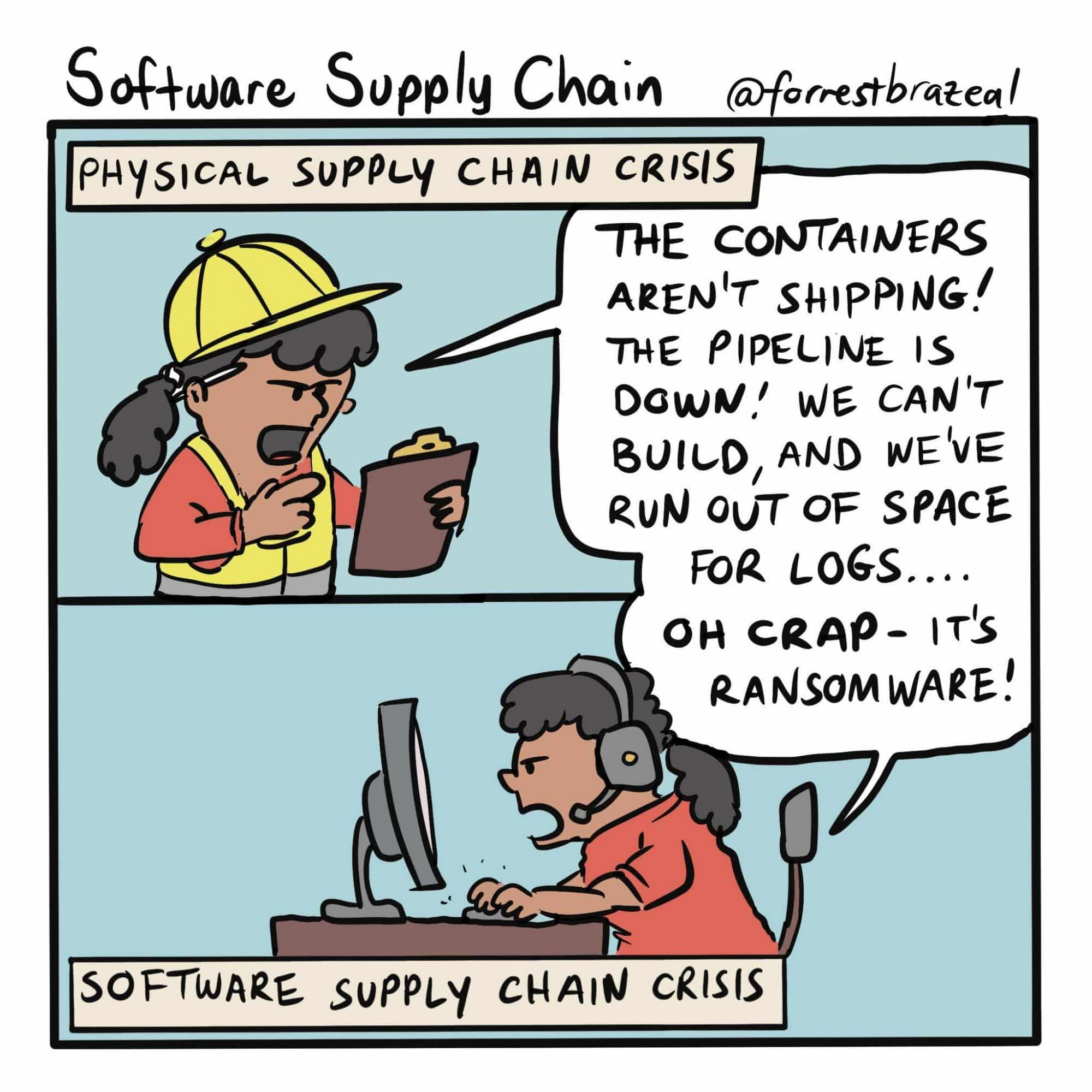
“We will see continued asymmetric attacks from adversaries as they exploit supply chains and other previously ‘trusted’ third-party entities,” says Palmore.
Supply-chain problems in cloud computing should be easily solvable, right? Software versions and any vulnerabilities they contain should be trackable and patchable, but the reality of fixing software is that “just patch it” is hard to execute—just look at the challenges posed by the Log4j 2 vulnerability. Supply chain is such a huge problem that President Biden addressed it in an Executive Order in May 2021. Customers can expect the issue to be top of mind at Google Cloud.
Not exactly many happy returns (to the office)
“Return to office around the world will drive changes as office infrastructure has not been invested in for a year and a half while the focus has been on remote users. This likely will drive a short-term boom in traditional on-prem security, but it will be the last boom for that as people adapt their remote, zero-trust style strategies to a more modern on-prem approach,” says Roddy.
The misconception that on-prem infrastructure is categorically more secure than cloud is driven by the desire to have physical access to servers and backups so that only the organization which owns the data controls it and has access to it, even in cases of a catastrophic failure or successful cyberattack. In the early years of cloud computing, that may even have been true. But the conditions that drove the myth of on-prem security primacy changed years ago, and the needs driving secure cloud infrastructure help ensure that cloud stays more secure.
Paying down your security debt
“While there’s all the new hotness of cutting-edge concerns, many enterprises still carry security risks and security debt from not yet fully adopting controls which have been broadly accepted as important for years. For example, loads of companies are still not using phishing-resistant two-factor authentication such as FIDO keys,” says Dierks.
Authentication keys such as those made by Yubico and Google’s own Titan Security key support the zero-trust security principles that require user identities to be authenticated, authorized, and then continuously validated before they can access applications and data. Strong authentication is such an important part of contemporary user security that even weaker forms of it that rely on text messages are significantly more secure than not using it at all. That said, why use a less-secure standard when you can reduce risks to your data and bottom line even further by requiring a phishing-resistant hardware key?
Dierks stresses another challenging but important part of eliminating security debt: using social connections to encourage best security practices. “It’s important for CISOs to use their business relationships to emphasize the importance of baseline controls [such as 2FA] for their partners. Enterprises have close relationships that attackers can leverage, so it’s critical that partners hold each other accountable to maintain high security.”
KYD (Know Your Data)
The impact of a data breach can harm organizations as they currently are as well as far into the future. Current tough-to-crack encryption standards protecting data could become easier to decode in the years ahead, so even if cybercriminals can’t access stolen data now there’s no guarantee that paradigm will hold. This means it’s crucially important that organizations understand what data they’re storing, how they’re storing it, and where they’re storing it, say Mavrommatis and Makhija.
“You can’t secure what you don’t know about, and not all data breaches are equal. Stolen machine logs are not as bad as customer data. But how many security teams know the difference? So you have to crawl your own data to automatically classify and discover where sensitive data lives,” they say.
Makhija adds that the shared fate model requires the cloud providers and cloud customers to have a mutual understanding of the quantitative risks each faces. “Shared fate models will pick up significantly in 2022,” he says, as more organizations move to the cloud, and those already using cloud infrastructure improve their security postures.
“To date, there’s been a disparate set of tools for understanding your posture. It’s difficult for third-party tools to stitch together what cloud services should be providing from the start,” he says.
What you can do to make your organization more secure
One cloud security trend that’s ever-present is the ever-increasing importance of keeping cloud deployments secure. As cloud infrastructure becomes more commonplace across businesses and industries of all sizes, it will continue to grow as an attractive target for cybercriminals and other threat actors.
- Because enterprise data has expanded exponentially, the ability to identify and detect threats have become increasingly challenging. To better secure the enterprise software supply chain, use advanced threat detection and analysis tools—especially those designed to catch anomalies.
- The faster that organizations adopt a zero-trust architecture, the more secure the new normal can be. Zero trust helps limit the blast radius of any potential intrusion, while maximizing new enterprise access expectations. Part of adopting zero trust means many end-users can abandon legacy technology like VPNs, but the benefits of segmentation and context-aware access for both identity and device will make all the difference for large scale enterprises. When coupled with a full zero-trust approach and the use of a zero-trust maturity model for improvement, organizations will be better positioned to manage their digital risks.
- Security debt can come in many forms and one critical payoff that needs to be made is for organizations to migrate en masse to hardware two-factor authentication keys. They make user accounts significantly more resistant to takeovers, and are much harder to circumvent than two-factor authentication over SMS.
- It’s past time to get to know your data, and a bouquet of flowers and a bottle of red wine won’t help. There are third-party tools that can do this, but for Google Cloud customers who use BigQuery there’s automatic Data Loss Prevention. It continuously monitors existing tables and profiles new ones; it can be customized for selected folders or projects, or for an entire organization; and it generates data profiles in the same geographic region as the original data.
Understanding and managing the security challenges of cloud infrastructure helps maximize its benefits, and makes for a safer security landscape in 2022—and beyond.
Google Products Helps HMH’s Healthcare Staff Work from Anywhere Efficiently and Securely!

10216
Of your peers have already read this article.
3:00 Minutes
The most insightful time you'll spend today!
Hackensack Meridian Health (HMH) executive Mark Eimer explains how an ambitiously-timed rollout of a comprehensive suite of Google products helped the entire organization—from doctors to IT staff—achieve better security, cultivate a more equitable work environment, and ultimately, improve patient outcomes.
How does a recently merged, 17-hospital healthcare system fast-track a platform migration and hardware rollout securely and in a way that improves work for everyone, regardless of location or role? These are the questions that kept me up at night in early 2020, when the pandemic demanded a “big bang”—something our legacy laptops and operating systems couldn’t handle.
We began our work with Google in 2020 with the adoption of Chrome as our default browser. As we migrated platforms, keeping patient data safe was of the utmost importance to us, along with providing every staff member with the tools they needed to work virtually. Our staff often experienced issues accessing our web-based applications using Internet Explorer or Edge Browser, a problem that went away when we switched to Chrome. Chrome’s versatile compatibility also made it easier for my team to migrate all of our web-based operations, and Chrome’s security and manageability were key components to making this switch a huge win for the organization.
The success of this migration led us to extend our Google partnership to patient care applications—where Google’s expertise in AI and ML helps scale the use of diagnostics tools and improve other aspects of the patient journey.

Achieving security at every step
Like so many other healthcare organizations, we’ve been concerned about ransomware attacks. This is part of why we moved to Google Workspace and distributed over 3,000 Chrome OS devices in kiosk mode in March of 2020, when many of us went remote due to the pandemic. We were very concerned about team members accessing corporate applications through home devices that were running EOL operating systems (WIN7), as well as a general lack of antivirus and encryption measures.
We were protected by the fact that Google’s software and hardware both had built-in security features that we needed to stave off sophisticated attackers. For example, Chrome OS automatically updates to the latest security update and encrypts data living outside the cloud on the hardware. These features protected us from security-related disruptions, letting us securely move a huge library of file shares and emails across thousands of accounts to Google Chrome OS in just four months.
A year later, in March 2021, we migrated the enterprise over to Google Workspace and saw an immediate reduction in spam by 30% from the inherent built-in AI/ML. This meant staff were less likely to receive (and click through) phishing attempts. My team could connect, create, and collaborate easily and securely—even as more of us were working from home and needed to access sensitive data remotely.
Leveling the playing field
As an organization, we were surprised by how many team members didn’t have personal computers at home. We quickly decided that if we needed team members to work from home, the health network would have to supply hardware. Chromebooks’ lower price tag compared to PCs—on top of their built-in security controls—allowed us to purchase, deploy, and support that initial distribution of 3,000 Chromebooks to team members in less than three weeks, providing devices to every eligible remote employee instead of just a select few. This was vital to reaching our equitable technology goal as part of our diversity and inclusion initiative: everybody has the same tools to do good work.
When all employees have what they need to do their jobs well, we get better patient outcomes. Before we began this cloud adoption journey, patient and staff experiences were different within the hospitals and outside of them.
Now it’s the same wherever our staff is, and we’ve seen efficiency and accessibility benefits extend to the patient side. For example, we built a web-based contact center that supports 80 locations that use Workspace and Chrome OS devices. Since customer service, admin, and providers are all on the same system, it has become a one-stop shop for patients.
Furthermore, through the Grow with Google program, we were able to provide another benefit to employees that drove our equity goals. Google trained 50 non-IT staff members—from environmental services, food and nutrition, and other non-tech areas who were interested in making a career change to IT—on the Google products we were using. They may not have thought about switching to a career in IT before the Grow with Google program came to our organization, but through this partnership, they now have that opportunity.
A strategic, long-term partner
With any large-scale rollout, the work doesn’t end once laptops are in employee hands. Google has shown their commitment to long-term collaboration as they continuously optimize their products for the unique needs of healthcare providers and go the extra mile in tailoring tools to our staff’s workflows.
For example, on the Chrome OS side, the Google team has helped our registration desks and document centers with device integration for hardware like credit card readers and e-signature pads. They’ve also helped us meet security and privacy requirements mandated by state and federal governments around HIPAA, Medicaid, and Medicare reimbursements. Over this next year, we’ll look at a feature roadmap with Google Cloud to deliver further enhancements, iterating on the product itself to meet our needs for the present and the future.

Delivering the future of healthcare
The benefits we’ve seen around security and usability—and the ability to provide all staff with equal access to Google’s technology—are why we’re expanding our partnership with Google to both the administrative and clinical sides of HMH. In addition to further Google rollouts with corporate, next year we’re distributing Chromebooks to all 350 of our ambulatory clinics.
We’re also working with the Google professional services team to create a custom AI model that analyzes 3D mammogram images. This AI model will enable two providers to read mammograms—which adheres to international best practices but is currently rare in the US—without requiring additional time. Conducting double readings of mammograms will yield better health outcomes for our patients, such as a lower patient recall rate and an increased accuracy in detecting breast cancer.
We’re currently building the model using a variety of Google Cloud products, including Cloud Healthcare API. Once complete, this model is expected to be trained, deployed, and maintained in Google’s Vertex AI, allowing our providers to be more productive as they make clinical decisions with AI support. As the model is proven over time, we plan to make the predictive services accessible to other healthcare organizations.
With Google, we’re able to achieve a unified architecture for storing data as well as training and deploying AI models, which enable our staff to work more efficiently and securely from anywhere. While I may not be able to predict the future as accurately as AI can, I foresee our continued partnership with Google as a key part of HMH’s improved provider and patient outcomes.
Secrets Management Risk Analysis: Mitigating Threats with Secret Manager

916
Of your peers have already read this article.
2:30 Minutes
The most insightful time you'll spend today!
Can you keep a secret? Many people struggle to keep secrets. So do organizations. An organization’s digital credentials — its passwords, API keys, tokens, and encryption keys baked into its software code — are its vital secrets, used to authenticate access to protected resources and services.
The security of these secrets represent one of the biggest risks that enterprises must manage when securing application infrastructure and environments. Fortunately, we have an important tool to help our customers better manage their secrets: Google Cloud Secret Manager.
Secret Manager is a secure and efficient tool to centrally store, access, manage, and audit your organization’s secrets. As we noted in our April 2023 Threat Horizons Report, insufficient management of credentials and keys is now one of the top security issues facing cloud customers today. In particular, we have observed service account keys being used for everything from insider threats to cross-cloud breaches to intellectual property espionage.
Along with the increasing popularity of DevOps, secrets are used throughout development. In some cases, secrets are coded as plaintext into configuration files or directly into functions, where they can end up exposed in code repositories. If compromised, secrets can be used to gain unauthorized privileged access to enterprise data, infiltrate critical systems, and launch attacks.
Secret Manager can help organizations better manage their secrets even as concerns over potential security breaches grow. Organizations must consider the following four points during their secrets management risk analysis:
- Secrets sprawl: As organizations move more workloads to the cloud, the number of secrets they need to manage increases exponentially. This can lead to secrets sprawl, where secrets are stored in a variety of different locations, making it difficult to track and manage them.
- Human error: Humans are fallible, and this is especially true when it comes to managing secrets. Mistakes, such as accidentally sharing a secret with the wrong person or the misconfiguration of a secret management tool, can have serious consequences.
- Compliance violations: Organizations that handle sensitive data are subject to a variety of compliance regulations, including PCI-DSS, SOC 2, HIPAA, and GDPR. Without proper management, secrets could lead to potential compliance violations.
- Downtime: If secrets are not properly managed or rotated, it could lead to downtime for applications and services that rely on them.
Secret Manager can enable IT teams to keep track of secrets by providing a centralized place to store and manage them. You can access secrets directly from the Secret Manager console, or use the Secret Manager API or SDKs. Secret Manager is also designed to scale with your application. You can store as many secrets as you need without performance issues, and its API-first design lets you extend and integrate into other existing systems.
Secret Manager integrations in Google Cloud
In many cases, developers save secret configuration details as plaintext in code for ease of use. There are two main risks associated with this approach:
- Anyone with access to secrets can see and copy them. There is no way to enforce any auditing or access controls practices here.
- It becomes difficult to move code between dev, test, and production environments.
Cloud-centered integrations supported by Secret Manager with other Google Cloud services in the software supply chain make it easier and safer to store and access sensitive information.
The tool is about the secret information being made securely available in build or runtime.
Secret Manager integrations also can play a role in securing sensitive information in the software supply chain:
1. Integration with CI/CD systems used to build and deploy your software
Cloud Code integration can help developers build more secure applications by preventing hard-coding of sensitive configuration data such as passwords, credentials, and tokens in the codebase. It replaces them with secrets which can be programmatically fetched as required. You can create, access, and modify secrets directly from within your favorite IDE without having to navigate away from it. Integration is available for VS Code, IntelliJ, and Cloud Shell Editor.
Cloud Functions integration lets you access and expose secrets as environment variables or as a volume via the filesystem.
Cloud Build: To handle sensitive data in builds, you can store them in Secret Manager and then configure the build steps to access the information directly. In the build steps, you can associate the value of a secret to an environment and you can access this value via an environment variable from scripts or processes. Two common uses for fetching sensitive dependencies during build time are:
- Storing Docker authentication credentials for pull/push of images to Docker hub.
- Creating GitHub pull requests in response to builds.
2. Integration with runtime engines
Cloud Run: Native integration makes it easy to mount secrets in cloud run services. Using this integration, secrets can be made available to containers either as volume mounts or as env variables. Sensitive dependencies can be stored in environment variables, by referencing a secret name stored in Secret Manager instead of storing it as a plain text environment variable. This secret access operation can be done directly from the Cloud Run console without changing a single line of source code.
If code reads secrets from a file instead of an env variable, the “mounted as volume” option can be used to make secrets look like files to the env vars. During service deployment, the service account used to run the containers are checked to see if they have the required permissions or not, preventing any unwanted access.
Kubernetes and GKE: The CSI driver–provider solution is an open-source work that provides integration with K8s. The driver lets customers centrally store their secrets in Google Secret Manager and consume them in a kubernetes native manner, as files mounted in K8s pods. The solution also comes with additional syncing capabilities. This method of consuming secrets also allows users to take advantage of SM’s capabilities like versioning, managed rotation, default/CMEK encryption and cloud-focused integrations with other Google Cloud services. Work is currently ongoing to provide official support to the driver solution as a GKE component.
Is Secret Manager right for my organization?
Developers carry a big responsibility to protect the sensitive data they are entrusted to work with, and keep secrets out of their code. However, organizations also have a responsibility to provide the tools and solutions needed to help their teams deliver on these expectations. Secret Manager makes it straightforward for developers to store and manage secrets while improving security.
To learn more about Secret Manager, please review these resources:
Read the previous Best Kept Security Secrets blogs here:
Strengthening Your Network: The Benefits of Network Firewall Policies Over VPC Firewall Rules

1255
Of your peers have already read this article.
3:30 Minutes
The most insightful time you'll spend today!
In the fall of 2022, we announced new policy constructs for Google Cloud Firewall, a scalable, cloud-first firewall service that helps secure traffic flow to and from workloads in Google Cloud, and whose distributed architecture enables simplified, granular control including micro-segmentation. Whereas legacy VPC firewall rules included network tags that were not governed by our IAM infrastructure, Cloud Firewall’s new network firewall policies with IAM-governed tags conform to our hierarchical control model and can help improve security operations.
We recommend that customers migrate from VPC firewall rules to the newly introduced network firewall policies. To assist with the migration, we developed a migration tool that creates a global network firewall policy and converts existing VPC firewall rules into the new policy.
With Google Cloud’s network firewall policies, we offer rules defined on a per-VPC network basis, either for all regions of the network (global network firewall policies) or a single region (regional network firewall policies). Granular controls enforced at the virtual machine (VM) level using IAM-governed Tags deliver intra-subnet micro-segmentation with pervasive policy coverage that automatically applies to workloads wherever they are deployed, independent of network architecture.
Network firewall policies allow for:
- Batch editing of multiple rules within a single policy, which saves time, simplifies rule management, and eliminates race conditions created by single rule update patterns
- A single resource to contain all the firewall rule sets applied to a VPC network, making it easy to modify and update the firewall configurations with unified APIs on the single resource
- Granular IAM controls based on your needs and requirements, such as separate IAM permissions for firewall policy creation, update, and association
- Sharing and attaching of firewall configurations across VPC networks in the same project, which simplifies configuration and management
With these increased capabilities, the combination of the new policy structures and the IAM-governed tags can help simplify operations, while achieving more reliable granular control and the implementation of least-privilege policies.
Going forward, all new enhancements and features for Cloud Firewall will only be supported through firewall policies. Network firewall policies and Tags integration are part of the Cloud Firewall Essentials tier, which is offered to customers at no additional charge. We encourage customers to migrate to network firewall policies to take advantage of future Cloud Firewall product enhancements, such as the Threat Intelligence, FQDN, and geo-location filtering features introduced in the Cloud Firewall Standard tier. For more details, please see our Cloud Firewall Standard announcement blog.
Network firewall policy migration tool overview
The new migration tool helps you convert existing VPC firewall rules into the new policy. This tool does not delete or affect existing VPC firewall rules. Once the new global network firewall policy is created, you can attach the network firewall policy to a VPC. You also have the option to swap the evaluation order of network firewall policies and VPC firewall rules.
Existing VPC firewall rules can be removed after you confirm the newly created network firewall policy works as intended. The best way to verify this is to enable firewall logging on both the existing VPC firewall rules and the new network firewall policy. After the evaluation order has been swapped to evaluate the new global policy first, you can review the firewall logs to confirm that the new network firewall policy rules are evaluated and hit as intended, and the hit count for the equivalent VPC firewall rules are shadowed and no longer getting hits. Support for the hit count and shadowed rule analysis will also be available in the upcoming release of Firewall Insights. More details can be found in the migration tool guide.
You can access the migration tool as a gcloud command. There are two mandatory arguments in this command: (1) the source VPC Network (SOURCE_VPC_NETWORK) and (2) the target network firewall policy (TARGET_NETWORK_FIREWALL_POLICY).
gcloud compute firewall-rules migrate --source-network=SOURCE_VPC_NETWORK –target-firewall-policy=TARGET_NETWORK_FIREWALL_POLICY [OTHER_FLAGS]
Please note, a network firewall policy with the same name cannot exist before running this command, since the migration tool will create it.
Additionally, logging will remain unchanged for any migration, meaning that if a VPC firewall rule has logging turned on, the migration tool will leave it on and if logging is turned off, the migration tool will keep it off.
For a more detailed guide, including information on how to change the rule evaluation order, and how to migrate from VPC firewall rules that contain network tags and/or service accounts, please refer to the migration guide.
Migrate today
We encourage you to migrate your firewall configuration from VPC firewall rules to the newly introduced network firewall policies to enhance your security posture with a fully distributed, cloud-first stateful inspection firewall service. In addition, migrating to network firewall policies ensures you will have access to the latest firewall features, such as Cloud Firewall Standard. The migration tool is here to help you with this transition. Check out the guide to learn more.
The Tech Tightrope: How the U.S. State & Local Agencies Strive to Balance between Innovation and Budget

5015
Of your peers have already read this article.
1:30 Minutes
The most insightful time you'll spend today!
State and local government (SLG) agencies are reeling from a combination of unbudgeted COVID-related expenses and reduced tax revenue caused by unemployment and business closures. Any way you look at it, the situation is challenging. To understand how SLG agencies are coping, Google Cloud collaborated with MeriTalk to survey 200 SLG IT and program managers, uncovering some revealing trends in SLG technology innovation. Unsurprisingly, approximately 84% of SLG organizations report making budgetary tradeoffs to bridge funding the gaps the ongoing pandemic has created.
However, researchers discovered a silver lining: The pandemic has also been a catalyst to modernize the legacy infrastructure in states and cities. The majority of survey respondents (88%) reported that their agency made greater modernization progress this past year than in the prior 10 years.
Walking a tightrope between innovation and budget pressure
According to 89% of state and local leaders, now is the time to invest in technology modernization. But 80% are experiencing a funding gap due to unbudgeted expenses related to the pandemic and declining tax revenue, which makes finding that balance between innovation and budget a serious challenge.
Some agencies are achieving the impossible, though. For example, the City of Pittsburgh Department of Innovation and Performance is working with Google Cloud to migrate and modernize its legacy IT infrastructure. By decommissioning their data center and moving to Google Cloud, the city can build new data analytics tools to drive smart city initiatives and create entirely new applications to improve digital service delivery for its residents. As a result, the city will save costs, abandon its brittle legacy IT structure, and create a cloud-based technology platform for the future—becoming the region’s leader in cloud-native software development.
Google Cloud is enabling the city’s IT team by curating and delivering our certification training at no cost. The program includes live training sessions as well as on-demand training.
Bridging funding gaps
In their drive to modernization, many SLG leaders are turning to grants as an important source of funding. Approximately 84% of those surveyed report making tradeoffs to bridge funding gaps, such as moving resources away from operations and maintenance (37%), increasing reliance on pandemic-related funding (31%), and delaying internal modernization efforts to enable remote work for employees (29%). One way that states are dealing with this tension between budget gaps and the need for innovation is to turn to Google Cloud for cost savings and improved capabilities.
For example, Google Cloud is helping the State of West Virginia innovate and enhance IT security despite decreased state funding. The state entered a multi-year agreement to ensure full access to enterprise-level Google Workspace capabilities for 25,000 state employees, keeping the state at the forefront of technology advancements at a projected cost savings of $11.5 million.
Similarly, Google Cloud helped build the Rhode Island Virtual Career Center to help the state’s constituents get back to work. Using familiar productivity tools within Google Workspace, employees can access new career opportunities quickly, while employers can reach more candidates. Skipper, the CareerCompass RI bot, uses data and machine learning to connect Rhode Islanders with potential new career paths and reskilling opportunities.
Enhancing services
Google Cloud is also helping agencies enhance services, including working with the State of Illinois to get unemployment funding to constituents in need.The state is using Contact Center AI to rapidly deploy virtual agents that help more than 1 million out of work citizens file unemployment claims faster. Capable of engaging in human-like conversations, these intelligent agents provide constituents with 24/7 access and enable government employees to focus on more complex, mission-critical tasks—such as combating fraud. In summer 2020, the virtual agents handled more than 140,000 phone and web inquiries per day, including 40,000 after-hours calls every night. The state anticipates an estimated annual savings of $100 million from the solution, which was deployed in just two weeks.
Working with Google, Ohio also uncovered $2 billion in fraudulent unemployment claims. We will continue to partner with the state to find fraudulent claims, and prioritize the processing of legitimate claims.
Focusing on cybersecurity
Despite expanding security threats topping NASCIO’s list of 2021 State CIO priorities, more than one in three IT managers (35%) say their organization reduces security measures to expedite timelines. Partnering with Google Cloud has enabled many agencies to enhance their security measures while modernizing and staying within budget, investing in support for remote work devices, digital services for residents, and cybersecurity.
NYC Cyber Command works with city agencies to ensure systems are designed, built, and operated in a highly secure manner. NYC3 followed a cloud-first strategy using the Google Cloud Platform. The virtual operations demanded by the pandemic have increased the importance of security and compliance in SLG. Google Cloud is committed to act as a security transformation partner and be the trusted cloud for public sector agencies.
Finally, to strengthen public and private partnerships, SLG organizations told MeriTalk that they need vendor partners to support modernization efforts for flexibility and collaboration (46%), need innovation-focused leadership groups to help balance technology needs with budget constraints (41%), and they expect significant returns on investments in cloud computing (38%), and data management/analytics (33%).
Google Cloud is helping SLG customers across the country invest in innovation to walk the tech tightrope—balancing innovation and budgets—and helping to build a more resilient future. Visit the State and Local Government solutions page to learn more.
More Relevant Stories for Your Company

IT Team Figures Out Easiest Way to Build Data Pipelines and Create ML Models
Building a strong brand in today's hyper-competitive business environment takes vision. It also requires a flexible, easily managed approach to digital asset management (DAM), so marketing professionals and other stakeholders can easily share, store, track, and manipulate assets to build the brand. Many of today's leading companies, including JetBlue, Slack,

MIT Cloud Security Confidence Report: An Evolution Worth Noting
The age of unthinking fears about cloud security is over. Not only is cloud adoption rising steadily across geographies, industries and job functions, but confidence in cloud security is rising as well — to the point where increased security is a major reason enterprises opt for cloud solutions. Gone are

Three Reasons Why Enterprises Must Think Next-gen Serverless
As we reflect on the past year, Heraclitus' phrase “The only constant in life is change” has never rang more true. With the pandemic, companies had to shift operations, launch new products and adapt to extreme demand patterns, sometimes within a matter of weeks. To respond to customer needs faster

Find the Best Kept Security Secrets to Harness the Power of Organization Policy Service
The canvas of cloud resources is vast, ready for an ambitious organization to craft their digital masterpiece (or perhaps just their business.) Yet before the first brush of paint is applied, a painter in the cloud needs to think about their frame: What shape should it take, what material is
