





5221
Of your peers have already watched this video.
17:00 Minutes
The most insightful time you'll spend today!
AppSheet: Reduce Shadow IT and Accelerate Development of Enterprise-grade Apps
Google Cloud findings suggest that nearly 40 percent of organizations’ investments are consumed by shadow IT and can be a detractor to the adoption of cutting-edge tools and solutions. Also, about 51 percent of the surveyed executives are of the opinion that the inability to adapt to digital transformation trends and practices are at the risk of going out of business in the next 3-4 years. However, enterprises need not be blindsided by the mounting expenses involved with the implementation and optimization of solutions and tools meant for empowering employees. AppSheet, Google Cloud’s no-code application development and automation platform is at the helm of empowering organizations to custom build apps for employees without relying on third-party services.
Watch the video from the Google Workspace sessions of Next ’21 to hear experts’ insights on AppSheet to effectively govern workforce and ward off security threats to helps employees build enterprise-grade applications!

How One of the World’s Largest Insurers Improved Sales Performance with Better Collaboration
DOWNLOAD CASE STUDY4553
Of your peers have already downloaded this article
5:00 Minutes
The most insightful time you'll spend today!
When Generali Hungary, one of Hungary’s leading insurance agencies and one of the world’s largest insurance companies, was looking for a way to provide the company’s more than 1,800 employees and 2,200 self-employed agents with a tool to communicate efficiently, it turned to Google.
For insurance companies whose agents are scattered across territories and frequently on the road, having robust and collaborative systems in place, with access to forms, calendars, and documents anytime, anywhere, is crucial.
“Our aim with this project is to digitize sales processes and improve our internal communication. The unit manager has the opportunity to have continuous online contact with his agents as well as Generali’s employees,” says László Kriston, Sales Digital Transformation Team leader, Generali Hungary.
Insurance companies sell their products through sales channels such as brokers and tied agents, who are the point of contact with their clients. Generali Hungary had issues with its previous mail system, namely performance, administration, and calendar sharing. The Sales Digital Transformation Team looked for a way to improve performance and make communication more efficient for both agents and managers.
How This Online Shoe Retailer Transformed Itself by Reducing its Workload by Two Hours Per Day

4381
Of your peers have already read this article.
4:15 Minutes
The most insightful time you'll spend today!
By offering customers a choice of 30,000 shoe styles at reasonable prices with a straightforward returns policy, Footway has become one of the largest online shoe retailers in Europe. Founded in 2011 and based in Kista, Sweden, the company has grown to become a market leader and four years ago acquired the Heppo and Brandos brands.
In 2017, Footway expanded from the Nordic market to seven other European countries: Poland, Holland, the UK, France, Germany, Austria, and Switzerland.
To build the business, Footway has had to prove to its customers that buying shoes online is quick and easy. That means, at the backend, processing returns and queries efficiently to provide a seamless consumer experience. However, as the company’s IT infrastructure grew organically, its data storage procedures were not clearly systematized, which made it difficult to implement the efficient, time-saving processes that enable Footway to provide its excellent customer service.
The company needed to move its team onto a system that would resolve this issue, and make compliance to ever-changing data regulations easier. Implementing G Suite was the answer.
“One of our strategic objectives is to automate processes and increase efficiency in our organization,” says Louise Liljedahl, HR Manager and Co-founder at Footway. “We want to work more efficiently every day. One of our main goals with the G Suite project was to get everyone working in the same platform with good structure.”
Systematizing data storage
In order for a relatively small team to run a big retail operation, good organization and process automation are key. Before working with Google Cloud, Footway’s communications and data storage processes were not systematized, making it difficult to work effectively. “Our internal IT had many different places to save files, and, for example, no structure for where to save pictures or graphic elements or where to archive agreements,” explains Louise. “Another trigger for change was the GDPR. To be compliant, we needed to see who has access to what information, and looked for good audit systems to control those permissions”. To do that, Footway implemented G Suite.
With support from implementation partner Avalon Solutions, the migration of the company’s calendar, contacts, and email data using CloudMigrator was swift and seamless. “The transformation process was very lean and quick,” says Louise. “We had a small test group of six people working with G Suite for two weeks to see how to move over to Google Sheets from Excel, for example. Everyone was very enthusiastic.”
To systematize its storage and make day-to-day working easier, Footway moved its document and images to Google Drive. This means Footway can control access both internally and externally. “Google Drive helps us keep everything in the right place. And it is definitely an easier way to share things when it comes to working with external partners, as we know exactly who we’re sharing documents and information with.”
Increasing automation
Following the move to G Suite, Footway automated communications with influencers and bloggers using Gmail and Google Forms. This saves time and means more bloggers can be contacted.
“We send automatic emails through G Suite to different influencers to set up cooperative agreements and partnerships,” says Louise. “Using Gmail and Forms has helped us to go from having contact with 4 bloggers a day, to 200 a day. The person responsible saves two hours a day from his or her workload with this new process.”
Achieving stable growth
Thanks to G Suite, Footway’s data is now organized in a way that is easily accessible and highly secure. “It’s much easier to find company and client information because it’s structured,” says Louise. “That saves a lot of time when searching for something.” The ways people can collaborate have also been transformed, as Footway made the switch to using Google Chromebook, encouraging more flexible working and spontaneous collaboration. “Before, people would take notes on paper and come back to their computer to write everything down. Now they use their Chromebooks instead and have more small, spontaneous meetings.”
Now, Footway plans to extend the use of Chromebooks and to use the functions G Suite offers to further automate the company’s daily processes and grow the business. “People tend to be fearful of change, but this one has been very positive for the whole organization,” says Louise. “We’re excited about how G Suite can help us as a company to grow in a stable way. We can automate processes and use Google products to work more efficiently.”
4121
Of your peers have already watched this video.
23:18 Minutes
The most insightful time you'll spend today!
Securing Remote Workers with Google and Chrome Enterprise
With the proliferation of COVID-19 across the globe, the need for a remote working strategy has become paramount to keep businesses running.
A Gartner survey found that 88% of organizations have asked their employees to work remotely. And 97% of the organizations canceled work-related travel. However, only 10% of the organizations planned to reduce working hours. For us, this shows that despite the prevalence of coronavirus across the world, business demands require that work must go on.
Technologies such as Chromebooks, Chrome Browser, and SaaS applications have helped make this strategy a reality, providing access to critical data wherever employees may be working from during this challenging time.
However, this way of working has created new security challenges for IT departments, who may not be equipped to address these issues.
This session provides a walkthrough of many of Google’s solutions, such as Chrome devices, Chrome Enterprise Upgrade, BeyondCorp Remote Access, and Chrome Browser Cloud Management to ensure your business can keep secure, even in a remote working environment.
Chrome OS Helped Ocwen Achieve Remote Workplace in Just 2 Weeks during the 2020 Pandemic

4071
Of your peers have already read this article.
1:30 Minutes
The most insightful time you'll spend today!
Editor’s note: Today’s post is by Parveen Chander Aery, CIO, and Rishi Gupta, Head of Global IT Infrastructure, of Ocwen, a provider of residential and commercial mortgage loan services. The U.S.-based company adopted Chrome OS devices to help global contact center teams work productively together.
We’re used to deployments of new technology taking a lot of time and worry. In the past, there wasn’t a fast and easy way to roll out thousands of devices, apps and operating systems to a company of several thousand people. But in March 2020, when we had to help 3500+ contact center and support employees shift safely to remote work, Chrome OS helped us get the job done in just two weeks.
That’s right—we were so impressed that it only took two weeks. We love to talk about the very short Chrome OS deployment timeline, because it happened when we needed everything to go smoothly. We believe we were the first company in our industry to be able to rapidly shift to remote work while maintaining our high levels of service, which are vital to our success.
A rapid but secure pivot to remote work
Preparing for a fully remote workforce was a bit of a scramble at first. There were so many things to consider, like making sure people had adequate internet access, and securing private customer data once everyone worked in the cloud.
Even though we had to decide on remote-work solutions in a hurry, the IT infrastructure team couldn’t compromise on security. With Chrome OS and a mix of HP Chromebooks, Citrix, and AWS, remote employees were able to work in the cloud, accessing productivity tools like Office 365, Black Knight, and regulatory APIs.
Chrome OS and Chrome Enterprise Upgrade also allowed the IT infrastructure team to manage enrolled devices in ways that improved security—for example, turning off Bluetooth access. We equipped everyone with productivity kits that included keyboards, mice, and monitors, along with noise-canceling headphones so contact center workers could block out the sounds of busy pandemic home life. We bought internet dongles in bulk to ensure everyone could get online. All of these tools helped the contact center employees easily access our contact center solution, which was developed on the WebRTC platform.
We benefited from easy integration of Chrome OS with single-sign-on tools as well as using Citrix on a much broader scale. Our timing was perfect in terms of moving the company into the cloud. Prior to the pandemic, only about 20% of applications were accessed via Citrix. Today, 100% are accessed through Citrix.
Cloud is our future
Security was crucial, but there have been many other benefits of adopting Chrome OS, such as making work easier for employees by adding links to key business tools via the Chrome homepage. In fact, the rapid shift to the cloud, dictated by remote work, has also changed our company for the better.
Our IT infrastructure team has worked successfully to ensure applications are compatible with Citrix; we’ve also trained contact center employees on using new devices and how to collaborate in the cloud. The employees were used to getting help in-person in our contact center offices—someone could just raise a hand if they needed IT help. While that’s not always possible today, we were relieved that the contact center teams became familiar with Chrome browser and Chrome OS very quickly. Chrome browser is very common with the general public, so the know-how was already there, even for people who were using Chrome OS devices and Citrix for the first time.
A year and a half after remote work began, we see that Chrome OS devices weren’t simply stopgaps for the pandemic era. They’ve become workplace tools with value far beyond the pandemic. Thanks to the ease of our contact center’s transition to Chrome OS, Ocwen has decided that we’ll remain in a hybrid work model for the foreseeable future, instead of returning 100 percent back to the office. Chrome OS makes this model easy for us because we don’t need to change the data or configuration on a device as people shift from remote to office work.
5870
Of your peers have already watched this video.
1:30 Minutes
The most insightful time you'll spend today!
FFF Enterprises See 80% Improvements in Speed at Lower Cost by Moving SAP Data to Google Cloud
FFF Enterprises, a pharmaceutical distributor of lifesaving biopharma products, vaccines and plasma products deployed SAP on Google Cloud to leverage its ability to scale server demands, reduce costs and improve speed and performance. Learn how the migration helps FFF empower healthcare to care!
More Relevant Stories for Your Company

Usha Martin Consolidates and Modernizes with Google
Usha Martin operates several wire and rope manufacturing plants in India, Thailand, the United Arab Emirates, and the United Kingdom. In 1974, Usha Martin established an integrated alloy steel plant in Jamshedpur, India. The business operates a range of joint ventures internationally, including a partnership with Joh Pengg AG of


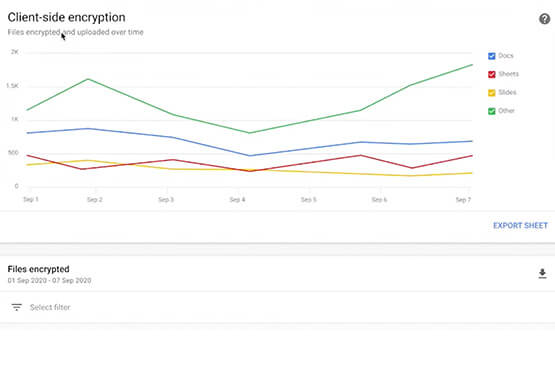

Trusted Collaboration for Hybrid Workplace with Google Workspace
Hybrid workspace need high levels of security, data privacy, and trust for seamless collaboration across workforce. As we navigate to the new normal, your enterprise can learn about the security and privacy specific innovations Google Workspace utilizes to help customers realize powerful, trusted, cloud-native collaboration.

Active Assist Expands Globally: Unleashing Cloud Optimization Insights Worldwide
Active Assist provides insights and recommendations to help Google Cloud customers proactively optimize their cloud environments for cost, security, performance, and sustainability. If you’re like most customers, you’ve likely encountered these insights and recommendations in the console — either in the Recommendations Hub or embedded on a resource page, like IAM or
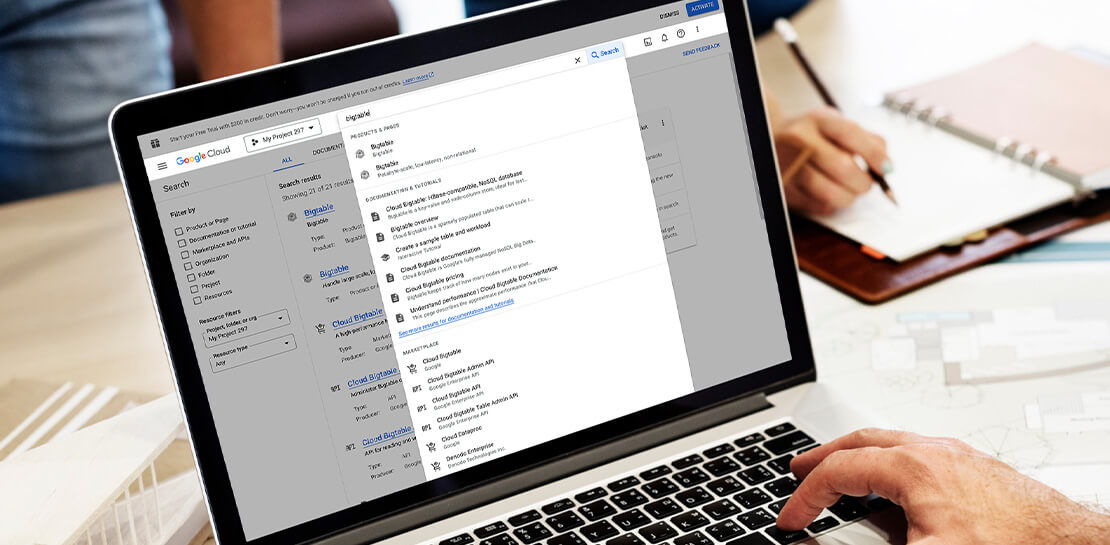
Streamlining Your Experience: Enhanced Search and Navigation in Google Cloud Console
The Google Cloud console is a powerful platform that lets users manage their cloud projects end-to-end with an intuitive web-based UI. With over 120 Google Cloud products across thousands of pages, it can be challenging to navigate through the console quickly, and many users don’t like to use the command
