





4406
Of your peers have already watched this video.
32:00 Minutes
The most insightful time you'll spend today!
On-Demand Webinar: How APIs Help Walgreens Merge Physical and Digital Retail
APIs are how modern businesses rapidly expand into new contexts—making it possible for companies like Walgreens to transform from brick-and-mortar businesses into omnichannel organizations that serve customers in innovative ways.
Headquartered in Deerfield, Illinois, Walgreens is the second-largest pharmacy store chain in the United States. It specializes in filling prescriptions, health and wellness products, health information, and photo services. The company has more than 8,000 stores and operates in 50 states, the District of Columbia, Puerto Rico, and the US Virgin Islands.
Walgreens has built a thriving API program that lets software developers plug into its retail and pharmacy business. As a result, the company now fills one prescription per second via mobile devices.
More than 100 photography apps offer Walgreens photo printing and same-day pickup at 8,000+ locations. Perhaps best of all, Walgreens has found that users who use its mobile app spend more than those who don’t.
Watch Erin Neus-Cheong from Walgreens and Alicia Paterson from Google Cloud explore why treating APIs as products—not projects—can help companies tap into the value of APIs as business accelerators and open up new channels of opportunity.
How Macquarie Democratized Digital Banking with APIs

3651
Of your peers have already read this article.
2:30 Minutes
The most insightful time you'll spend today!
Google Cloud Results
- Enables the speed and agility required to build open APIs
- Connects over 1 million customers through Apigee digital touch points
- Helps enable a range of digital banking and commercial partnerships
- 1billion API requests served annually
In 2016, Macquarie launched a new digital banking experience that was based on empowering customers, creating personalized experiences, and developing intuitive technology. Macquarie had the opportunity to build its digital environment from the ground up and looked beyond financial services to digital companies leading in customer experiences.
Following the launch of its digital banking platform in 2016, Macquarie saw providing customers with a secure way to manage their own data as the logical next step. Macquarie looked to transform its existing technology capabilities into a modern architecture that complements the speed and agility demanded of its digital platform. The Apigee API Management Platform plays an important role in helping Macquarie deliver a highly secure and open digital platform.
“The capability to connect to various platforms with a digital, responsive, technology-agnostic platform is vital. As new digital services emerge, it’s important that our digital banking services are future compatible. The most important part of our approach isn’t what we are doing now but what our platform architecture will allow us to do in the future by creating more human experiences with technology that go beyond just banking,” says Rajay Rai, head of Digital Engineering & Applied Innovation, for Macquarie’s Banking and Financial Services group.
Because Macquarie’s banking platform is based on an open API architecture, it is able to grant controlled access to its business services, enabling others to use, innovate, and build on top of them while increasing the prospects of widespread adoption and developer stickiness.
Empowering the developer
“Macquarie’s strategy has been API-first as it has built and improved its digital capabilities, but it won’t be too long until this approach is superseded by citizen-developers-first,” Rajay says. “We believe that co-creation of value is essential because in the future, we won’t be owning the channels for distribution and engagement. In building a leading digital banking platform it’s important that developers are able to open the front door.”
Macquarie’s API strategy grants internal and external developers with access to its rich repository of APIs exposed via the new developer platform, Macquarie devXchange. With Macquarie devXchange, developers have readily available samples, a sandbox, and simplified connections to all of the bank’s services. Developers are able to test APIs and services through the Apigee platform.
“Not only does the platform provide frictionless access, but it’s also poised to modernize and simplify the way we engage the community beyond our own perimeters,” Rajay says. “The Apigee developer portal is helping us seize new opportunities; access has been democratized and it wouldn’t have been possible without APIs.”
Cloud migration
In order to meet future demand for computing capabilities, Macquarie decided to move to the cloud in order to enable an infrastructure with various configurations on demand. This has cut the provisioning time for Macquarie from months to minutes.
Macquarie has created full end-to-end environments on Kubernetes and can flow traffic to a whole new environment in seconds, encouraging experimentation and learning. This was made possible through the flexibility of APIs.
“APIs and microservices are a great match. Microservices with Apigee provide a powerful, agile ecosystem to form various services topologies and evolve services in an isolated manner. This helps us respond to the fast pace of digital innovation today,” Rajay says.
Empowering consumers
Macquarie’s approach is about delivering customers more personalized banking experiences that are driven by how they want to use their information.
“APIs have enabled us to co-create value with our partners, customers, and developers. You can’t live in isolation; open source tells you that,” Rajay says. “APIs have been vital for us and what we can deliver for our customers as we’ve built our leading digital platform.”
3537
Of your peers have already watched this video.
1:30 Minutes
The most insightful time you'll spend today!
Building a Software Delivery Platform with Anthos
Understand the architecture of a GitOps based CI/CD pipeline. In a CI/CD pipeline, there are three different personas — developers, operators, and security engineers.
This demo includes common developer, operator, and security engineer tasks to show how the patterns can improve your company’s software delivery performance.
WebGL-powered Features to Build Next-generation Mapping Experience
3465
Of your peers have already read this article.
3:00 Minutes
The most insightful time you'll spend today!
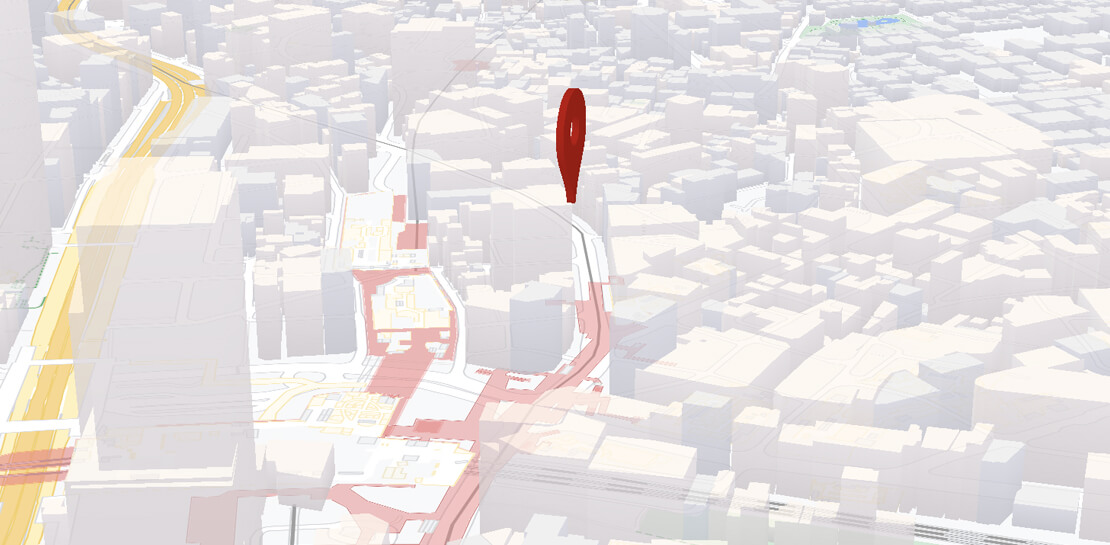
At Google I/O 2021, we announced the beta release of Tilt and Rotation, and Webgl Overlay View, which give you a fundamentally new way to build mapping experiences. You may be familiar with the existing Overlay View feature of the Maps JavaScript API that lets you render in a transparent layer that sits on top of the map. For years, developers have been using Overlay View to draw in two dimensions over the top of the map, but for as much as you can do with Overlay View, it only allows you to render on a transparent layer that effectively floats above the map.
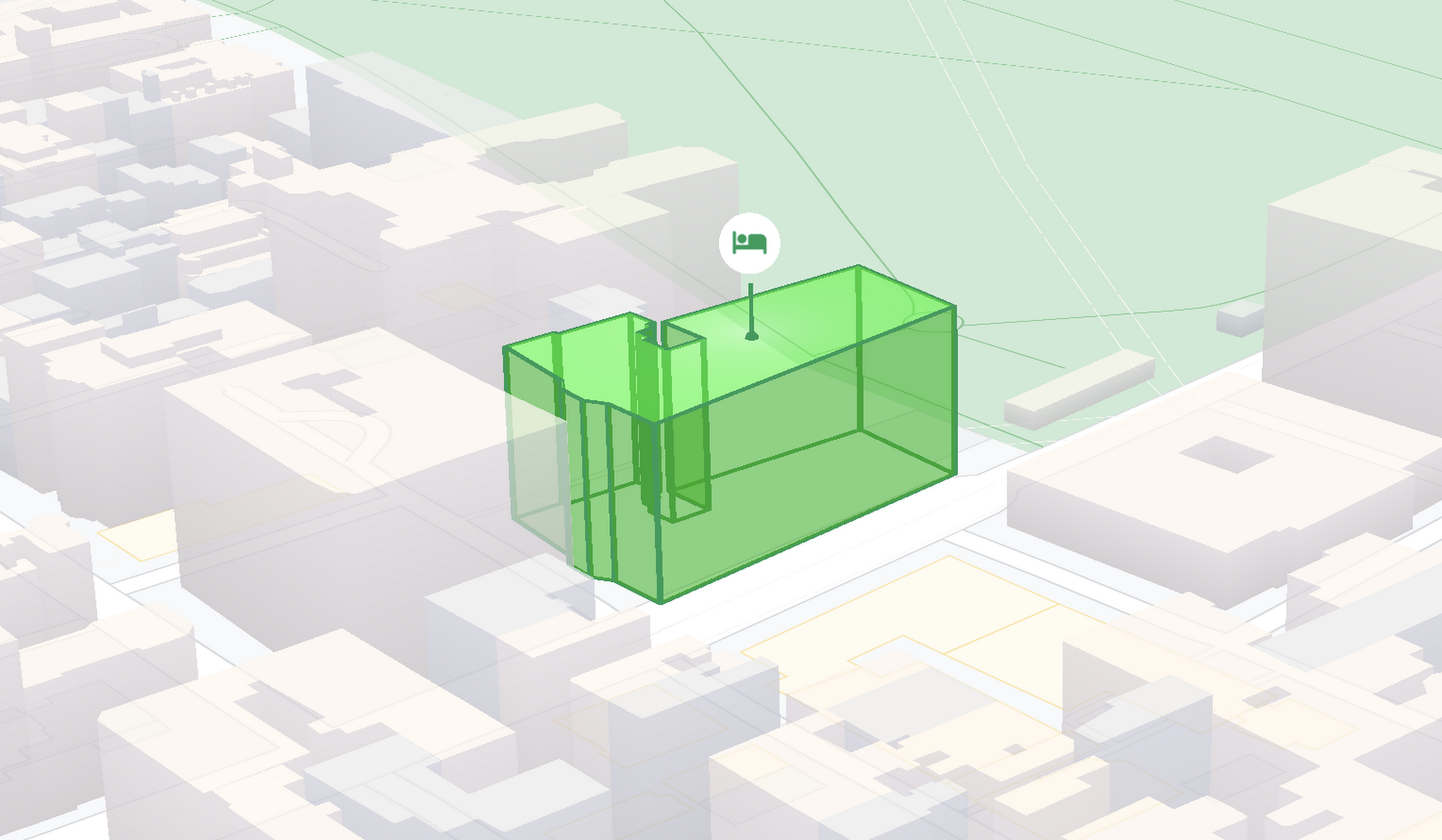
In contrast, WebGL Overlay View gives you direct hooks into the lifecycle of the exact same WebGL rendering context we use to render the vector basemap. This means that for the first time ever, you can performantly render two and three dimensional objects directly on the map, enabling you to build experiences that were previously impossible with the Maps JavaScript API.https://www.youtube.com/embed/9eycQLef6iU?enablejsapi=1&
Today, we’re going to give you a quick overview of the new WebGL-powered features of the Maps JavaScript API, so that you have all the knowledge you need to get started creating next generation mapping experiences.
What is WebGL?
WebGL is a low-level browser API, originally authored by the Mozilla Foundation, that gives you access to the rendering and processing power of the graphics processing unit (GPU) on client devices, such as mobile phones and computers, in your web apps. On its own, the browser is not able to handle the heavy computation needed to render objects in 3D space, but using WebGL it is able to pass those processes off to be handled by the GPU, which is purpose built to handle such computations.
To learn more about WebGL, check out the documentation from the Khronos Group, the designers and maintainers of WebGL.
Requirements
To use WebGL Overlay View, you’ll need a Map ID with the vector map enabled. It’s also strongly recommended that you enable Tilt and Rotation when you create your Map ID, otherwise your map will be constrained to the default top-down view – in short, you won’t be able to move your map in three-dimensions.
To learn more about using Map IDs and the vector map, see the documentation.
Setting Tilt and Rotation
To load your map with a set tilt and rotation, you can provide a value for the `tilt` and `heading` properties when you create the map:
const mapOptions = {mapId: "15431d2b469f209e",tilt: 0,heading: 0,zoom: 17,center: {lat: -33.86957547870852,lng: 151.20832318199652}}const mapDiv = document.getElementById("map");const map = new google.maps.Map(mapDiv, mapOptions);
Tilt is specified as a number or float in degrees between 0 and 67.5, with 0 degrees being the default straight down view and 67.5 being the maximum tilt. The available maximum tilt also varies by zoom level.
The rotation is set in the heading property as a number or float between 0 and 360 degrees, where 0 is true north.
You can also change the tilt and rotation programmatically at runtime whenever you want by calling `setTilt` and `setHeading` directly on the map object. This is useful if you want to change the orientation of the map in response to events like user interactions.
map.setTilt(45);map.setHeading(180);
In addition, your users can manually control the tilt and rotation of the map by holding the <shift> key and dragging with the mouse or using the arrow keys.
For more information on Tilt and Rotation, see the documentation.
Adding WebGL Overlay View to the Map
WebGL Overlay View is made available in the Maps JavaScript API by creating an instance of `google.maps.WebglOverlayView`. Once an instance of the overlay is created, you simply need to call `setMap` on the instance to apply it to the map.
const webglOverlayView = new google.maps.WebglOverlayView;webglOverlayView.setMap(map);
To give you access to the WebGL rendering context of the map and handle any objects you want to render there, WebGL Overlay View exposes a set of five hooks into the lifecycle of the WebGL rendering context of the vector basemap.
Here’s a quick rundown:
- `onAdd` is where most of your pre-processing should be done, like fetching and creating intermediate data structures to eventually pass to the overlay. The reason to do all of that here is to ensure you don’t bog down the rendering of the map.
- `onRemove` is where you’ll want to destroy all intermediate objects, though it would be nice if you did it sooner.
- `onContextRestored` is called before the map is rendered and is where you should initialize, bind, reinitialize or rebind any WebGL state, such as shaders, GL buffer objects, etc.
- `onDraw` is where we actually render the map, as well as anything that you specify in this hook. You should try to execute the minimal set of draw calls to render your scene. If you try to do too much here you’ll bog down both the rendering of the basemap and anything you’re trying to do with WebGL, and trust me, no one wants that.
- `onContextLost` is where you’ll want to clean up any state associated with pre-existing GL state, since at this point the WebGL context will have been destroyed, so it’ll be garbage.
To implement these hooks, set them to a function, which the Maps JavaScript API will execute at the appropriate time in the WebGL rendering context lifecycle. For example:
webglOverlayView.onDraw = (gl,coordinateTransformer) => { //do somerendering }
For more information on using WebGL Overlay View and its lifecycle hooks, check out the documentation.
Creating Camera Animations
As part of the beta release of WebGL Overlay View, we’re also introducing `moveCamera`, a new integrated camera control that you can use to set the position, tilt, rotation, and zoom of the camera position simultaneously. Like `setTilt` and `setHeading`, `moveCamera` is called directly on the `Map` object.
By making successive calls to `moveCamera` in an animation loop you can also create smooth animations between camera positions. For example, here we are using the browser’s `requestAnimationFrame` API to change the tilt and rotation each frame:
const cameraOptions = {tilt: 0,heading: 0}function animateCamera () {cameraOptions.tilt += 1;cameraOptions.heading += 1;map.moveCamera(cameraOptions);}requestAnimationFrame(animateCamera);
Plus, all of these adjustments, including zoom, support floats, which means not only can you control the camera like never before, you can also do it with a high degree of precision.
For more information on `moveCamera`, see the documentation.
Give it a tryYou can try the new WebGL-powered features of the Maps JavaScript API right now by loading the API from the beta channel. We’ve got a new codelab, and documentation with all the details, as well as sample code and end-to-end example apps to help you get started. Also, be sure to check out our feature tour and travel demos to learn more and play with a real implementation of these features.
And let us know what you think by reporting through our issue tracker. We need your bug reports, your feature requests, and your feedback to help us test and improve the new WebGL-based map features.
Have fun building with the map in 3D—we can’t wait to see the amazing things you’ll build.
For more information on Google Maps Platform, visit our website.
6366
Of your peers have already watched this video.
2:00 Minutes
The most insightful time you'll spend today!
Google Cloud’s ML-based Image Classification App: A Key to Global Wildlife Conservation
Wildlife provides critical benefits to support nature and people. Unfortunately, wildlife is slowly but surely disappearing from our planet and we lack reliable and up-to-date information to understand and prevent this loss. By harnessing the power of technology and science, we can unite millions of photos from [motion sensored cameras] around the world and reveal how wildlife is faring, in near real-time…and make better decisions
wildlifeinsights.org/about
3298
Of your peers have already watched this video.
24:30 Minutes
The most insightful time you'll spend today!
Modernizing 100-Year Old Retail Chain with Anthos
H-E-B, like many enterprises, was moving away from legacy mainframes in favor of microservices and public cloud infrastructure. With hundreds of applications powering their 100+ year-old business, H-E-B needed to be confident that the platform they are building will provide them the agility and security to continue to innovate for their customers.
See how the H-E-B engineering team started breaking down their Curbside and Home Delivery monoliths into microservices, why they chose to make Kubernetes, and why they’re leveraging Anthos as a hybrid cloud platform.
More Relevant Stories for Your Company

Google Cloud Offering a Natural Migration Path for Developers Accustomed to Heroku
Modern developers worldwide have grown accustomed to the comfort of writing code, pushing to a remote Git repository and having that code be deployed at an accessible URL without having to worry about how it is deployed. This was a workflow popularized by Heroku years ago which brought joy and

Application Rationalization: Your App Development Team is Gonna Love It!
On April 6th, 2022, Google Cloud established a new partnership with CAST, to help accelerate the migration and application modernization programs of customers worldwide, complementing the Google capabilities already available through the Google Cloud Application Modernization Program (CAMP). Application Rationalization (App Rat) is the first step towards a cloud adoption

Fully-managed-zero-trust Security Solution, Traffic Director Integrated with CA Service
We created Traffic Director to bring to you a fully managed service mesh product that includes load balancing, traffic management and service discovery. And now, we’re happy to announce the availability of a fully-managed zero-trust security solution using Traffic Director with Google Kubernetes Engine (GKE) and Certificate Authority (CA) Service. When platform administrators and security

Streamlining Business Processes with Google Cloud’s Application Integration
According to a recent Accenture report, large businesses deploy an average of 500 different applications. This trend shows no signs of slowing down, with the majority of respondents signaling plans to acquire even more applications. No surprise, all these applications present a number of integration challenges, which the impending wave of
