





Center for Internet Security’s Latest Benchmark for Securing Chrome
5397
Of your peers have already read this article.
1:30 Minutes
The most insightful time you'll spend today!
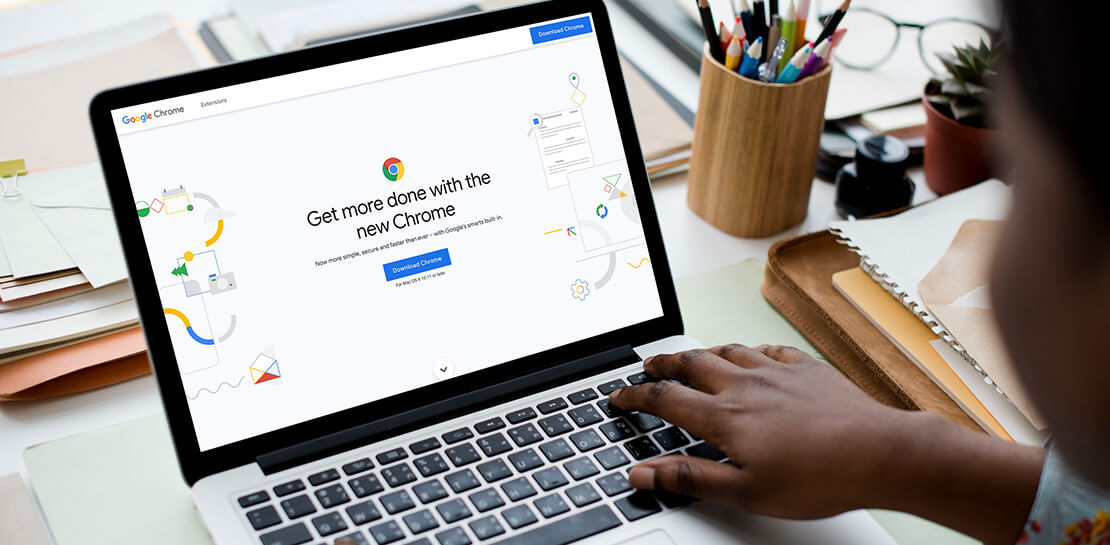
As the way people work continues to evolve, keeping security policies in place that protect organizations but give workers the ability to get things done is more important than ever. IT and security teams must aim to stay a step ahead of web-based security threats that come their organization’s way. To help, the Center for Internet Security (CIS) team has released the latest CIS Benchmark 2.1 for Google Chrome. This Benchmark offers independent recommendations on which Chrome policies to configure to help support organizations’ security and compliance needs. Thanks to Chrome being built with security at its core, in many cases, Chrome default settings are aligned with CIS recommendations.
Chrome is secure by default, but we also pride ourselves on providing customizations for enterprises to allow Chrome to better fit the needs of their business. And with hundreds of policies available through Chrome Browser Cloud Management and Group Policy Objects (Note: The CIS Benchmark is also available as a GPO), organizations can do just that.
Throughout the CIS guide you’ll notice that there are different designations for configuration profiles. Any labeled Level 1, are considered to be a good baseline for an organization. Level 2 profiles are recommended for deployments that require the highest level of security, but note that these settings could have a trade off on user productivity. We recommend looking at each setting and determining if it’s a good fit for your business.
The benchmark is made up of five sections:
- Enforced Defaults — Notes policies that are configured by default when you install Chrome. Enforcing these settings at an enterprise level can prevent these settings from being changed by business users to less secure options.
- Attack Surface Reduction — Details how to disable web features that may not be necessary in your enterprise environment and could reduce your overall attack surface.
- Privacy — Surfaces settings that improve user privacy.
- Data Loss Prevention — Contains settings that can help prevent data loss and protect your organization’s data. (Note: These recommendations cover additional capabilities that can be added to Chrome through BeyondCorp Enterprise).
- Forensics (Post Incident) — Shares recommendations on policies that give insights into post incident forensics and analysis.
Organizations can use these benchmarks to optimize the best way to secure Chrome in their environment. Download the CIS Benchmark here and check out our team’s configuration guide for additional recommendations on how to configure Chrome.
Note: This benchmark was created using a consensus review process composed of subject matter experts. Consensus participants provide perspective from a diverse set of backgrounds such as consulting, software development, audit and compliance, security research, operations, government, and legal. While these recommendations come from a trusted source, it’s important for each organization to weigh which policies make the most sense for their business.
4796
Of your peers have already watched this video.
50:00 Minutes
The most insightful time you'll spend today!
How G Suite Makes it Easy to Work with Microsoft Office and Exchange
A silent transformation is taking shape in organizations today. Employees are looking for new ways to discover new ideas, and work together anytime, anywhere to ensure businesses are always on.
Without IT’s help that’s not possible. And to make this possible IT teams are working over-time to ensure seamless collaboration by integrating disparate systems. But what happens when IT teams have to marry Microsoft tools with Google?
With G Suite, IT managers don’t have to bother. G Suite interoperates with Microsoft tools. Its multiple features create a more seamless experience between G Suite and Office—including support for user and resource availability lookups between Google Calendar and Microsoft Exchange, as well as the ability to seamlessly collaborate on Microsoft Office documents in real time.
This interoperability ensures that these two tools are designed to work together. There are three pillars that are necessary for interoperability. One, data needs to move from on-premise to the cloud. Two, ensure internal co-existence where some users use Microsoft tools, while others run on G Suite. This interoperability is important to ensure both sets of users can work together irrespective of the tools they are using.
And three, collaborating with external parties that use Microsoft tools—external co-existence—is also
4683
Of your peers have already watched this video.
2:04 Minutes
The most insightful time you'll spend today!
Video: How Google App Maker Helps Businesses Build Mobile Apps in No Time
Analysts estimate that the right custom mobile app can save each employee 7.5 hours per week (that’s a week’s worth of lunch breaks!). Yet, too few businesses have the means, let alone the resources, to invest time and effort in building customized mobile apps. Why?
That’s because their budgets center on big enterprise apps like CRM, ERP, and SCM and beyond those priorities.
App Maker was created to enable your line-of-business teams to build apps for the jobs these bigger apps don’t tackle. With App Maker, you can revamp company processes like requesting purchase orders or filing and resolving help desk tickets, create quick marketing assets, and generate sales enablement apps, for example, as if you designed and built the processes yourself.
This low-code, simple, easy-to-use, drag and drop mobile app creator doesn’t need extensive coding knowledge and can build apps in a jiffy. Anyone can make it: As simple as that.
Center for Internet Security’s Latest Benchmark for Securing Chrome
5398
Of your peers have already read this article.
1:30 Minutes
The most insightful time you'll spend today!
As the way people work continues to evolve, keeping security policies in place that protect organizations but give workers the ability to get things done is more important than ever. IT and security teams must aim to stay a step ahead of web-based security threats that come their organization’s way. To help, the Center for Internet Security (CIS) team has released the latest CIS Benchmark 2.1 for Google Chrome. This Benchmark offers independent recommendations on which Chrome policies to configure to help support organizations’ security and compliance needs. Thanks to Chrome being built with security at its core, in many cases, Chrome default settings are aligned with CIS recommendations.
Chrome is secure by default, but we also pride ourselves on providing customizations for enterprises to allow Chrome to better fit the needs of their business. And with hundreds of policies available through Chrome Browser Cloud Management and Group Policy Objects (Note: The CIS Benchmark is also available as a GPO), organizations can do just that.
Throughout the CIS guide you’ll notice that there are different designations for configuration profiles. Any labeled Level 1, are considered to be a good baseline for an organization. Level 2 profiles are recommended for deployments that require the highest level of security, but note that these settings could have a trade off on user productivity. We recommend looking at each setting and determining if it’s a good fit for your business.
The benchmark is made up of five sections:
- Enforced Defaults — Notes policies that are configured by default when you install Chrome. Enforcing these settings at an enterprise level can prevent these settings from being changed by business users to less secure options.
- Attack Surface Reduction — Details how to disable web features that may not be necessary in your enterprise environment and could reduce your overall attack surface.
- Privacy — Surfaces settings that improve user privacy.
- Data Loss Prevention — Contains settings that can help prevent data loss and protect your organization’s data. (Note: These recommendations cover additional capabilities that can be added to Chrome through BeyondCorp Enterprise).
- Forensics (Post Incident) — Shares recommendations on policies that give insights into post incident forensics and analysis.
Organizations can use these benchmarks to optimize the best way to secure Chrome in their environment. Download the CIS Benchmark here and check out our team’s configuration guide for additional recommendations on how to configure Chrome.
Note: This benchmark was created using a consensus review process composed of subject matter experts. Consensus participants provide perspective from a diverse set of backgrounds such as consulting, software development, audit and compliance, security research, operations, government, and legal. While these recommendations come from a trusted source, it’s important for each organization to weigh which policies make the most sense for their business.
Jeni’s Splendid Ice Creams

3987
Of your peers have already read this article.
2:30 Minutes
The most insightful time you'll spend today!
At Jeni’s Splendid Ice Creams, Jeni and her staff are all passionate about ice cream and sharing that passion with the world by creating ice creams that you can fall madly in love with. To do this every day, requires incredible teamwork and collaboration, and Google Workspace is helping support the cause from tracking inventory to managing quality control.
Jeni’s Splendid Ice Creams began small but had big dreams. Jeni Britton Bauer opened her first ice cream shop in Grandview Heights, Ohio in 2002, and turned to Google Workspace to help her manage everything from ingredients to employee scheduling. Today, Jeni has grown the business to 10 stores throughout Ohio and Tennessee and has a booming online shipping business, and she depends on Google Workspace to help her manage it all.
Google Docs helps Jeni’s Splendid Ice Creams employees share information from the kitchen with the planning teams on the ground at each location. And it gives her access to real-time information to ensure they have the ice cream, packaging, and manpower to handle spikes in online orders. Stores are also able to give feedback about each home-made batch of ice cream through a Google Docs form. So if there aren’t enough pecans in the Whiskey Pecan Ice Cream, Jeni’s team can add more in the next batch. Jeni even wrote her best-selling cookbook using Google Docs.
*Google Workspace was formerly known as G Suite
How G Suite helps businesses evolve to more flexible and distributed work models

4151
Of your peers have already read this article.
4:30 Minutes
The most insightful time you'll spend today!
There are many inspiring stories of businesses reacting swiftly to the global pandemic. Some companies have enabled their teams to re-imagine not only how they communicate and collaborate with each other remotely, but also how they continue to serve their own customers and support the communities they belong to. From doctors consulting with patients, to financial institutions providing critical advice to customers, to teachers delivering distance learning, to car dealerships creating virtual showrooms with G Suite—it’s clear that these new ways of working are here to stay.
Here are some of the inspirational stories.
Keeping teams connected and productive
Activision Blizzard King (ABK), a leading interactive entertainment company, is going all in with G Suite*. Working with SADA, a Google Cloud Premier Partner, Activision Blizzard was looking for an innovative and scalable solution to transform the way their teams work together. As their developers around the world build the next generation of innovation in gaming, they rely on the power of collaboration in G Suite to create, connect, and share with each other. G Suite helps them successfully meet critical deadlines for game launches and updates.
“The safety of our teams is paramount during these disruptive times, and our workforce is already widely distributed across multiple locations internationally. G Suite has brought our teams together as we continue to collaborate while we’re apart,” says Jacques Erasmus, Chief Information Officer, Activision Blizzard.
PwC, a global professional services organization, enabled over 275,000 people to work from home in response to COVID-19. G Suite enables PwC to not only collaborate and stay connected with each other, but to continue to serve their clients in a timely and efficient manner. As a global organization with most of its people around the world needing to work from home, PwC reached nearly 10 million hours of video conferencing in Google Meet in a single month.
“G Suite allows us to stay connected—it’s the single place where we can collaborate, discuss, and share work, in the current situation,” says Hilda Clune, Technology and Transformation Leader at PwC. “G Suite provides enough resilience and security, and the ability to scale at the speed we need to.” Learn about how PwC works remotely with G Suite:https://www.youtube.com/embed/rlgyiRoBGhk
Kärcher, a global manufacturer of cleaning equipment, accelerated its plans to move its 14,000 workers to G Suite in response to COVID-19. They accomplished the transition in only five days, enabling employees to collaborate effectively without being physically present in a Kärcher office. G Suite plays a critical role as Kaercher resumes business globally in the post-COVID phase, user adoption of various G Suite apps continues to grow, and management is using tools like Jamboards and Google Meet hardware to help them collaborate better and stay connected with their teams.
“With G Suite, Kaercher has transformed its global collaboration, allowing for faster business decisions during the COVID-19 crisis,” says Dr. Daniel Heubach, Chief Information Officer of Kaercher.
To face the current health crisis, De’Longhi, an appliance manufacturer based in Italy, created a local and international taskforce to ensure all their employees have everything they need to work from home safely and effectively. G Suite is playing a critical role in helping them achieve this goal. The De’Longhi taskforce uses Google Sheets to help them collect up-to-date information from each of their regions, and connect with local teams via Google Meet to better understand the unique circumstances and challenges they’re facing. As teams began to work from home with G Suite, De’Longhi has seen a 500% increase in Meet usage and a 200% growth in the number of shared files in Google Drive.
Helping to provide communities with critical services
St. Louis-based Schnucks evolved from a neighborhood grocery chain to essential workers—virtually overnight. They supported both corporate and frontline workers in stores with an information hotline and created a virtual dispatch center for their transportation team, all through Google Meet. See how Schnucks was able to keep providing groceries to the communities it serves:https://www.youtube.com/embed/uTuOGwotfGk
As Boston was one of the first areas to be hit by COVID, patients at Cambridge Health Alliance’s (CHA) Department of Psychiatry had to manage a whole new set of challenges, including anxiety about the pandemic and new financial insecurity. Thanks to Google Meet, CHA was able to continue serving these patients in a timely manner. Outpatient Psychiatry was an early adopter of video visits, which are more appropriate for behavioral health care than phone consultations. Between March and June 2020, CHA was able to maintain 90% of its expected patient visit volume in Psychiatry, a huge win for patients, families, and the communities CHA serves.
Southern Cross Care (SA, NT & VIC) Inc has begun using Google Meet to help residents across their 17 Residential Aged Care homes stay connected to their loved ones, despite lockdown measures associated with COVID-19. Residents can now also see their doctor virtually via Google Meet, keeping them safe from any potential exposure to the virus while still experiencing a high level of care through these virtual consultations.
Enabling business services for customers, no matter where they are
Italian bank Credem (Credito Emiliano S.p.A), relies on G Suite to help their staff adapt to a collaborative work-from-home environment leveraging tools like Google Meet, Drive and Docs. G Suite enables their teams across its banking and insurance businesses to collaborate and stay connected while working remotely. Credem has also created a “virtual branch” by moving its customer support to video conferencing using Google Meet. This enables customers to continue to get access to critical financial services, remotely and safely.
KIA Motors, a multinational automotive manufacturer, is using G Suite to provide “virtual viewings” for its customers, enabling them to continue to engage in an immersive and engaging car-buying experience. With Google Meet, KIA’s sellers can interact with customers, provide them with a virtual demonstration of a car, and answer any questions that come up.
“Live Stream Showroom demonstrates our continued commitment to tailor the car-buying journey to the demands of our customers with virtual viewings,” says JT Hong, Head of Global Channel & Service department at Kia Motors. “By launching this new platform testing in the Middle East & Africa region, we aim to stay ahead of the curve in digital sales and marketing in this time of transition.”
These are just a few recent examples of how G Suite helps customers not only adapt to the current situation but also reimagine how to get things done. We’ve been working hard to make G Suite a better home for your work by providing an integrated workspace that brings together the core elements of work—like chat, email, voice, video, and tasks—and making them better together. Our goal is to help teams to stay productive and connected, no matter where they’re working from, and enable businesses to serve their customers safely and more efficiently.
(*G Suite is now Google Workspace)
More Relevant Stories for Your Company

Google Cloud’s Virtual Appointment Scheduling Tool (VAST) Helps State of Arizona Recover from Unemployment Situation
When the world was forced to go primarily online, state governments also faced the reality of needing to provide community services without the health risk of meeting in person. Old systems that relied on interpersonal contact could not keep up. An unprecedented number of displaced workers swamped every unemployment system.
Google’s Open Subsea Cable ‘Firmina’ to Improve South Americans’ Access to Google Products
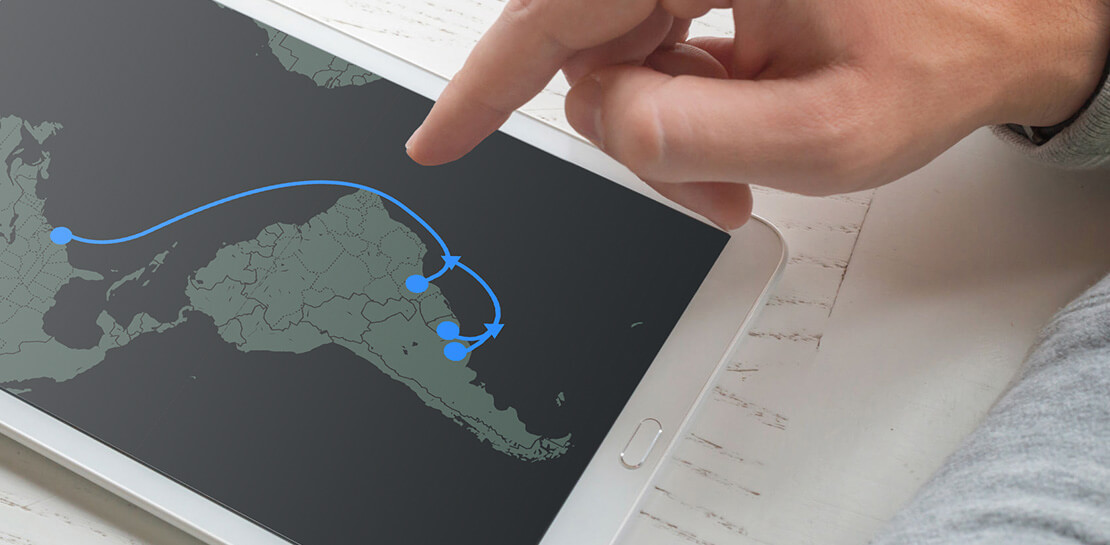
Today, we’re announcing Firmina, an open subsea cable being built by Google that will run from the East Coast of the United States to Las Toninas, Argentina, with additional landings in Praia Grande, Brazil, and Punta del Este, Uruguay. Firmina will be the longest cable in the world capable of

Bringing Multiple Security Elements Together: Chrome
Security and the way we’ve been able to advance user protections over the years is hands down one of my favorite topics when it comes to Chrome. I’ve been on the Chrome team for over 14 years and have seen the browser evolve to become a critical tool that helps

Ease Your Migration and Modernization Journey with Microsoft and Windows on Google Cloud Demo Center
If you’re looking to migrate and modernize your Microsoft and Windows workloads, Google Cloud is your premiere destination. No matter what migration strategy you’ve selected or what value you’re looking to achieve, with Google Cloud you’re able to: simplify your migration and modernization journeyreduce your on-prem footprint and increase agilityoptimize license
