





The Future of Retail: Automated Customer Journeys Powered by Technology

3687
Of your peers have already read this article.
1:30 Minutes
The most insightful time you'll spend today!
Editor’s note: To kick off the new year and in preparation for NRF The Big Show, we invited partners from across our retail ecosystem to share stories, best practices, and tips and tricks on how they are helping retailers transform during a time that continues to see tremendous change. Please enjoy this entry from our partner.
If you put a pot of water on the stove, it doesn’t heat up instantly. It simmers slowly at first, eventually picking up steam to reach a rolling boil. The retail landscape is not so different. Capgemini’s research shows the sector has evolved over four generations, from the early days of fragmented outlets to omnichannel and customer-centric focuses, with a fifth generation on the horizon that promises to be centered on consumption.
- Generation 1: Fragmented outlets
- Generation 2: Chain concentration
- Generation 3: Omnichannel
- Generation 4: Consumer-centric
- Generation 5: Consumption-centric
Although incremental change allows companies to experiment and iterate during their digital journeys, the COVID-19 pandemic rapidly accelerated the evolution of online and contactless shopping. Evolution became a revolution, with most Consumer Product and Retail (CPR) companies still mastering the omnichannel generation of their digital transformation to create a seamless shopping experience. Companies that are more digitally mature are already aspiring to the consumer-centric phase, embracing opportunities made possible by technology such as personalization and automation.
What consumers want
Customers have more choices in how they shop and engage with brands. This has made it harder for brands to predict and anticipate needs across customer journeys. And that’s convincing some companies to innovate more quickly as consumer demand drives the need for speed and scale.
Think about your own online behavior. Say you’re shopping for an item and searching online for the closest store in your neighborhood. Google is likely your go-to for finding that information. Looking to troubleshoot an issue with a product or seek out a service? Again, you’ll likely hit up Google first, not even considering going directly to a brand’s website for answers.
Both scenarios point to a disconnect between virtual and physical worlds, a gap technology can bridge in numerous ways such as breaking down silos and integrating fragmented media channels. Interestingly, though, not everything will be centered online all the time. In our recent study on consumer behavior, The great consumer reset, Capgemini discovered 57 percent of shoppers plan to return to brick-and-mortar stores post-pandemic, which is basically unchanged from the 59 percent who often interacted with physical stores before.
But business as usual? Not even close. Consumers have come to expect a frictionless shopping experience (buy online, pick up in store) or an immersive one (products displayed online using augmented reality), and are not content to return to in-store lineups, empty shelves, or a one-size-fits-all approach. Moreover, customers want personalized interactions while ensuring their data and privacy are protected.
So the role of the store is changing. In fact, many online-only brands are opening brick-and-mortar establishments to drive customer experience. In our research on “smart stores,” we found the majority of consumers (66 percent) believe automation can improve their shopping experience by solving the challenges they face at retail stores.
From personalization to serendipity
Retailers must recognize that they have to win consumer trust and confidence. Many consumers believe retailers’ use of tech is focused on reducing costs rather than easing friction. And they’re right. That same Capgemini research found that only one-third (35 percent) of retailers consider “solving customer pain points” as the most important criteria when deciding which automation use cases to implement.
“Retailers are largely in the early stages of adopting automation, and that’s an opportunity to rethink how they’re using technology, not just to smooth out friction and engender consumer trust but to build unexpected consumer benefits,” says Neerav Vyas, Head of Customer First, Co-Chief Innovation Officer, Insights & Data, North America, Capgemini. “We’re trying to move towards this idea of delivering serendipitous experiences to bridge the physical and digital divide.”
The focus is not solely on shoppers seeking out a specific product. “When consumers are in an exploratory mood, retailers can recommend products and services customers didn’t even know they wanted,” says Vyas. For example, business teams that use personalization platforms as part of an integrated media strategy can optimize algorithms against outcomes such as improving conversion and driving engagement.
Vyas says the elevated experience from “personalization to serendipity” fosters trust in the ability of recommendation architectures to persuade and influence consumers’ choices in beneficial ways. A case in point: our research found that half (52 percent) of spending by millennials goes towards experience-related purchases. As always, the key is to meet consumers where they are. Even better, according to Vyas, is to anticipate and understand when signals like customer intent are changing.
How to create value throughout the customer journey
One solution companies can implement right now is an integrated media spend platform that incorporates reporting, planning, and strategy across the entire customer journey. This offers value throughout the customer journey by using technology to reduce friction along the way. Think of it as starting with the customer looking for a product (search and discovery), moving on to the purchase (omnichannel basket, “shoppable” screens) and pick up/delivery (QR code scan in store), and through to post-purchase engagement with the retailer (Google Contact Center AI).
Such a holistic approach also accelerates data acquisition, integration, and reporting using advanced analytics to break down silos and emphasize the importance of privacy and first-party data. This in turn guides end-to-end interventions across customer journeys that enable optimized media spend, empowers businesses to analyze their spend distribution, fine-tunes owned and paid tactics with agencies, and promotes stewardship to support audit efficacy.
A culture of experimentation
With this data-driven focus, CPRs can create a 360-degree perspective of the customer. That intelligence can be used to enhance and humanize automated shopping experiences by putting the customer in control, whether online, in store, or across company brands. Moreover, by using Google Cloud’s emerging technologies such as artificial intelligence (AI), we help companies accelerate value across the spectrum, from supply-chain optimization and customer innovation to consumer experience.
Building a culture of experimentation is a team effort. “It’s not ever just one person who had a big idea. It’s all incremental steps,” says Jennifer Marchand, Google Cloud COE Leader, Capgemini. “Finding the right use case and timing is everything.” Take Google Glass Enterprise, she continues. For greater consumer experience, it can enable in-store associates to better serve with hands-free checkout, customer personalization and recommendations, and special offers. At the same time, Computer Vision and Smart Shelves can help prioritize tasks for employees, notifying them of low stock or a spill in the store.
Marchand points out that companies and consumers alike might not be ready to fully adopt some technology like facial recognition, but since almost everyone has a smartphone these days, they can benefit from automation with ease. “What’s interesting,” she adds, “is the way Google thinks about these types of problems, solving them for the long term.”
The store of tomorrow
Imagine a truly frictionless shopping experience, where state-of-the-art computer vision and AI identifies the products you pick up, put back, and keep, allowing you to head home, completely bypassing the checkout, with a 99 percent accuracy rate and receipts sent directly to your mobile app. That utopian experience is already taking shape at CornerShop, Capgemini’s live experimental store in London, UK.
Jamie MacLoud, Transformation & Strategy Consultant at frog, part of Capgemini, describes the retail space, which runs on Google Cloud, as the store of tomorrow, and not the distant future. It’s an experiential space where retailers and brands can explore, develop, and test technological shopping innovations in real-time. The outcome is a clearer understanding of how digital innovation can enable new ways to progress the customer experience, improve in-store operations, and help consumers to rediscover the joy of in-person retail through new ways to shop and engage with brands.
“We build, test, and learn about store concepts of tomorrow that we believe could be implemented into actual stores in the next one to two years. Getting these experiences in front of real customers in the CornerShop allows us to generate tangible learnings that we can share with our clients and use to shape future store strategy” says MacLeod. CornerShop was opened to the public in two eight-week stints, which allowed real-time testing to see what technologies resonated with customers, which brands can adapt and scale. Frictionless checkout, not surprisingly, was a big win for customers, but the technology underpinning the “virtual try-on” of clothing was deemed more suitable for the store of the future.
So, unlike an innovation lab, CornerShop lets companies experiment risk free, speeding up the process from hypothesis to full-scale implementation. It’s also another step toward solving the challenges customers face, while delivering those serendipitous experiences that build brand loyalty and longevity.
Learn more about how Capgemini is partnering with Google Cloud to help retailers create next-generation shopping experiences today.
We would like to acknowledge Jamie MacLoud, Transformation & Strategy Consultant at frog, part of Capgemini and Neerav Vyas, Head of Customer First, Co-Chief Innovation Officer, Insights & Data, North America at Capgemini who supported with invaluable insights and subject matter expertise in the writing of this blog post.
4455
Of your peers have already downloaded this article
1:30 Minutes
The most insightful time you'll spend today!
Increasingly, technology, data, and human interactions will follow a new model of real-time inputs, enabling change without interruption and positive iteration. Cloud computing powers an important shift for information technology, and it will usher in new and better ways to serve customers, make discoveries, and build great products and services.
As part of this transformation, technology models will become more flexible, interoperable, and open; office cultures will shift toward transparency, collaboration, and constant learning. That means innovation and team building – the best parts of work – can happen more frequently and efficiently. Customer focus can sharpen and become more responsive. Corporate knowledge gained over decades of competing and innovating can be brought to bear more easily and meaningfully.
To compete effectively in this changing landscape, business and technology leaders must find ways to embrace the potential of cloud computing – whether in the tools and systems they choose, the institutional cultures they create, or the business strategies they prioritize. Today’s enterprises can set the stage for future success by infusing their unique assets – such as customer relationships, excellent service capabilities, strong partnerships, market knowhow, and technology investment – with the power of innovative IT.
3625
Of your peers have already downloaded this article
5:30 Minutes
The most insightful time you'll spend today!
Although most companies have migrated some infrastructure to public cloud, most enterprise workloads still run in on-premises data centers. Technology leaders want to migrate more workloads and infrastructure to public cloud, but they are frustrated by the process of assessing their existing workloads, identifying a migration strategy that aligns IT and business needs, and ensuring they have the right talent and skills in-house to execute a migration on time and on budget.
To encourage faster migration of a broader set of workloads to public cloud, enterprises seek not only cost optimization, but also strategy advice, powerful migration tools and professional services, and skill development.
Download this Forrester report to understand how to get your cloud migrations right the first time.
Know Your Org’s Carbon Emission Per Workload with Active Assist
3439
Of your peers have already read this article.
3:00 Minutes
The most insightful time you'll spend today!
Last year, we analyzed the aggregate data from all customers across Google Cloud, and found over 600,000 gross kgCO2e in seemingly idle projects that could be cleaned up or reclaimed — which would have a similar impact to planting almost 10,000 trees1. Today, we’re making it easy for you to identify if any of those idle workloads are yours, with new Active Assist sustainability recommendations.
Active Assist is a part of Google Cloud’s AIOps solution that uses data, intelligence, and machine learning to reduce cloud complexity and administrative toil. Under the Active Assist portfolio, we have products and tools like Policy Intelligence, Network Intelligence Center, Predictive Autoscaler, and a collection of Recommendations for various Google Cloud services — all focused on helping you achieve your operational goals. Today, we are broadening the scope of Active Assist to help you achieve your sustainability targets and reduce the carbon footprint of your workloads.
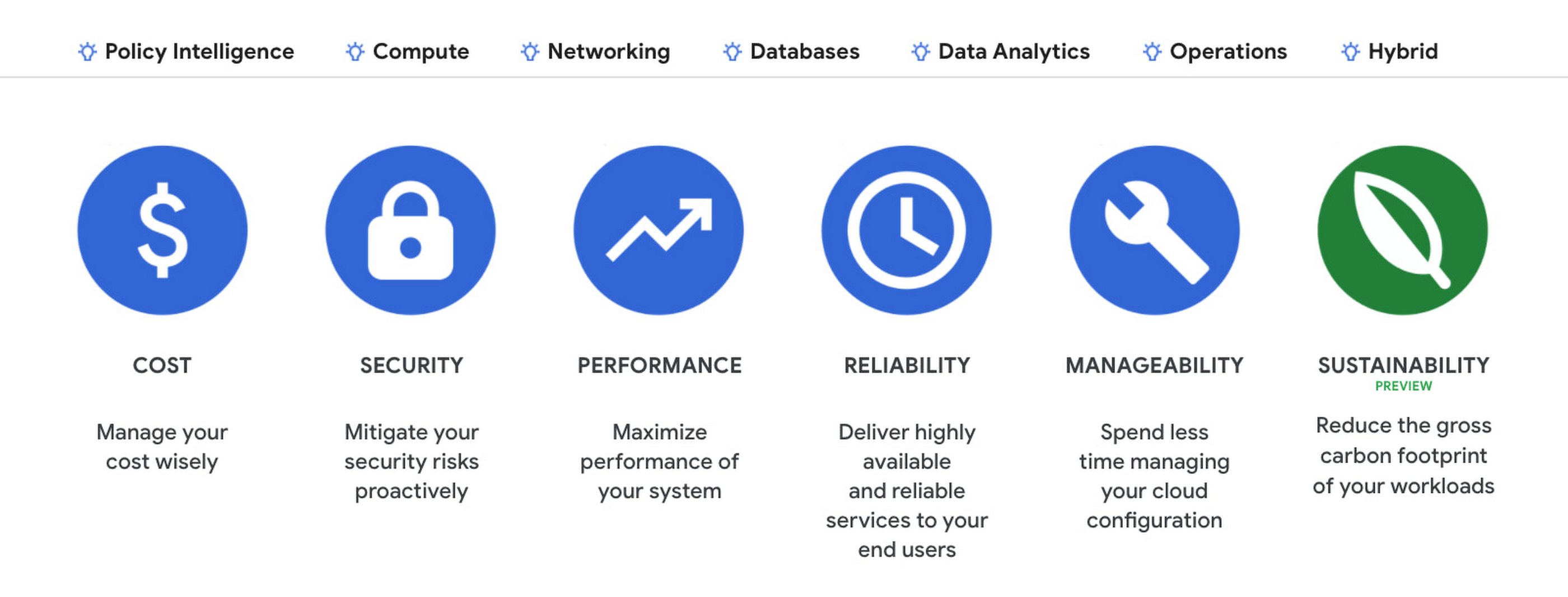
The carbon emissions associated with your cloud infrastructure can be a big part of your overall environmental footprint. Choosing to run on Google Cloud is a great first step — we’ve matched the energy used by our data centers with 100% renewable energy since 2017, and are committed to running our operations on carbon-free energy 24/7 by 2030. But once you’re running on Google Cloud, if you want to reduce the gross carbon emissions of your workload you can take action to optimize your usage.
Assessing the gross carbon impact of unattended projects
You can now estimate the gross carbon emissions you’ll save by removing these idle projects with Active Assist Unattended Project Recommender, which provides rich utilization insights for all the projects in your organization, and uses machine learning to identify ones that are idle and most likely unattended. The data points Active Assist surfaces as a part of its utilization insights now include the carbonFootprintDailyKgCO2 field, which allows you to estimate carbon emissions associated with any given project. Recommendations also estimate the impact of removing an idle project in terms of kilograms of CO2 reduced per month. The capability is available via the Recommender API, Recommendation Hub, the Carbon Footprint dashboard, and BigQuery export of recommendations, making it easy for you to integrate with your company’s existing tools and workflows.

Introducing the Carbon Sense suite
Increasing the sustainability of digital applications and infrastructure is a priority for 90% of global IT leaders2, and we’ll be continuing to invest across a number of product areas in Google Cloud, including AIOps features like Active Assist’s recommendations, to help you make progress towards your sustainability goals. To make it easy for you to find and consume these new features, we’re bundling our existing and future product work into the Carbon Sense suite — a collection of features that makes it easy to accurately report your carbon emissions, and reduce them. Active Assist joins products like Carbon Footprint, which provides you with the ability to understand and measure the gross carbon emissions of your Google Cloud usage, and our low-carbon signals, which help users choose cleaner regions to run their workloads, in the Carbon Sense suite. Stay tuned for more updates on Carbon Sense in the coming months.
Getting started with sustainability recommendations
To get started with Active Assist sustainability recommendations, check the Carbon Footprint dashboard and Recommendation Hub to review projects that may be idle and assess the carbon emissions associated with them. See recommendations in Google Cloud Console.
To view the recommendations, you will need IAM permissions for Unattended Project Recommender itself and permissions to view resources in a given organization.
You can also automatically export the recommendations from your Organization to BigQuery and then investigate any idle projects with DataStudio or Looker. Or, you can use Connected Sheets to use Google Workspace Sheets to interact with the data stored in BigQuery without having to write SQL queries.
As with any other Recommender, you can choose to opt out of data processing for your organization or your projects at any time by disabling the appropriate data groups in the Transparency & Control tab under Privacy & Security settings.
We hope you use Unattended Project Recommender to reduce the carbon footprint associated with your idle cloud resources, and can’t wait to hear your feedback and thoughts about this feature! Please feel free to reach us at active-assist-feedback@google.com. We also invite you to sign up for our Active Assist Trusted Tester Group if you would like to get early access to new features as they are developed.
1. https://www.epa.gov/energy/greenhouse-gas-equivalencies-calculator
2. https://inthecloud.withgoogle.com/it-leaders-research-21/sustainability-dl-cd.html
Beyond Traditional Learning: AI-based Online Learning Platform and Google Cloud Solutions Push Learners to Get Ahead

10341
Of your peers have already read this article.
1:30 Minutes
The most insightful time you'll spend today!
The combination of a vital need for IT experts among businesses and a digital skills gap is making lifelong learning increasingly critical. Beyond professional development, learning new skills offers additional rewards from building peer connections to boosting your creativity. That’s why in 2020 Krishna Deepak Nallamilli and I launched KIMO.ai to reimagine how people approach learning, especially in developing markets. Our team is building the artificial intelligence needed to generate individual learning paths through a wide range of quality digital learning content.
Google Cloud and its Startup Program have been instrumental in connecting our team with the tools, people, processes, and best practices to grow our business.
Existing learning platforms lack engagement
Outside of traditional education settings, massive open online learning courses (MOOCs)—often modeled after university courses—can provide a flexible and affordable way to upskill or reskill. But the vast majority of people who participate in MOOC programs fail to complete courses. Based on our research, the challenge with existing learning platforms is a lack of engagement, primarily caused by limited direction on which skills to learn, whether AI, fintech, blockchain, or other in-demand disciplines.
We’ve also received feedback that many corporate learning management systems–developed as online training systems to upskill employees–tend to be poorly designed and time-consuming to use.
Overall, a significant challenge with most existing learning platforms is that they’re generic. For example, suppose you’re interested in learning about AI. In that case, you need AI-related coursework that applies to your industry and the job you want because AI in medicine is vastly different from AI in financial services. Today’s online learning options typically take a one-size-fits-all approach and fail to capture the nuances of what learners really need to get ahead.
Building a future-proof learning platform
The commitment to highly personalized, accessible learning inspired KIMO.ai, a platform that we believe is the future of education. Depending on your goals, current skills, location, and other factors, our AI-based platform will identify which coursework (and where to find those classes) to build the skills you need. The more personalized, relevant learning recommendations even take into account people’s preferences for podcasts, MOOCs, books, articles, videos, courses, publications, and more.
In a mix of cooperation and competition we call “coopetition,” KIMO.ai will regularly recommend courses from other established online learning systems if, based on our automated assessment, it’s the best option for a learner. There’s also the option to access free content only.
Google cultural alignment fosters trust
Our platform started with one developer exploring NLP models and Google APIs. As we’ve grown our team and launched our beta to 110,000 users in developing markets, we discovered there is a lot of interest in our platform, and we believe we can make a significant impact. In feedback forums, we also learned that we need to focus our efforts on the mobile experience to improve engagement since 99% of the beta testers use mobile devices.
Beyond our team’s high level of trust in Google Cloud solutions, our team also appreciates the cultural alignment with Google. We value Google’s developer-centric approach and rely on tools like Dataflow for batch data processing and Cloud TPU to reliably run machine learning models with AI services on Google Cloud. We also build all of our deployments on Google Kubernetes Engine (GKE), which makes it easy to manage all our containerized workloads
On the front end, Google App Engine makes it easy to deploy apps and experiment, and it integrates seamlessly with Firebase for authentication and more. BigQuery is our serverless data warehouse that efficiently scales to support the millions of articles, videos, and other learning resources we need to analyze to provide the targeted coursework recommendations our learners require.
As we grow our business having a network of trusted advisors is also extremely valuable. By working closely with DoIT International, the 2020 Google Cloud Global Reseller Partner of the Year, our team has access to their cloud, Kubernetes, and machine learning expertise. DoIT has already helped us quickly resolve IT issues and create analytics dashboards that give us insights to continually enhance our services.
Building for a growing industry
The dynamic edtech market is growing rapidly and estimated to become an $11B industry by 2025. We’re proud to be part of the next wave of personalized education that has the potential to empower people in developing markets and beyond to grow their skills with coursework tailored to their exact needs and how they like to learn. This year, we will deliver our platform to at least 400,000 more people. We’re excited to see how they use it and where it takes them.
If you want to learn more about how Google Cloud can help your startup, visit our Startup Program application page here to get more information about our program, and sign up for our communications to get a look at our community activities, digital events, special offers, and more.
How Eventrac and Workflows Integration Helps Implement Hybrid Architecture in Google Cloud

6539
Of your peers have already read this article.
3:00 Minutes
The most insightful time you'll spend today!
I previously talked about Eventarc for choreographed (event-driven) Cloud Run services and introduced Workflows for orchestrated services.
Eventarc and Workflows are very useful in strictly choreographed or orchestrated architectures. However, you sometimes need a hybrid architecture that combines choreography and orchestration.
For example, imagine a use case where a message to a Pub/Sub topic triggers an automated infrastructure workflow or where a file upload to a Cloud Storage bucket triggers an image processing workflow. In these use cases, the trigger is an event but the actual work is done as an orchestrated workflow.
How do you implement these hybrid architectures in Google Cloud? The answer lies in Eventarc and Workflows integration.
Eventarc triggers
To recap, an Eventarc trigger enables you to read events from Google Cloud sources via Audit Logs and custom sources via Pub/Sub and direct them to Cloud Run services:

One limitation of Eventarc is that it currently only supports Cloud Run as targets. This will change in the future with more supported event targets. It’d be nice to have a future Eventarc trigger to route events from different sources to Workflows directly.
In absence of such a Workflows enabled trigger today, you need to do a little bit of work to connect Eventarc to Workflows. Specifically, you need to use a Cloud Run service as a proxy in the middle to execute the workflow.
Let’s take a look at a couple of concrete examples.
Eventarc Pub/Sub + Workflows integration
In the first example, imagine you want a Pub/Sub message to trigger a workflow.
Define and deploy a workflow
First, define a workflow that you want to execute. Here’s a sample workflows.yaml that simply decodes and logs the Pub/Sub message body:
main:params: [args]steps:- init:assign:- headers: ${args.headers}- body: ${args.body}...- pubSubMessageStep:call: sys.logargs:text: ${"Decoded Pub/Sub message data is " + text.decode(base64.decode(args.body.message.data))}severity: INFODeploy the workflow with a single command:gcloud workflows deploy ${WORKFLOW_NAME} --source=workflow.yaml --location=${REGION}
Deploy a Cloud Run service to execute the workflow
Next, you need a Cloud Run service to execute this workflow. Workflows has an execution API and client libraries that you can use for your favorite language. Here’s an example of the execution code from a Node app.js file. It simply passes the received HTTP request headers and body to the workflow and executes it:
const execResponse = await client.createExecution({parent: client.workflowPath(GOOGLE_CLOUD_PROJECT, WORKFLOW_REGION, WORKFLOW_NAME),execution: {argument: JSON.stringify({headers: req.headers, body: req.body})}});
Deploy the Cloud Run service with the Workflows name and region passed as environment variables:
gcloud run deploy ${SERVICE_NAME} \--image gcr.io/${PROJECT_ID}/${SERVICE_NAME} \--region=${REGION} \--allow-unauthenticated \--update-env-vars GOOGLE_CLOUD_PROJECT=${PROJECT_ID},WORKFLOW_REGION=${REGION},WORKFLOW_NAME=${WORKFLOW_NAME}
Connect a Pub/Sub topic to the Cloud Run service
With Cloud Run and Workflows connected, the next step is to connect a Pub/Sub topic to the Cloud Run service by creating an Eventarc Pub/Sub trigger:
gcloud eventarc triggers create ${SERVICE_NAME} \--destination-run-service=${SERVICE_NAME} \--destination-run-region=${REGION} \--location=${REGION} \--event-filters="type=google.cloud.pubsub.topic.v1.messagePublished"
This creates a Pub/Sub topic under the covers that you can access with:
export TOPIC_ID=$(basename $(gcloud eventarc triggers describe ${SERVICE_NAME} --format='value(transport.pubsub.topic)'))
Trigger the workflow
Now that all the wiring is done, you can trigger the workflow by simply sending a Pub/Sub message to the topic created by Eventarc:
gcloud pubsub topics publish ${TOPIC_ID} --message="Hello there"
In a few seconds, you should see the message in Workflows logs, confirming that the Pub/Sub message triggered the execution of the workflow:

Eventarc Audit Log-Storage + Workflows integration
In the second example, imagine you want a file creation event in a Cloud Storage bucket to trigger a workflow. The steps are similar to the Pub/Sub example with a few differences.
Define and deploy a workflow
As an example, you can use this workflow.yaml that logs the bucket and file names:
main:params: [args]steps:...- log:call: sys.logargs:text: ${"Workflows received event from bucket " + bucket + " for file " + file}severity: INFO
Deploy a Cloud Run service to execute the workflow
In the Cloud Run service, you read the CloudEvent from Eventarc and extract the bucket and file name in app.js using the CloudEvent SDK and the Google Event library:
const cloudEvent = HTTP.toEvent({ headers: req.headers, body: req.body });//"protoPayload" : {"resourceName":"projects/_/buckets/events-atamel-images-input/objects/atamel.jpg}";const logEntryData = toLogEntryData(cloudEvent.data);const tokens = logEntryData.protoPayload.resourceName.split('/');const bucket = tokens[3]
Executing the workflow is similar to the Pub/Sub example, except you don’t pass in the whole HTTP request but rather just the bucket and file name to the workflow:
const execResponse = await client.createExecution({parent: client.workflowPath(GOOGLE_CLOUD_PROJECT, WORKFLOW_REGION, WORKFLOW_NAME),execution: {argument: JSON.stringify({bucket: bucket, file: file})}});
Connect Cloud Storage events to the Cloud Run service
To connect Cloud Storage events to the Cloud Run service, create an Eventarc Audit Logs trigger with the service and method names for Cloud Storage:
gcloud eventarc triggers create ${SERVICE_NAME} \--destination-run-service=${SERVICE_NAME} \--destination-run-region=${REGION} \--location=${REGION} \--event-filters="type=google.cloud.audit.log.v1.written" \--event-filters="serviceName=storage.googleapis.com" \--event-filters="methodName=storage.objects.create" \--service-account=${PROJECT_NUMBER}-compute@developer.gserviceaccount.com
Trigger the workflow
Finally, you can trigger the workflow by creating and uploading a file to the bucket:
echo "Hello World" > random.txtgsutil cp random.txt gs://${BUCKET}/random.txt
In a few seconds, you should see the workflow log the bucket and object name.
Conclusion
In this blog post, I showed you how to trigger a workflow with two different event types from Eventarc. It’s certainly possible to do the opposite, namely, trigger a Cloud Run service via Eventarc with a Pub/Sub message (see connector_publish_pubsub.workflows.yaml) from Workflows or a file upload to a bucket from Workflows.
All the code mentioned in this blog post is in eventarc-workflows-integration. Feel free to reach out to me on Twitter @meteatamel for any questions or feedback.
More Relevant Stories for Your Company

Google Cloud is Every Retailer’s Most Trusted Cloud
Whether they were ready for it or not, the COVID-19 pandemic transformed many retailers into digital businesses. Retailers made huge investments into commerce technologies, customer experience tools, sales and fulfillment technology, and improving digital experiences to continue providing their goods and services to their customers. Now, more than a year

TVG Network Turns to Google Cloud and Saves $0.5 Million a Year
Google Cloud Results Maximizes revenue by allowing customers to place bets faster and more confidentlyScales for major racing events with 80% less IT involvement and up to $500,000 annual savingsImproves time to market for new product releases by more than 30xHelps enable richer mobile experiences to keep fans engagedProcesses up

CCAI Insights: Answer Customers’ Queries & Understand Them Better with Conversation Data
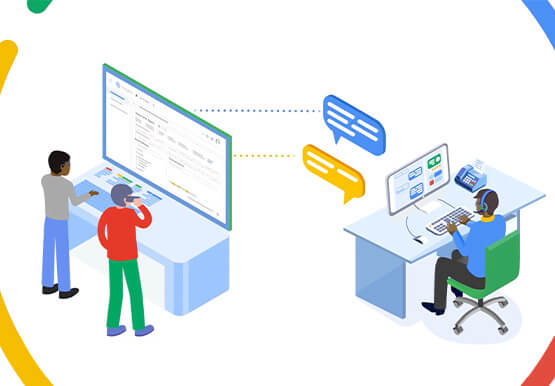
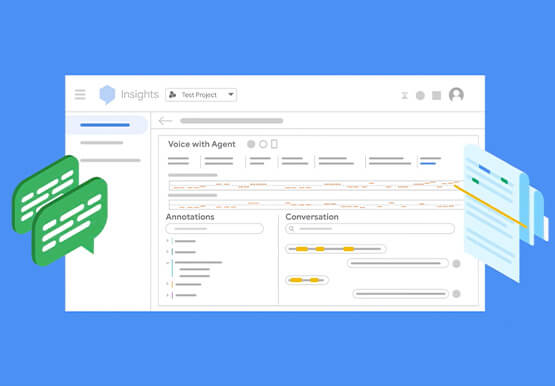
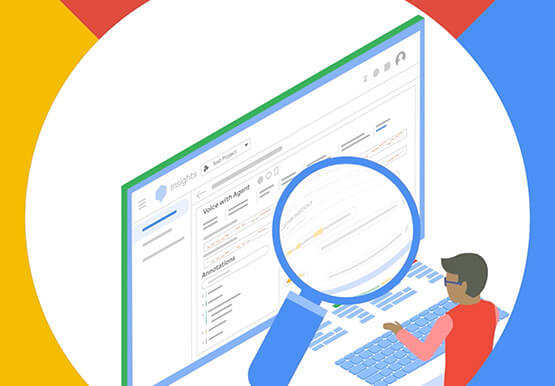
With CCAI Insights, businesses can drive contact center efficiency, solve customer problems and leverage data from customer interactions to understand them better! CCAI Insights, a core piece of the Google Cloud's Contact Center AI product suite is built to help contact center management dive into data to adjust business needs,

Google Cloud Accelerates Financial Organizations’ Journey towards Digital Transformation
When I reflect back on the past year and the pandemic, I’m struck by how the reliance on remote work and operations has changed the fundamentals of business forever. For the financial services industry, this rings particularly true. Many conversations I’m having right now with organizations revolve around embracing a transformation
